190-01263-01 Rev. A
Garmin G2000 Pilot’s Guide for the Cessna T240
167
Audio And CnS
SYSTEM
oVERViEW
FLiGHT
inSTRuMEnTS
EiS Audio & CnS
FLiGHT
MAnAGEMEnT
HAZARd
AVoidAnCE
AFCS
AddiTionAL
FEATuRES
APPEndiCES indEX
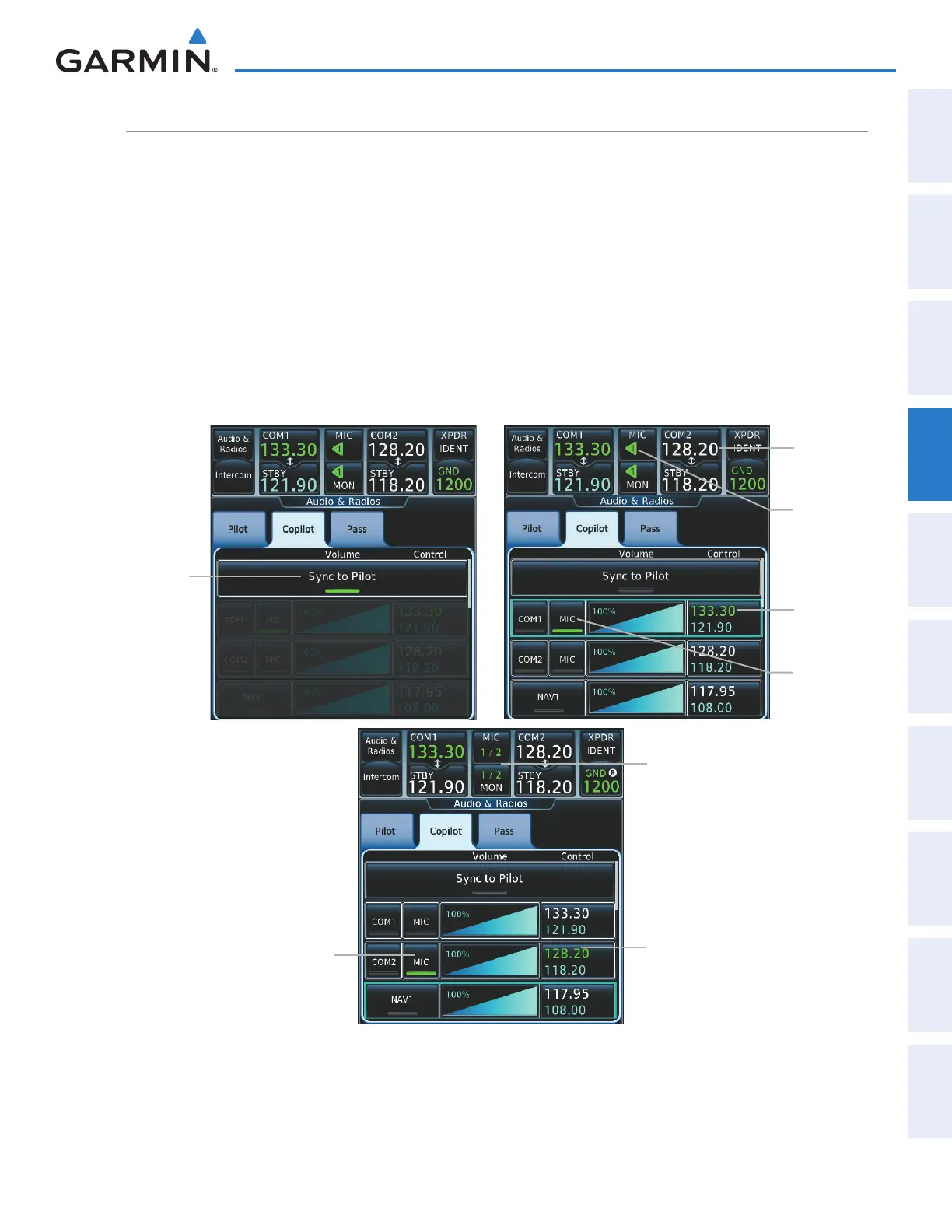
SiMultAneouS coM operAtion
Both the pilot and the copilot can transmit and receive simultaneously over separate COM radios. The
selected COM MIC Annunciator flashes when either pilot’s microphone PTT is pressed.
If both pilots select the same COM radio, the pilot has priority on COM1 and the copilot has priority on
COM2.
Selecting/deselecting simultaneous COM mode:
1) Touch the Audio & Radios Button to display the Audio & Radios Screen.
2) Touch the Copilot Tab.
3) Touch the Sync to Pilot Button to disable/enable synchronizing the copilot COM selections to the pilot.
4) Touch the COM1/COM2 MIC Button to select COM1/COM2 for copilot transmissions.
Sync to
Pilot Button
Figure 4-57 Simultaneous COM Operation
COM2 Active Frequency
(selected by Copilot for
transmission)
COM2
Active
Frequency
MIC Button
(COM2 selected by copilot)
MIC Button (COM1/2 selected for
transmission)
(COM1 by Pilot, COM2 by Copilot)
COM1
Active
Frequency
MIC Button
(COM1
selected for
transmission)
MIC Button
(COM1
selected for
transmission)
This manual downloaded from http://www.manualowl.com



 To Next Page