190-01263-01 Rev. A
Garmin G2000 Pilot’s Guide for the Cessna T240
263
Flight ManageMent
SYSteM
OVeRVieW
Flight
inStRUMentS
eiS
aUDiO Panel
& CnS
Flight
ManageMent
haZaRD
aVOiDanCe
aFCS
aDDitiOnal
FeatUReS
aPPenDiCeS inDeX
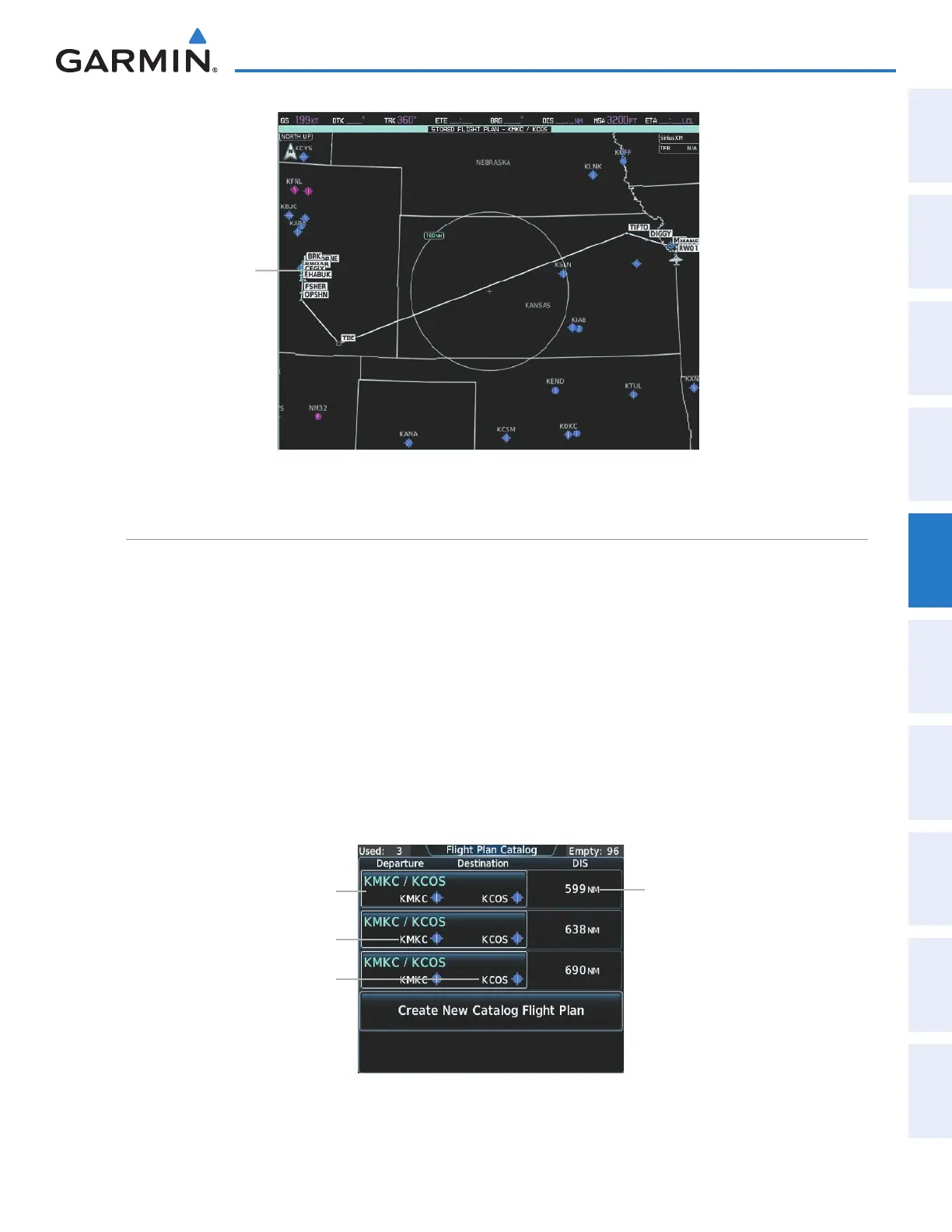
Figure 5-113 Stored Flight Plan Pane - Approach Inserted
Loaded Approach
Flight plan Storage
The system can store up to 99 flight plans. The active flight plan is erased when the system is powered off
or when another flight plan is activated. Details about each stored flight plan can be viewed on the Flight Plan
Catalog Screen.
Viewing information about a stored flight plan:
1) From Home, touch Flight Plan > Flight Plan Options
2) Touch the Catalog Button to display the Flight Plan Catalog Screen. The flight plan information is displayed
showing departure, destination, and total distance for the stored flight plans.
3) Touch a stored flight plan button to display the Catalog Options Window.
4) Touch the Edit Button to display the Edit Stored Flight Plan Screen to view the waypoints in the stored flight
plan.
Figure 5-114 Flight Plan Catalog Screen
Stored Flight Plan Button
Destination Airport Identifier/Symbol
Cumulative Flight Plan Distance
Departure Airport Identifier/Symbol
This manual downloaded from http://www.manualowl.com



 To Next Page