Garmin G2000 Pilot’s Guide for the Cessna T240
190-01263-01 Rev. A262
Flight ManageMent
SYSteM
OVeRVieW
Flight
inStRUMentS
eiS
aUDiO Panel
& CnS
Flight
ManageMent
haZaRD
aVOiDanCe
aFCS
aDDitiOnal
FeatUReS
aPPenDiCeSinDeX
7) Select the airport and approach:
a) If necessary, touch the Airport Button to display the keypad and use it to select the approach airport.
b) Touch the Enter Button to accept the approach airport.
c) If necessary, touch the Approach Button to display the Select Approach Screen with a list of available
approaches.
d) Scroll the list if necessary and touch an approach selection button to select the approach and return to the
Approach Selection Screen.
Or:
a)
If the SBAS Button is available , touch the SBAS Button to display the keypad and use it to select the SBAS
channel number (The SBAS channel button is only available when an LP, LPV, or no approach is selected).
If the SBAS Button is not available , touch the Approach Button to display the Select Approach Screen, scroll
to the bottom of the list, touch the Select by SBAS Channel Button to display the keypad, and use it to select
the SBAS channel number
b) Touch the Enter Button to accept the SBAS channel and return to the Approach Selection Screen with the
airport and approach selected.
8) Touch the Transition Button to display the Select Transition Screen with a list of available transitions.
9) Scroll the list if necessary and touch a transition selection button to select the transition and return to the
Approach Selection Screen.
10) Touch the Preview Button, then the Show on Map Button to show the preview of the approach.
11) Touch the Load Button to insert the approach into the stored flight plan.
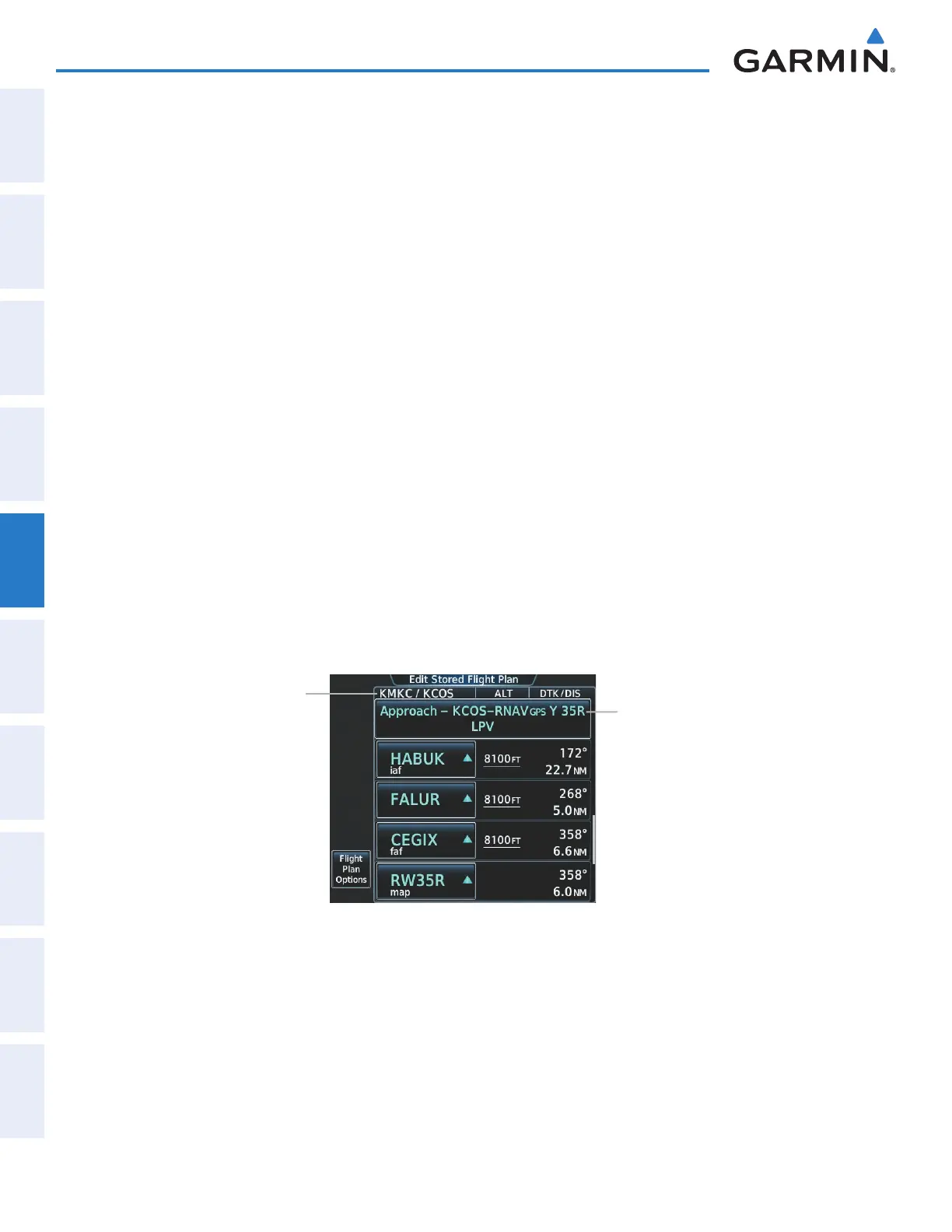
Figure 5-112 Edit Stored Flight Plan Screen - Approach Inserted
Inserted Approach Header
- Approach Identifier: [destination
airport]-[runway and approach type].
(e.g., KCOS-RNAV
GPS Y 35R LPV)
Stored Flight Plan Name
This manual downloaded from http://www.manualowl.com



 To Next Page