190-01263-01 Rev. A
Garmin G2000 Pilot’s Guide for the Cessna T240
177
Flight ManageMent
SYSteM
OVeRVieW
Flight
inStRUMentS
eiS
aUDiO Panel
& CnS
Flight
ManageMent
haZaRD
aVOiDanCe
aFCS
aDDitiOnal
FeatUReS
aPPenDiCeS inDeX
navigation StatuS Bar
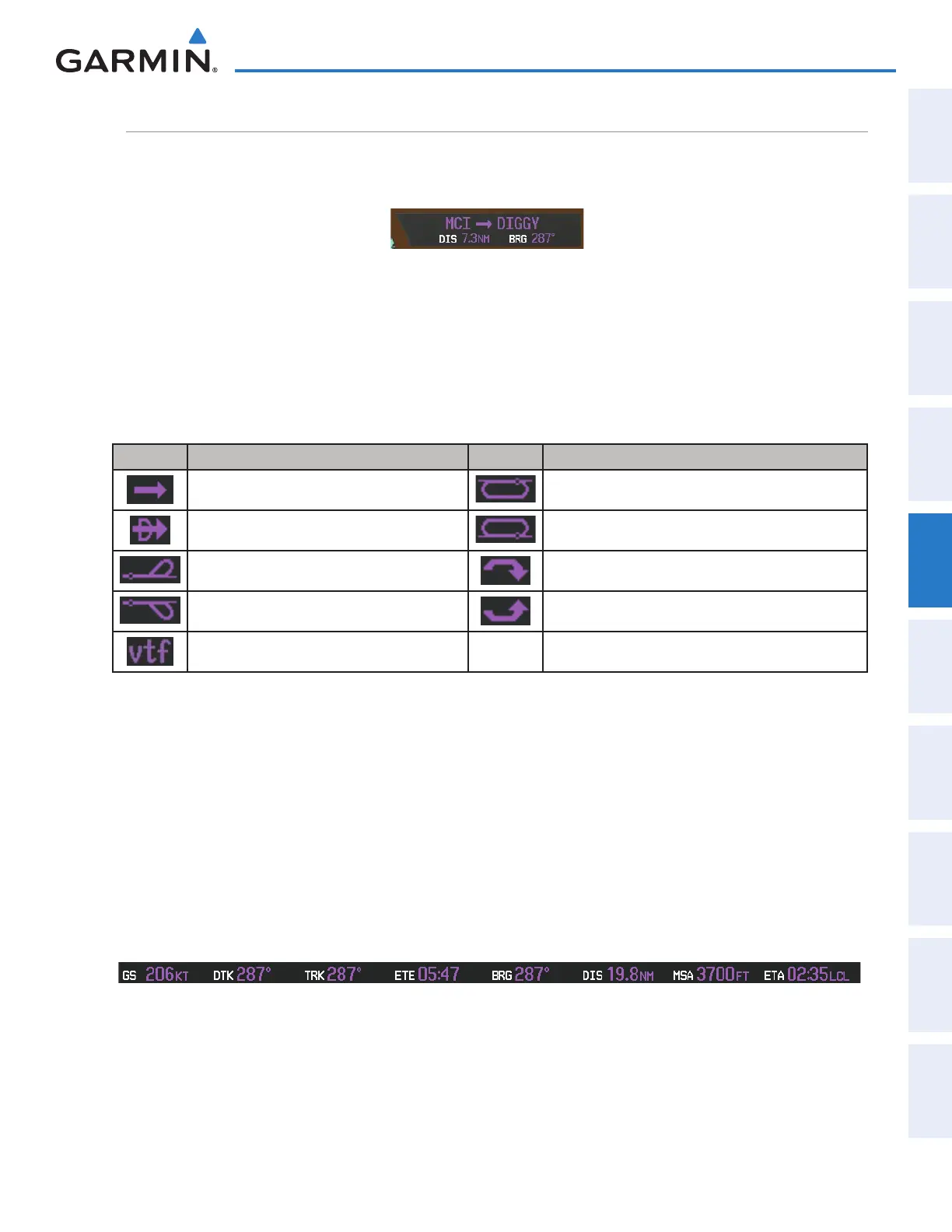
The PFD Navigation Status Bar located at the top of the PFD contains two fields displaying the following
information:
PFD Navigation Status Bar
• Active flight plan leg (e.g., ‘D-> KICT’ or ‘KIXD -> KCOS’) or flight plan annunciations (e.g., ‘Turn right to
021˚ in 8 seconds’)
• Distance (DIS) and Bearing (BRG) to the next waypoint or flight plan annunciations (e.g., ‘TOD within 1
minute’)
The symbols used in the PFD status bar are:
Symbol Description Symbol Description
Active Leg Right Holding Pattern
Direct-to Left Holding Pattern
Right Procedure Turn Right DME Arc
Left Procedure Turn Left DME Arc
Vector to Final
The MFD Data Bar located at the top of the MFD contains eight data fields, each displaying one of the
following items:
• Bearing (BRG) • Fuel over Destination (FOD)
• Distance (DIS) • Ground Speed (GS)
• Desired Track (DTK) • Minimum Safe Altitude (MSA)
• Endurance (END) • True Air Speed (TAS)
• Enroute Safe Altitude (ESA) • Track Angle Error (TKE)
• Estimated Time of Arrival (ETA) • Track (TRK)
• Estimated Time Enroute (ETE) • Vertical Speed Required (VSR)
• Fuel on Board (FOB) • Crosstrack Error (XTK)
MFD Navigation Data Bar
The navigation information displayed in the eight data fields can be selected on the Touchscreen Controller.
The default selections (in order left to right) are GS, DTK, TRK, ETE, BRG, DIS, MSA, and ETA.
This manual downloaded from http://www.manualowl.com



 To Next Page