190-01263-01 Rev. A
Garmin G2000 Pilot’s Guide for the Cessna T240
149
Audio And CnS
SYSTEM
oVERViEW
FLiGHT
inSTRuMEnTS
EiS Audio & CnS
FLiGHT
MAnAGEMEnT
HAZARd
AVoidAnCE
AFCS
AddiTionAL
FEATuRES
APPEndiCES indEX
AdF/dMe tuning
See the Flight Instruments Section for displaying the DME and bearing information windows (ADF) and
using the ADF as the source for the bearing pointer.
The system tunes the ADF receiver (optional) and DME transceiver (optional). The ADF is tuned by entering
the frequency in the ADF standby frequency field of the Audio & Radios Screen on the Touchscreen Controller.
The UHF DME frequency is tuned by pairing with a VHF NAV frequency. DME frequency pairing is automatic
and only the VHF NAV frequency is shown.
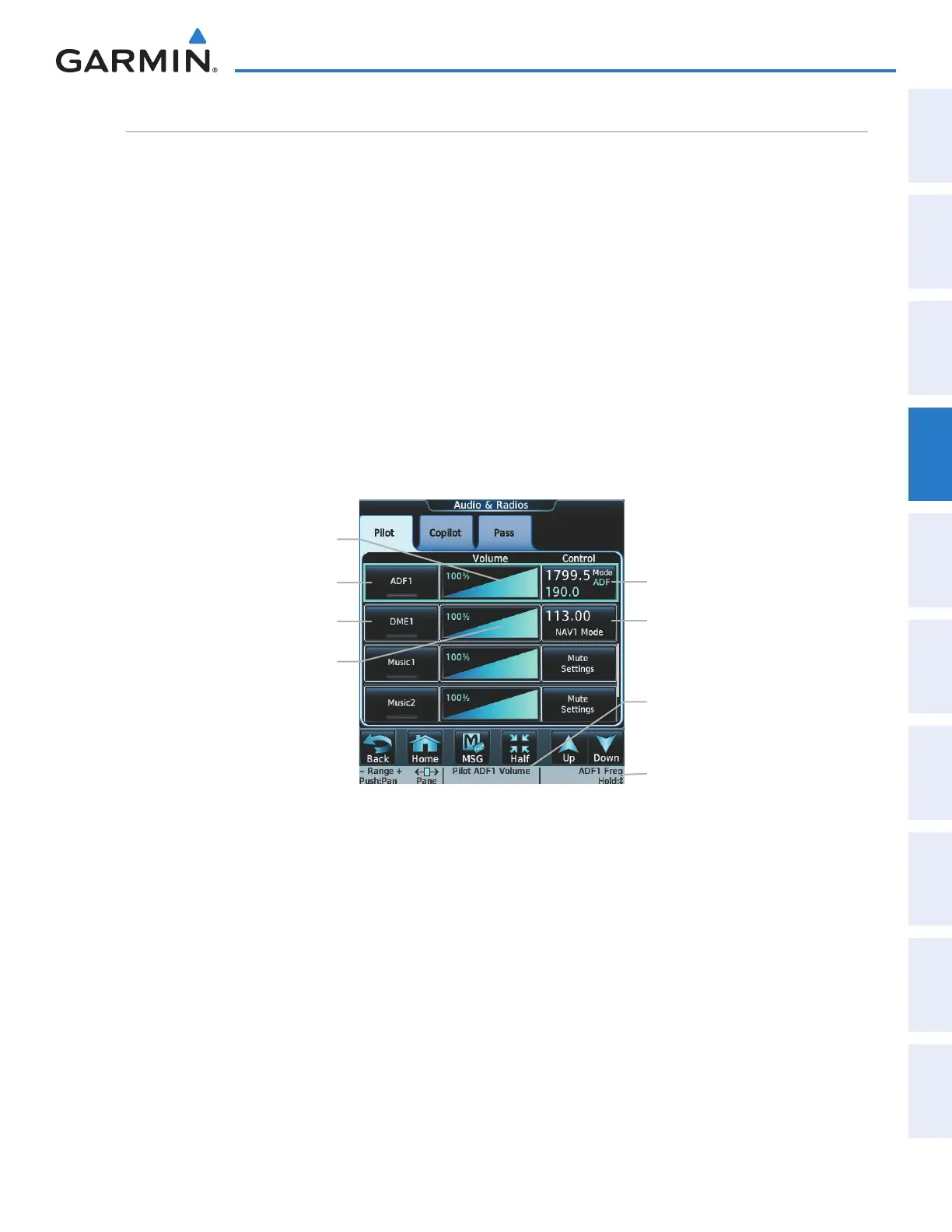
The following ADF/DME information is displayed on the Touchscreen Controller:
• Active and standby ADF frequencies
• ADF receiver mode
• ADF receiver volume
• DME tuning mode (DME transceiver pairing)
• DME receiver volume
Figure 4-30 ADF/DME Tuning
ADF Control Button
ADF1 Button
ADF Volume Slider
ADF Frequency/Transfer Knob Label
DME Control Button
ADF Volume Knob Label
DME Volume Slider
DME1 Button
The selected ADF/DME volume level can be adjusted from 0 to 100% on the touchscreen controller by turning
the middle knob or by sliding your finger right or left on the NAV volume slider. Turning the knob clockwise
increases volume, turning the knob counterclockwise decreases volume. Sliding to the right increases volume,
sliding to the left decreases volume.
This manual downloaded from http://www.manualowl.com



 To Next Page