190-01263-01 Rev. A
Garmin G2000 Pilot’s Guide for the Cessna T240
148
Audio And CnS
SYSTEM
oVERViEW
FLiGHT
inSTRuMEnTS
EiSAudio & CnS
FLiGHT
MAnAGEMEnT
HAZARd
AVoidAnCE
AFCS
AddiTionAL
FEATuRES
APPEndiCESindEX
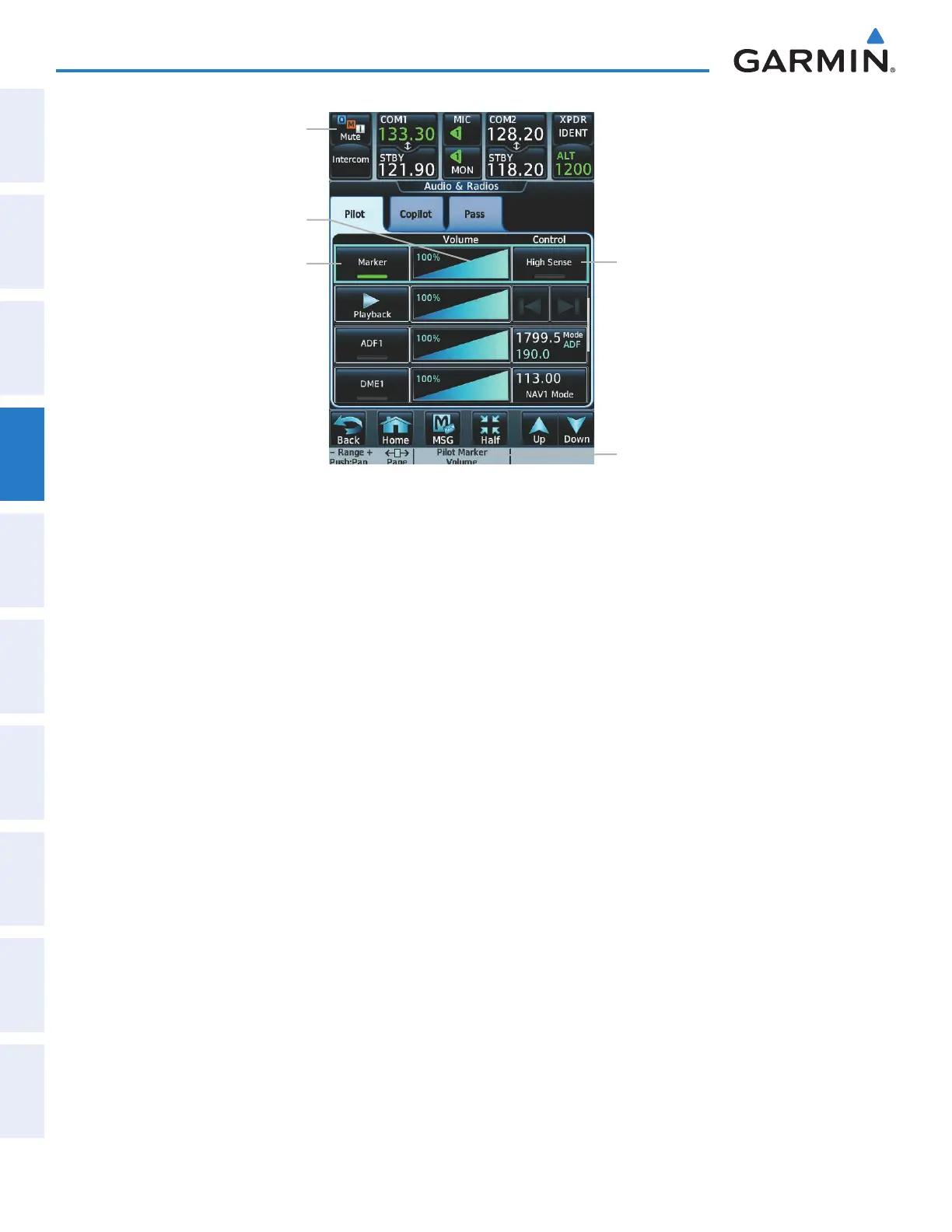
Figure 4-29 Marker Beacon Keys
Marker Beacon
High Sense
Button
Marker Beacon
Mute Button
(flashing)
Marker Button
Marker Beacon
Volume Slider
Marker Volume
Knob Label
The Touchscreen Controller provides three different states of marker beacon audio operation; Selected, Muted,
and Deselected. Pressing the
MARKER
Button selects/deselects marker beacon audio. The button annunciator
indicates when marker beacon audio is selected.
During marker beacon audio reception, pressing the flashing
MUTE
Button mutes the audio but does not
affect the marker annunciations (Figure 4-28). The marker tone is silenced, then waits for the next marker tone.
The flashing
MUTE
Button is also removed during audio muting. The audio returns when the next marker
beacon signal is received.
Pressing the High Sense Button switches between high and low marker beacon receiver sensitivity. The High
Sense function (annunciator illuminated) is used to provide an earlier indication when nearing a marker during
an approach. The Low Sense function (annunciator extinguished) results in a narrower marker dwell while
over a station.
The Marker Beacon volume level can be adjusted from 0 to 100% on the touchscreen controller by turning
the middle knob or by sliding your finger right or left on the Marker Beacon Volume Slider. Turning the
knob clockwise increases volume, turning the knob counterclockwise decreases volume. Sliding to the right
increases volume, sliding to the left decreases volume.
This manual downloaded from http://www.manualowl.com



 To Next Page