190-01263-01 Rev. A
Garmin G2000 Pilot’s Guide for the Cessna T240
429
Hazard avoidance
SYSTeM
overvieW
FLiGHT
inSTrUMenTS
eiS aUdio & cnS
FLiGHT
ManaGeMenT
Hazard
avoidance
aFcS
addiTionaL
FeaTUreS
aPPendiceS indeX
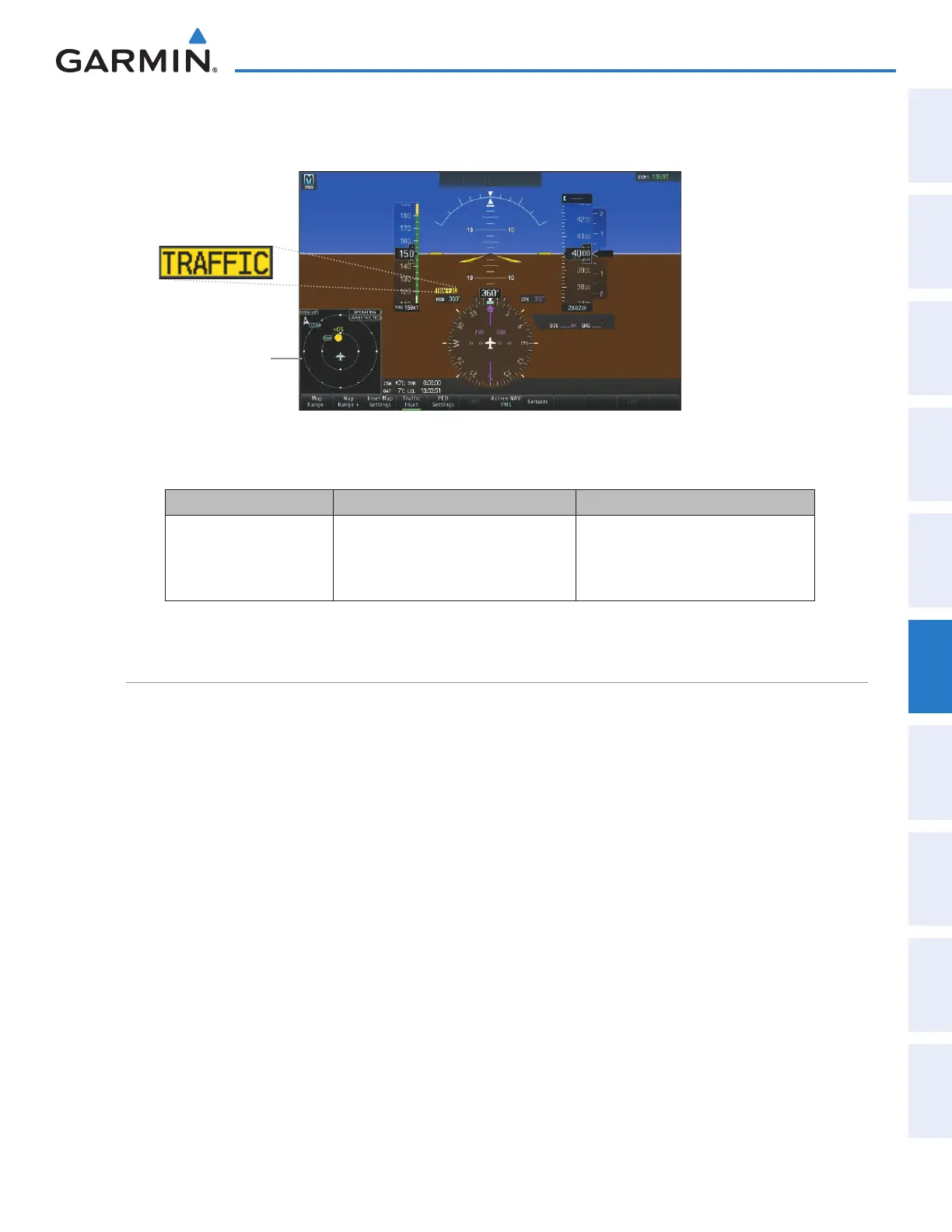
The system displays a TA for at least eight seconds, even if the alerting condition(s) that initially triggered the
TA are no longer present.
Figure 6-103 Traffic Annunciation (PFD)
Inset Traffic
Map Displays
When TA is
Detected
Bearing Relative Altitude Approximate Distance (nm)
“One o’clock” through
“Twelve o’clock”
or “No Bearing”
“High”, “Low”, “Same Altitude” (if
within 200 feet of own altitude), or
“Altitude not available”
“Less than one mile”,
“One Mile” through “Ten Miles”, or
“More than ten miles”
Table 6-24 TA Descriptive Voice Announcements
OPERATION
Testing the Traffic System:
1) From Home, touch Traffic > Traffic Settings.
2) If the traffic system is in Operating Mode (Operate Button annunciator is green), touch the Standby Button
2) Turn the Joystick as necessary to set the Traffic Map Pane range so the outer range ring indicates ‘6 NM’. This
will allow the system to show all traffic symbols in the traffic test pattern.
3) Touch the Test Button. Button annunciator is green while test is in progress. If system test is successful, system
displays a test pattern of traffic symbols an provides the voice alert ‘TAS System Test Passed’, and the traffic
system returns to the previously selected mode. If the test fails, the system announces ‘TAS System Test Fail’ and
enters Standby Mode.
Or:
1)
From Home, touch Map > Map Settings.
2) If necessary, touch the Sensor tab.
3) Touch the Traffic Settings Button.
4) If the traffic system is in Operating Mode (Operate Button annunciator is green), touch the Standby Button.
This manual downloaded from http://www.manualowl.com



 To Next Page