190-01263-01 Rev. A
Garmin G2000 Pilot’s Guide for the Cessna T240
168
Audio And CnS
SYSTEM
oVERViEW
FLiGHT
inSTRuMEnTS
EiSAudio & CnS
FLiGHT
MAnAGEMEnT
HAZARd
AVoidAnCE
AFCS
AddiTionAL
FEATuRES
APPEndiCESindEX
3d Audio
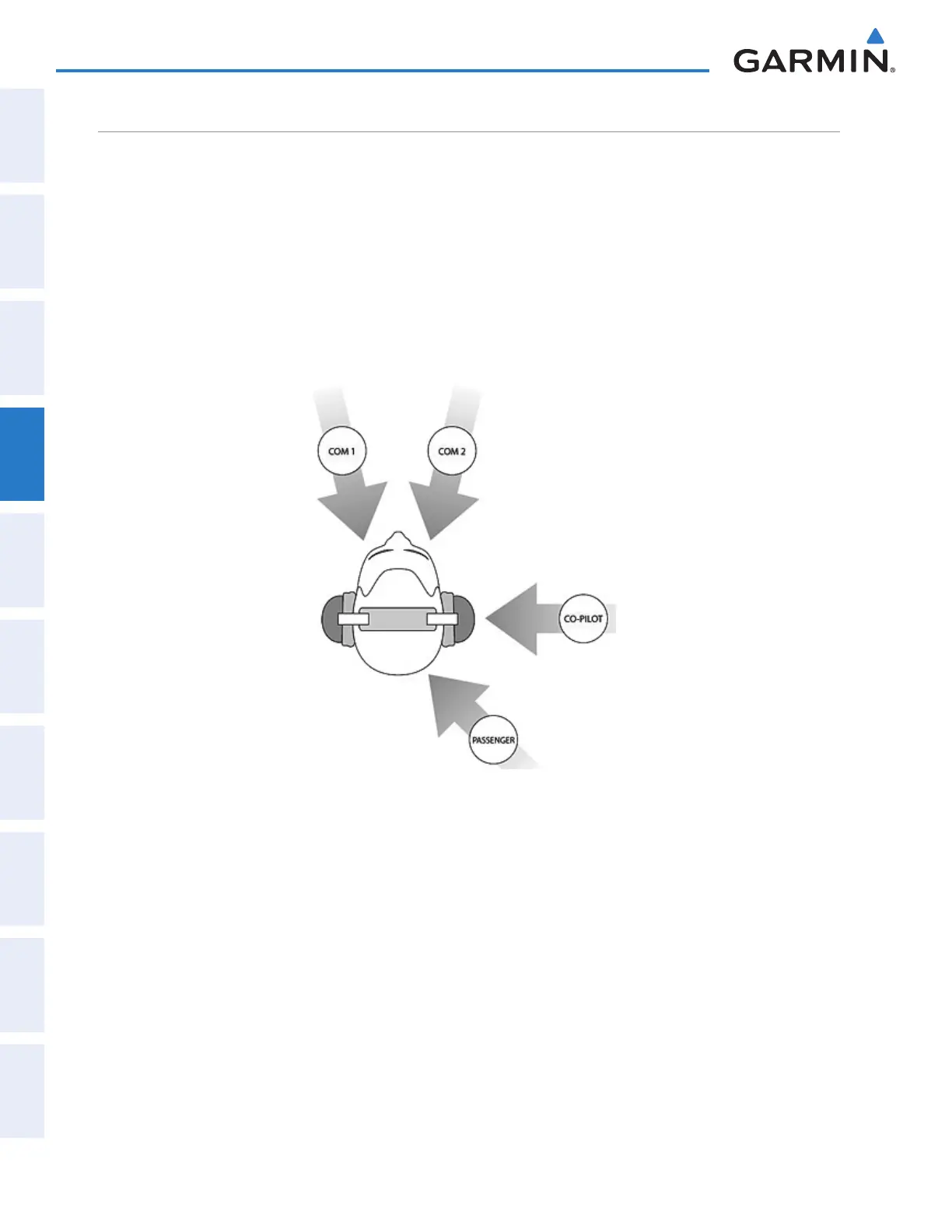
3D Audio is useful when multiple audio sources are present. By using different responses in each ear, 3D
audio processing creates the illusion that each audio source is coming from a unique location or seat position.
Because this feature uses different signals for left and right channels, it requires wiring for stereo intercom
and stereo headsets. If 3D audio is activated when mono headsets are in use, the listener will still hear all audio
sources; however, there is no benefit from location separation.
With a single COM selected and 3D Audio enabled, the listener hears the audio source at the 12 o’clock
position. If both COMs are selected, the listener hears COM1 at 11 o’clock and COM2 at the 1 o’clock position.
All other intercom positions are processed to sound like their relative seat location. By default, the G2000
assumes the pilot sits in the left seat.
This manual downloaded from http://www.manualowl.com



 To Next Page