Garmin G2000 Pilot’s Guide for the Cessna T240
190-01263-01 Rev. A
SYSTEM
OVERVIEW
FLIGHT
INSTRUMENTS
EIS
AUDIO
& CNS
FLIGHT
MANAGEMENT
HAZARD
AVOIDANCE
AFCS
ADDITIONAL
FEATURES
APPENDICESINDEX
554
Appendix A
G2000 SYSTEM ANNUNCIATIONS
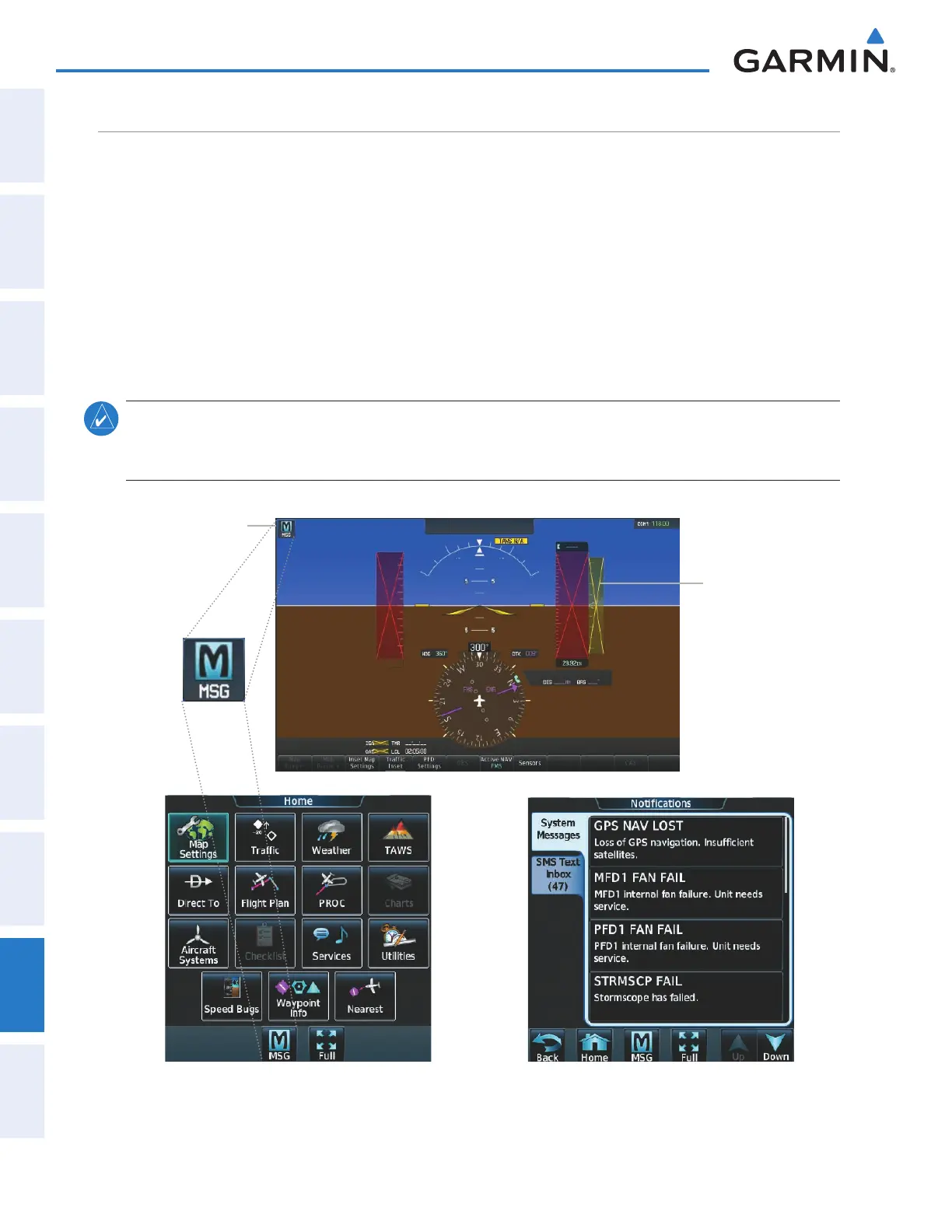
When the system issues a message, the ‘
MSG’
annunciator flashes on the PFD and a MSG Button flashes on
the Touchscreen Controller to alert the pilot of a new message. The annunciator and button continue to flash
until acknowledged by touching the MSG Button on the Touchscreen Controller. Active messages are displayed
in white text. Messages that have become inactive change to gray text. The ‘
MSG’
annunciator flashes if the
state of a displayed alert changes or a new message is displayed. The G2000 System Messages convey messages
to the pilot regarding problems with the G2000 system.
When an LRU or an LRU function fails, a red or yellow ‘X’ is typically displayed on items associated with
the failed data. The color of the ‘X’ is dependent on the LRU. The following section describes various system
annunciations. Refer to the Airplane Flight Manual (AFM) for additional information regarding pilot responses
to these annunciations.
NOTE: Upon power-up of the system, certain windows remain invalid as the equipment begins to initialize.
All windows should be operational within one minute of power-up. If any window continues to remain
flagged, the system should be serviced by a Garmin-authorized repair facility.
.
System Message/
Aircraft Advisory
Message
Notification
System
Annunciations
appear as
Yellow or Red
‘X’
Figure A-6 System Messages and System Annunciations
This manual downloaded from http://www.manualowl.com



 To Next Page