190-01263-01 Rev. A
Garmin G2000 Pilot’s Guide for the Cessna T240
87
Flight instruments
sYstem
OVerVieW
Flight
instruments
eis
AuDiO PAnel
& Cns
Flight
mAnAgement
hAZArD
AVOiDAnCe
AFCs
ADDitiOnAl
FeAtures
APPenDiCes inDeX
Activating and deactivating Pathways:
1) Press the PFD Settings Softkey.
2) Press the Attitude Overlays Softkey.
3) Press the Pathways Softkey. The Pathways feature will cycle on or off with each press of the Pathways
Softkey.
Activating and deactivating Horizon Headings:
1) Press the PFD Settings Softkey.
2) Press the Attitude Overlays Softkey.
3) Press the Horizon Heading Softkey. The horizon heading display will cycle on or off with each press of the
Horizon Heading Softkey.
Activating and deactivating Airport Signs:
1) Press the PFD Settings Softkey.
2) Press the Attitude Overlays Softkey.
3) Press the Airport Signs Softkey. Display of airport signs will cycle on or off with each press of the Airport
Signs Softkey.
SVt FeAtureS
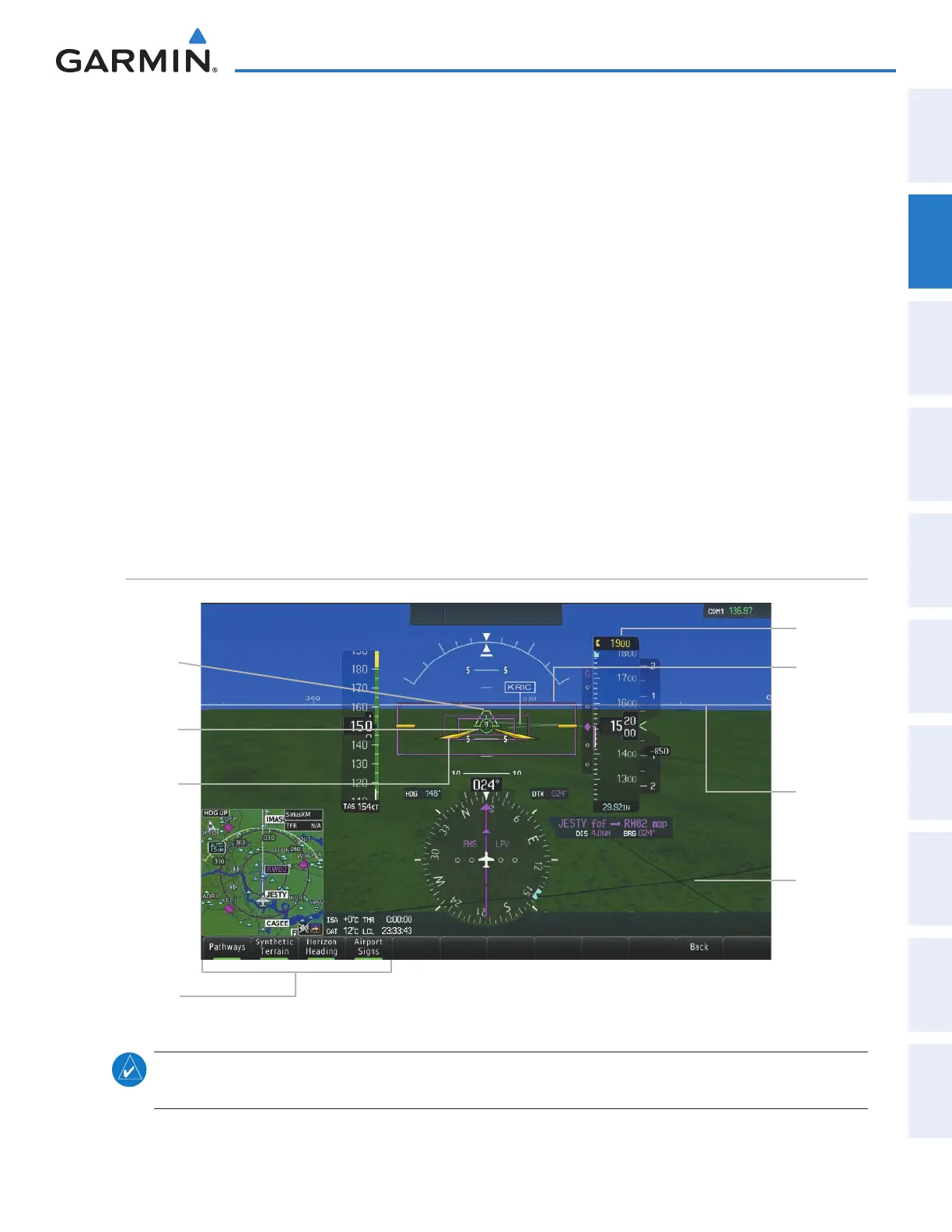
Figure 2-32 SVT on the Primary Flight Display
SVT
Softkeys
Synthetic
Terrain
Pathways
Color
Matches CDI
Indicating
NAV Source
Flight
Path
Marker
Airport
Runway
Zero
Pitch Line
(ZPL) with
Compass
Heading
Marks
Airplane
Symbol
Selected
Altitude
note: Pathways and terrain features are not a substitute for standard course and altitude deviation
information provided by the altimeter, CDI, and VDI.
This manual downloaded from http://www.manualowl.com



 To Next Page