190-01263-01 Rev. A
Garmin G2000 Pilot’s Guide for the Cessna T240
275
Flight ManageMent
SYSteM
OVeRVieW
Flight
inStRUMentS
eiS
aUDiO Panel
& CnS
Flight
ManageMent
haZaRD
aVOiDanCe
aFCS
aDDitiOnal
FeatUReS
aPPenDiCeS inDeX
cloSeSt point oF Fpl
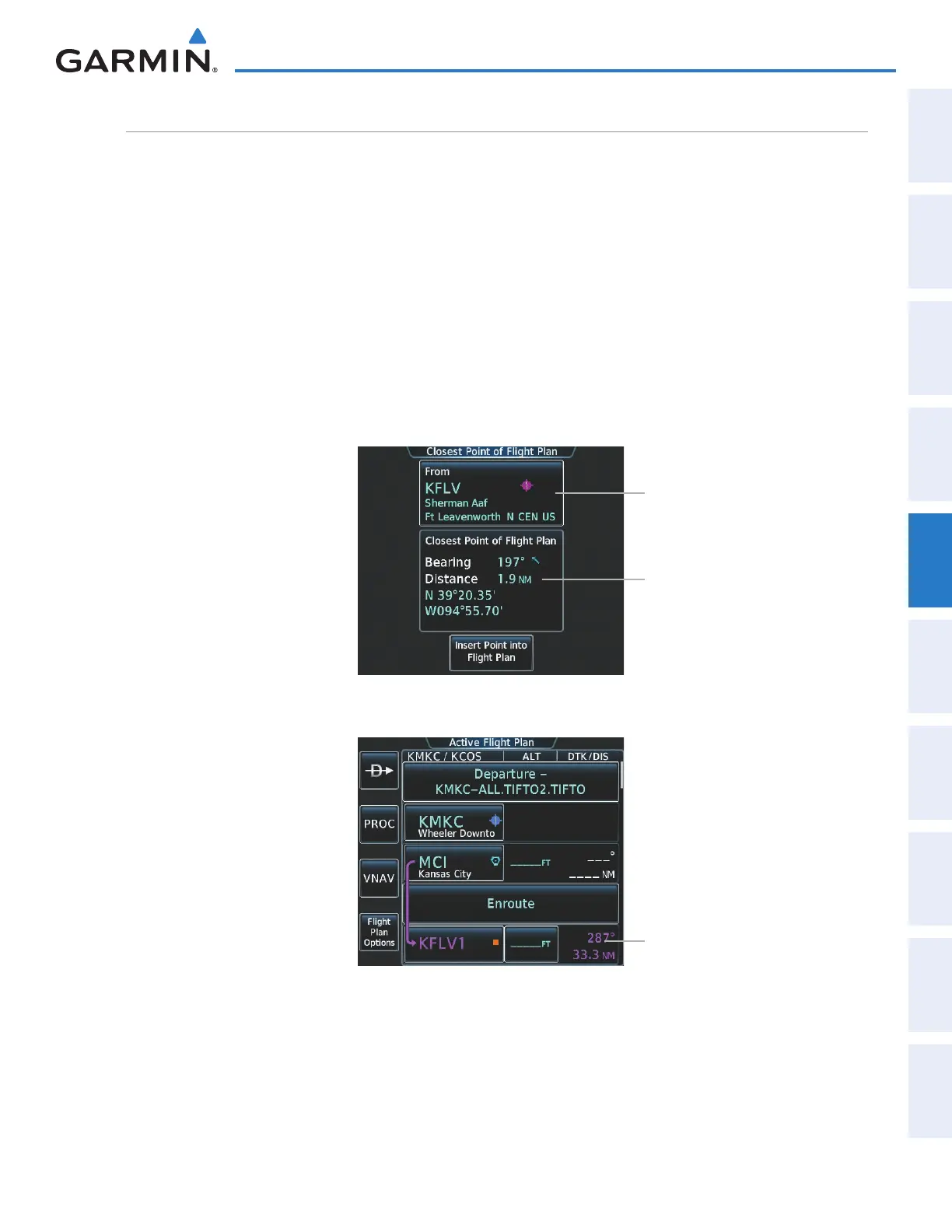
‘Closest Point of FPL’ calculates the bearing and closest distance at which a flight plan passes a selected
waypoint, and allows creation of a new user waypoint along the flight plan at the location closest to a chosen
reference waypoint.
Determining the closest point along the active flight plan to a selected waypoint:
1) From Home, touch Flight Plan > Flight Plan Options
2) Touch the Closest Point of Flight Plan Button to display the Closest Point of Flight Plan Screen
3) Touch the From waypoint button to display the keypad.
4) Use the keypad and the Enter Button to select the “From” waypoint.
5) Touch the Insert Point into Flight Plan Button to add the calculated waypoint into the flight plan. The name
for the new waypoint is derived from the identifier of the From waypoint.
Figure 5-125 Closest Point of FPL
From Waypoint Button
Calculated Bearing/Distance
and Latitude/Longitude of the
Closest Point of Flight Plan
Figure 5-126 Closest Point of FPL inserted in Active Flight Plan
Inserted Flight Plan Waypoint
This manual downloaded from http://www.manualowl.com



 To Next Page