190-01263-01 Rev. A
Garmin G2000 Pilot’s Guide for the Cessna T240
169
Audio And CnS
SYSTEM
oVERViEW
FLiGHT
inSTRuMEnTS
EiS Audio & CnS
FLiGHT
MAnAGEMEnT
HAZARd
AVoidAnCE
AFCS
AddiTionAL
FEATuRES
APPEndiCES indEX
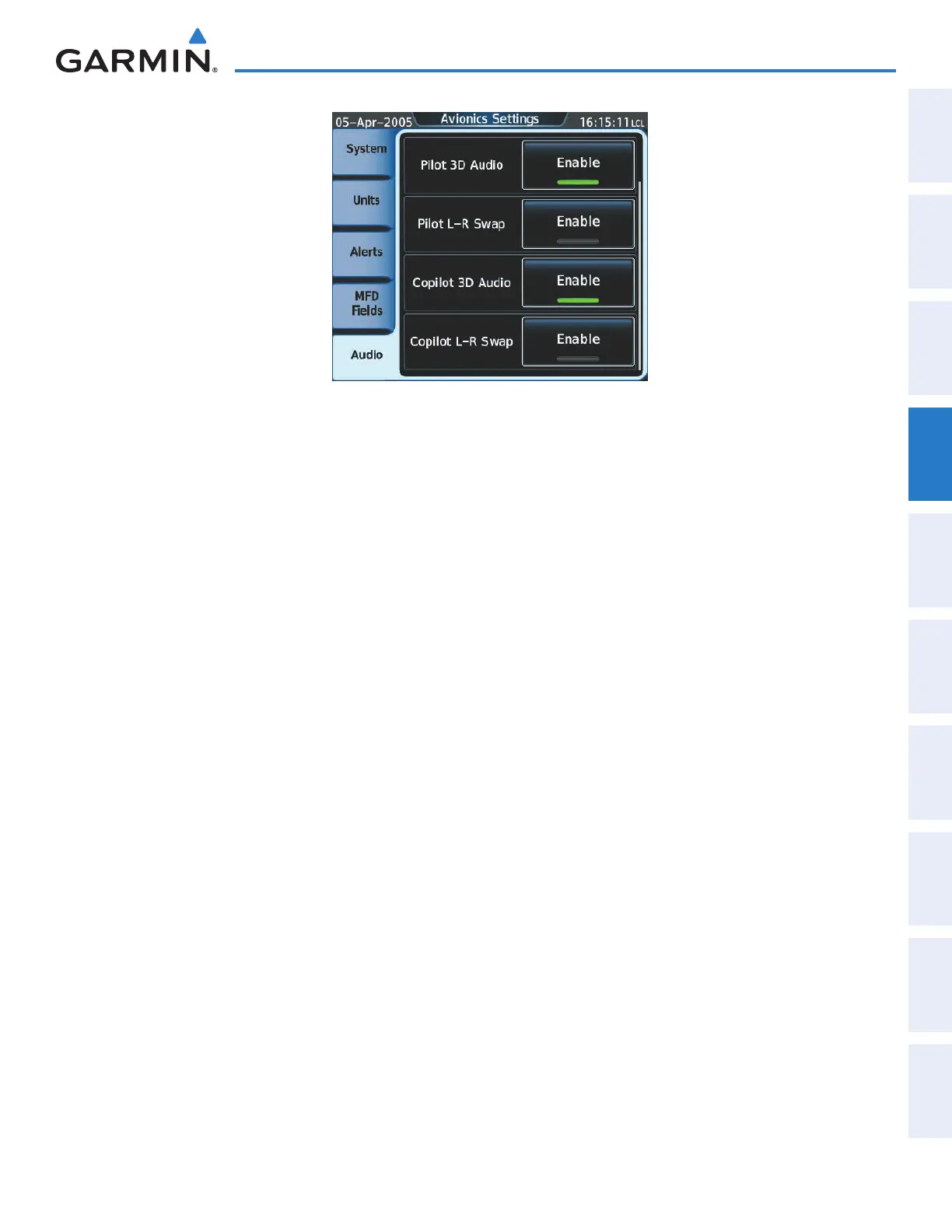
Figure 4-58 Avionics Settings Screen (3D Audio)
Enabling/disabling 3D Audio for the pilot position:
1) From Home, touch Utilities > Setup > Avionics Settings to display the Avionics Settings Screen.
2) Touch the Audio Tab.
3) Touch the Pilot 3D Audio Enable Button to enable/disable 3D audio for the pilot position.
Enabling/disabling 3D Audio for the copilot position:
1) From Home, touch Utilities > Setup > Avionics Settings to display the Avionics Settings Screen.
2) Touch the Audio Tab.
3) Touch the Copilot 3D Audio Enable Button to enable/disable 3D audio for the copilot position.
Swap left and right pilot headset audio:
1) From Home, touch Utilities > Setup > Avionics Settings to display the Avionics Settings Screen.
2) Touch the Audio Tab.
3) Touch the Pilot L-R Swap Enable Button to swap the left and right pilot headset audio.
Swap left and right copilot headset audio:
1) From Home, touch Utilities > Setup > Avionics Settings to display the Avionics Settings Screen.
2) Touch the Audio Tab.
3) Touch the Copilot L-R Swap Enable Button to swap the left and right copilot headset audio.
This manual downloaded from http://www.manualowl.com



 To Next Page