Garmin G2000 Pilot’s Guide for the Cessna T240
190-01263-01 Rev. A
336
Hazard avoidance
SYSTeM
overvieW
FLiGHT
inSTrUMenTS
eiS
aUdio & cnS
FLiGHT
ManaGeMenT
Hazard
avoidance
aFcS
addiTionaL
FeaTUreS
aPPendiceSindeX
NEXRAD
Weather
Product Symbol
Weather
Product Age in
Minutes
MFD (SiriusXM Weather Pane)
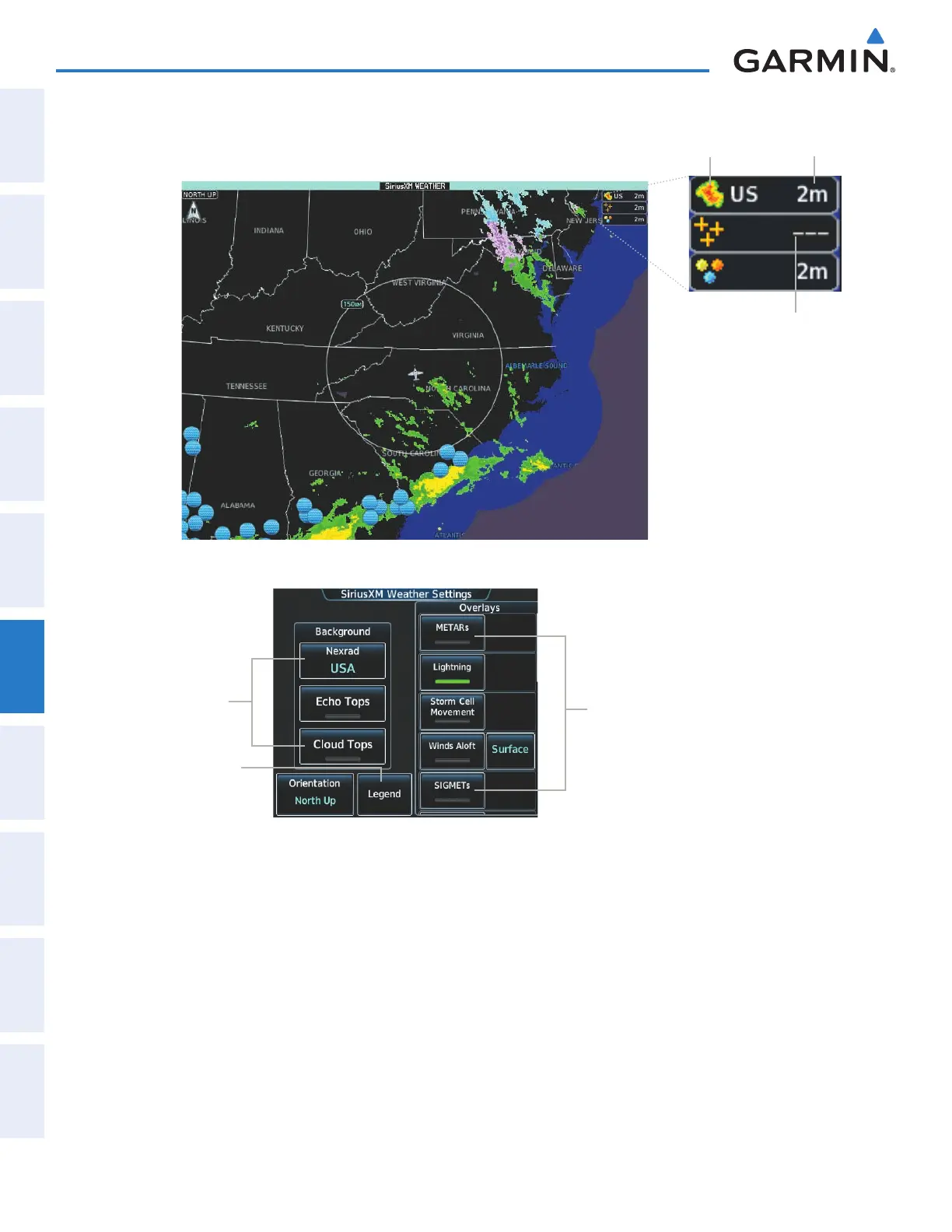
Figure 6-2 Viewing SiriusXM Weather Products on
the SiriusXM Weather Pane
Select Weather
Product Map
Background
Enable/Disable
Weather
Product
Overlay(s)
Touchscreen Controller (SiriusXM Weather Settings Screen)
View the Legends
for Enabled
Weather Products
Dashes Indicate
Weather Product
Expired
The map orientation of the SiriusXM Weather Pane is pilot-selectable, and is independent for each display
pane area. If desired, the system can also synchronize the SiriusXM Weather Pane orientation to the orientation
of the Navigation Map Pane.
Selecting a map orientation for the SiriusXM Weather Pane:
1) From Home, touch Weather > Weather Selection > SiriusXM Weather > SiriusXM Settings.
2) Touch the Orientation Button to change the current orientation setting (shown in light blue).
3) Touch to select one of the following buttons from the list:
This manual downloaded from http://www.manualowl.com



 To Next Page