Garmin G2000 Pilot’s Guide for the Cessna T240
190-01263-01 Rev. A116
engine indication SyStem
SyStem
oVerVieW
fligHt
inStrUmentS
eiS
aUdio panel
& cnS
fligHt
management
HaZard
aVoidance
afcS
additional
featUreS
appendiceSindeX
PULSE OXIMETER INFORMATION
note: Refer to the Airplane Flight Manual for more information about using the pulse oximeter.
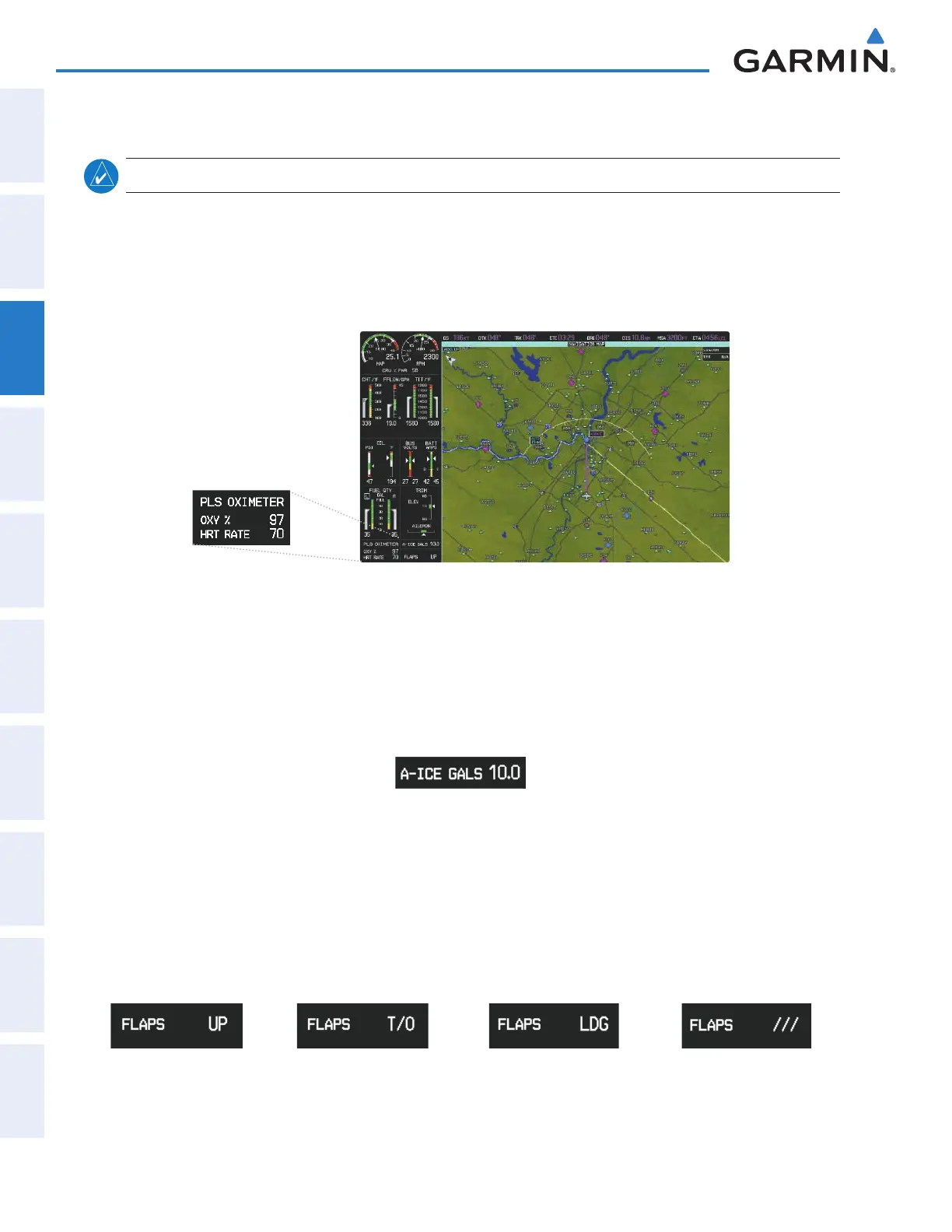
The Pulse Oximeter Display shows a measurement of blood oxygen as a percentage (OXY %) and heart rate
(HRT RATE) in beats per minute. The Pulse Oximeter readouts appear in the lower-left of the EIS Display (in
place of the Engine Hours Display) when the system detects a fi nger has been inserted into the pulse oximeter,
and remains displayed momentarily after a fi nger is removed. The Pulse Oximeter Display is available in
Normal Mode, but not in Reversionary Mode.
Figure 3-17 Pulse Oximeter Display
ANTI-ICE FLUID QUANTITY (OPTIONAL)
The optional Anti-Ice Display on the EIS shows the number of remaining gallons (GALS) of anti-ice fl uid
as a digital readout. The FIKI (Flight Into Known Icing) Anti-Ice option also displays the Anti-Ice Time
Remaining on the Engine and Systems Display.
Figure 3-18 Anti-Ice Display
FLAPS INFORMATION
The Flaps Position Indicator displays the fl ap positions as shown in Figure 3-18. The Flaps Position
Indicator is available in Normal Mode, but not in Reversionary Mode.
Figure 3-19 Flaps Position Indicator
Flaps Up
Flaps in Takeoff
Confi guration
Flaps in Landing
Confi guration
Flaps in Transition
This manual downloaded from http://www.manualowl.com



 To Next Page