190-01263-01 Rev. A
Garmin G2000 Pilot’s Guide for the Cessna T240
209
Flight ManageMent
SYSteM
OVeRVieW
Flight
inStRUMentS
eiS
aUDiO Panel
& CnS
Flight
ManageMent
haZaRD
aVOiDanCe
aFCS
aDDitiOnal
FeatUReS
aPPenDiCeS inDeX
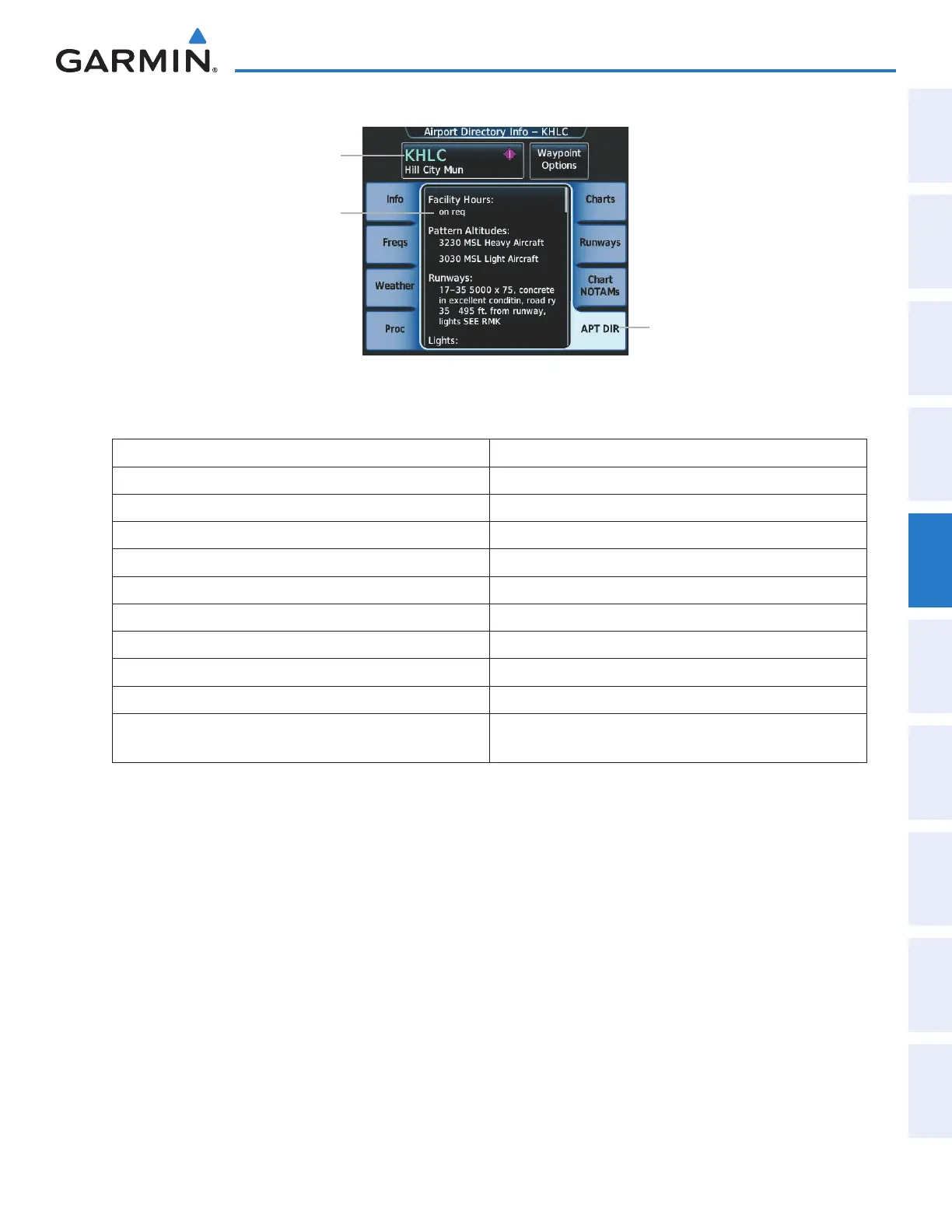
Figure 5-41 Airport Directory Info Screen
Airport Directory
Information
Selected Airport Button
APT DIR Tab
The following types of airport directory information are shown (if available):
Airport: Identifier, Site Number, Name, City, State Traffic Pattern Altitudes (TPA): Aircraft Class/Altitude
Phones: Phone/Fax Numbers Weather: Service Type, Frequency, Phone Number
Hours: Facility, Light, Tower, Beacon Flight Service Station (FSS): Name, Phone Numbers
Location: Sectional, Magnetic Variation Instrument Approaches: Published Approach, Frequency
Frequencies: Type/Frequency NAVAIDS: Type, Identifier, Frequency, Radial, Distance
Transportation: Ground Transportation Type Available Noise: Noise Abatement Procedures
Approach: Facility Name, Frequency, Frequency Parameter Charts: Low Altitude Chart Number
Runway: Headings, Length, Width, Obstructions, Surface Notes: Airport Notes
Obstructions: General Airport Obstructions Pilot Controlled Lighting: High/Med/Low Clicks/Second
Special Operations at Airport Services Available: Category, Specific Service
FBO: Type, Frequencies, Services, Fees, Fuel, Credit Cards,
Phone/Fax Numbers
Selecting an airport for review by identifier:
1) From Home, touch Waypoint Info > Airport.
2) Touch the Info Tab, if necessary.
3) Touch the selected airport button to display the keypad.
4) Use the keypad to enter the airport identifier.
5) Touch the Enter Button to accept the identifier and display the airport information on the Touchscreen
Controller.
6) Touch the Waypoint Options Button, then the Show on Map Button to display the airport information on
the map, if necessary.
Finding and selecting an airport for review by facility name or city name:
1) From Home, touch Waypoint Info > Airport.
2) Touch the Info Tab, if necessary.
This manual downloaded from http://www.manualowl.com



 To Next Page