Garmin G2000 Pilot’s Guide for the Cessna T240
190-01263-01 Rev. A218
Flight ManageMent
SYSteM
OVeRVieW
Flight
inStRUMentS
eiS
aUDiO Panel
& CnS
Flight
ManageMent
haZaRD
aVOiDanCe
aFCS
aDDitiOnal
FeatUReS
aPPenDiCeSinDeX
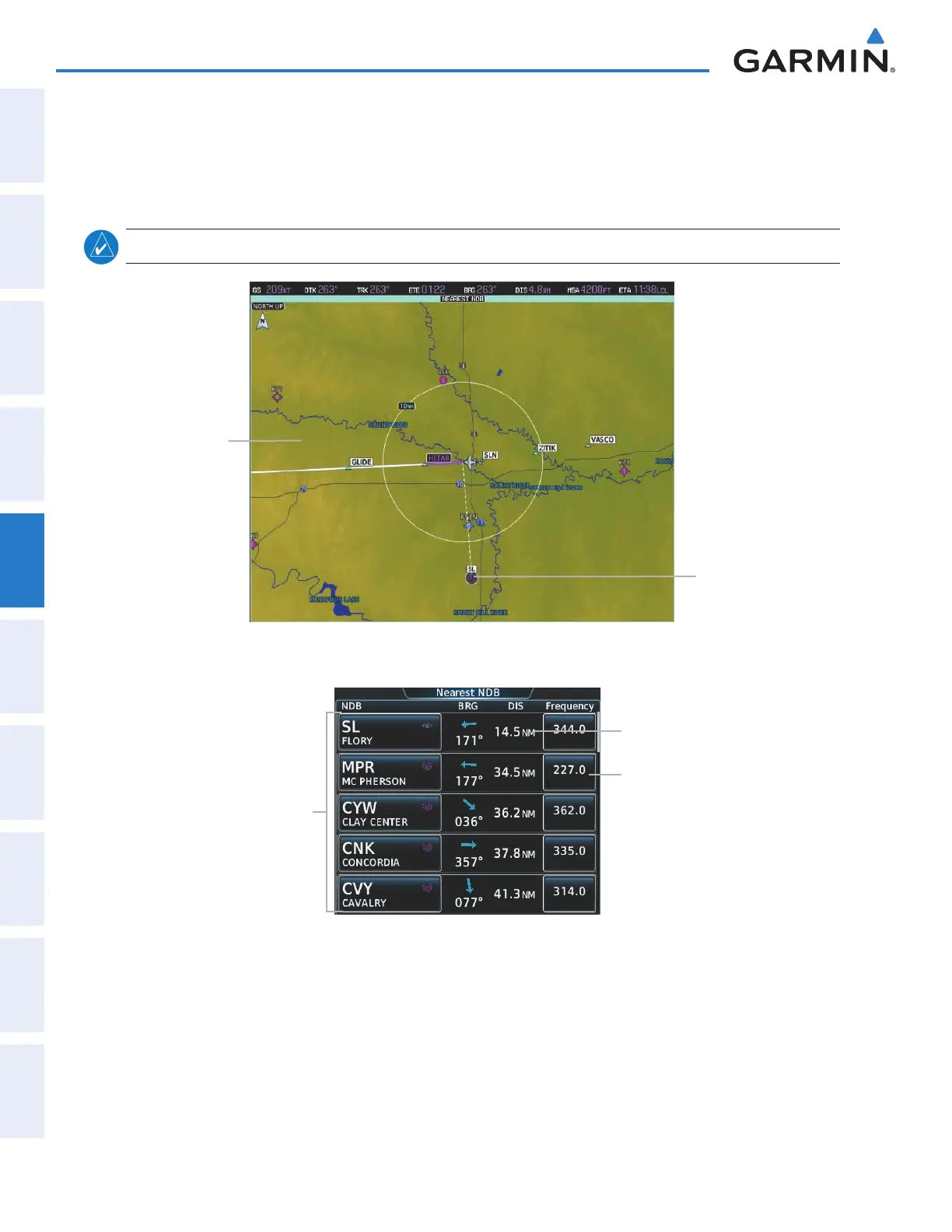
The Nearest NDB Screen displays a list of up to 25 nearest NDBs (five entries can be displayed at one time).
If there are more than five they are displayed in a scrollable list. If there are no nearest NDBs available, “NONE
WITHIN 200NM” is displayed.
A dashed white line is drawn on the Nearest NDB pane from the aircraft position to the selected nearest NDB.
note: The list only includes waypoints that are within 200 nm.
Figure 5-52 Nearest NDB Pane
Navigation Map
Showing Nearest
NDB
Nearest NDB
Figure 5-53 Nearest NDB Screen
Nearest NDB Buttons
(Identifier, Name, Symbol)
Nearest NDB Information
Bearing/Distance
NDB Frequency Button
Tune ADF Active/Standby Frequency
Add to Favorites
Viewing information for a nearest NDB:
1) From Home, touch Nearest > NDB.
2) Touch a nearest NDB button to display the Waypoint Options Window.
3) Touch the Show on Map Button to display the Nearest NDB pane, if necessary.
4) Touch the NDB Info Button to display the NDB Information Screen.
This manual downloaded from http://www.manualowl.com



 To Next Page