190-01263-01 Rev. A
Garmin G2000 Pilot’s Guide for the Cessna T240
223
Flight ManageMent
SYSteM
OVeRVieW
Flight
inStRUMentS
eiS
aUDiO Panel
& CnS
Flight
ManageMent
haZaRD
aVOiDanCe
aFCS
aDDitiOnal
FeatUReS
aPPenDiCeS inDeX
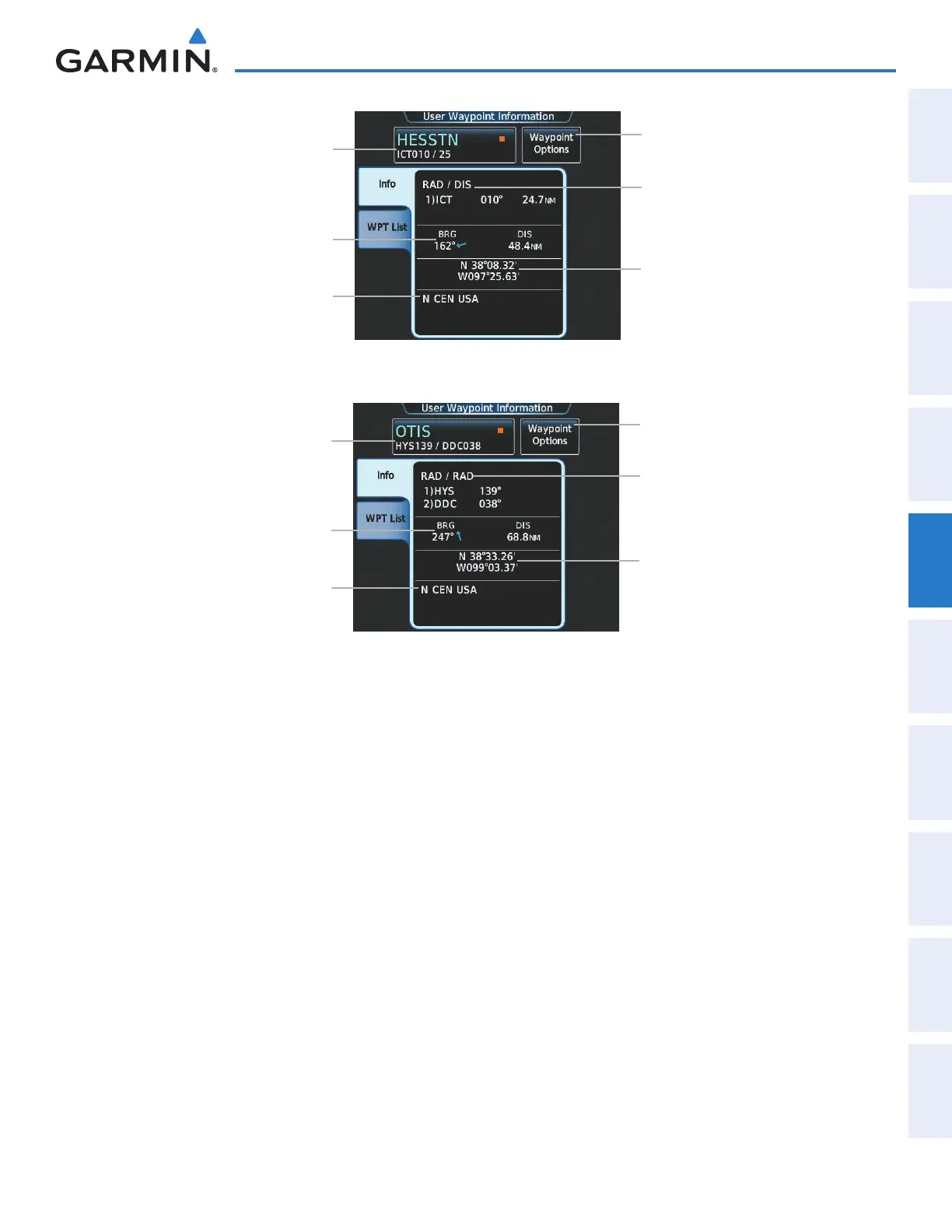
Figure 5-60 User Waypoint Information Screen (defined by radial/distance from waypoint)
Selected User Waypoint Button
(Identifier, Name, Symbol)
Region
Waypoint Options Button
Direct To, Insert in Flight Plan, Edit,
Delete, Delete All, Show On Map
User Waypoint Definition
Location Type (RAD/DIS)
Reference Waypoint
Radial/Distance from Waypoint
Latitude/Longitude
Bearing/Distance from Aircraft
Figure 5-61 User Waypoint Information Screen (defined by radials from two waypoints)
Selected User Waypoint Button
(Identifier, Name, Symbol)
Region
Waypoint Options Button
Direct To, Insert in Flight Plan, Edit,
Delete, Delete All, Show On Map
User Waypoint Definition
Location Type (RAD/RAD)
Reference Waypoints
Radials from Waypoints
Latitude/Longitude
Bearing/Distance from Aircraft
Selecting a user waypoint:
1) From Home, touch Waypoint Info > User Waypoint.
2) Touch the selected user waypoint button to display the keypad.
3) Use the keypad to enter the user waypoint identifier.
4) Touch the Enter Button to accept the identifier and display the user waypoint information on the Touchscreen
Controller.
5) Touch the Waypoint Options Button, then the Show on Map Button to display the User Waypoint Information
pane, if necessary.
Finding and selecting a user waypoint for review by facility name or city name:
1) From Home, touch Waypoint Info > User Waypoint.
2) Touch the selected user waypoint button to display the keypad.
3) Touch the Find Button to display the Find Waypoint Screen.
4) Touch the Search Tab to display the Search By Button.
5) If necessary, touch the Search By Button to choose Search by City or Search by Facility.
This manual downloaded from http://www.manualowl.com



 To Next Page