190-01263-01 Rev. A
Garmin G2000 Pilot’s Guide for the Cessna T240
237
Flight ManageMent
SYSteM
OVeRVieW
Flight
inStRUMentS
eiS
aUDiO Panel
& CnS
Flight
ManageMent
haZaRD
aVOiDanCe
aFCS
aDDitiOnal
FeatUReS
aPPenDiCeS inDeX
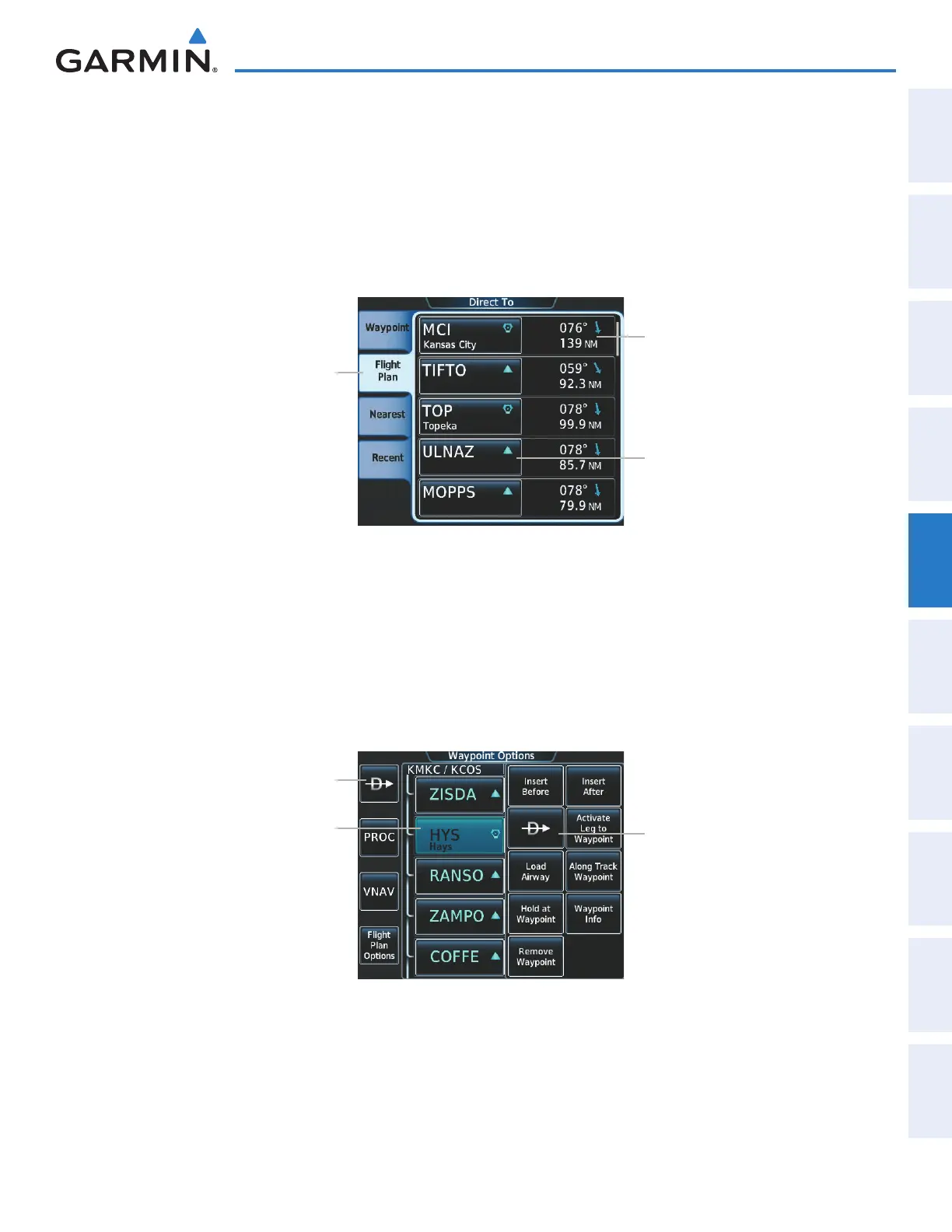
Selecting a waypoint as the direct-to destination by category (Flight Plan, Nearest, or Recent):
1) From Home, touch Direct To.
2) Touch the Flight Plan Tab, the Nearest Tab, or the Recent Tab, as necessary.
3) Touch a waypoint selection button to choose the waypoint as the direct-to destination, and return to the Direct
To Screen.
4) Touch the Activate ¯ Button to activate the direct-to.
Figure 5-77 Direct To Screen - Flight Plan Tab
Flight Plan Tab
Bearing/Distance to Waypoint
Waypoint Selection Button
Selecting a waypoint as the direct-to destination from the active flight plan:
1) From Home, touch Flight Plan.
2) Touch a waypoint selection button to display the Waypoint Options Window.
3) Touch either ¯ button to choose the waypoint as the direct-to destination, and return to the Direct To Screen.
4) Touch the Activate ¯ Button to activate the direct-to.
Figure 5-78 Active Flight Plan Screen - Waypoint Options
Direct To (¯) Button
Direct To (¯) Button
Waypoint Selection Button
This manual downloaded from http://www.manualowl.com



 To Next Page