Garmin G2000 Pilot’s Guide for the Cessna T240
190-01263-01 Rev. A248
Flight ManageMent
SYSteM
OVeRVieW
Flight
inStRUMentS
eiS
aUDiO Panel
& CnS
Flight
ManageMent
haZaRD
aVOiDanCe
aFCS
aDDitiOnal
FeatUReS
aPPenDiCeSinDeX
note: If the imported flight plan contains a waypoint with a name that duplicates the name of a waypoint
already stored on the system, the system compares the coordinates of the imported waypoint with those of
the existing waypoint. If the coordinates are different, the imported waypoint is automatically renamed by
adding characters to the end of the name.
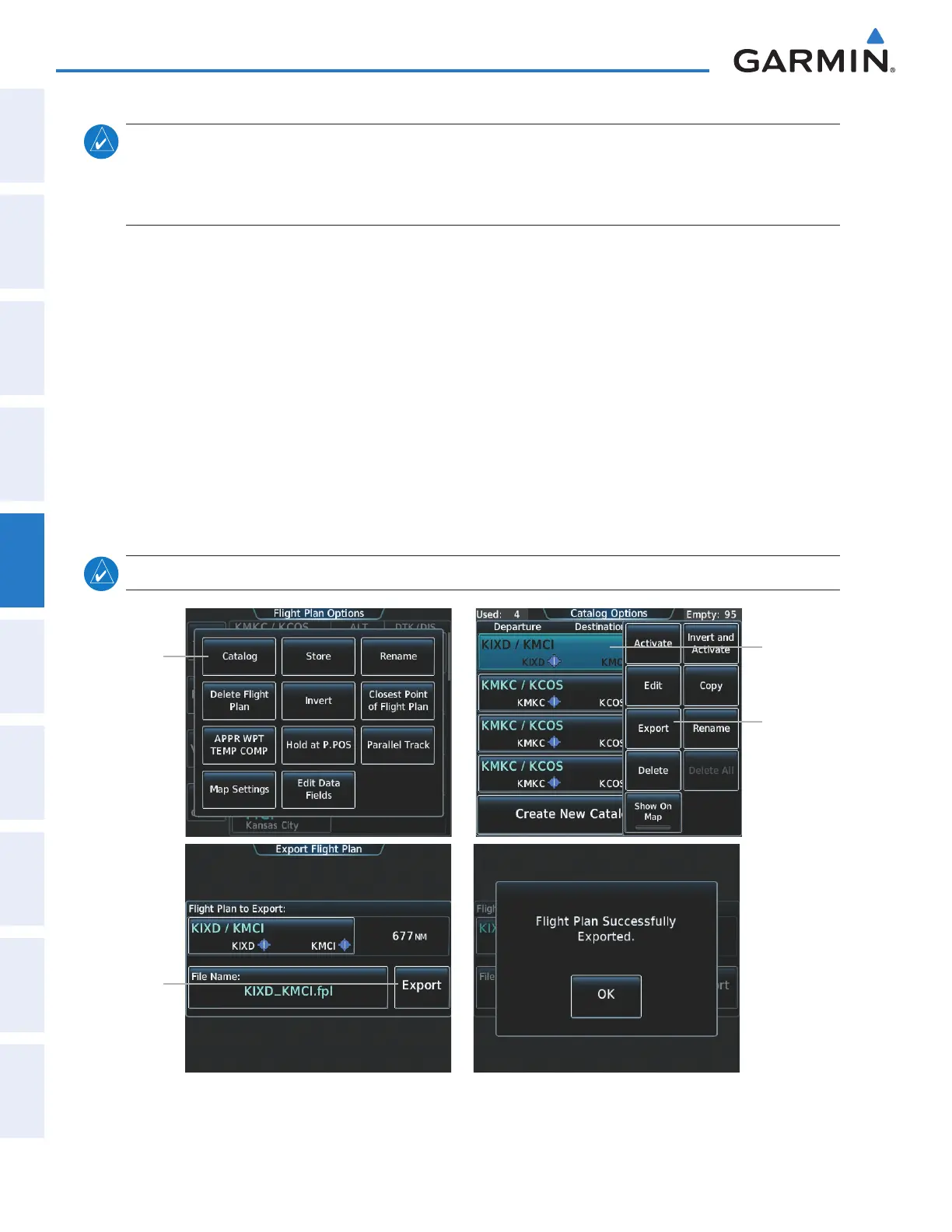
Exporting a stored Flight Plan to an SD Card
1) Insert the SD card for storing the flight plan in the top card slot on the MFD.
2) From Home, touch Flight Plan > Flight Plan Options
3) Touch the Catalog Button to display the Flight Plan Catalog Screen.
4) Touch a flight plan selection button to display the Catalog Options Window.
5) Touch the Export Button to display the Export Flight Plan Screen.
6) Touch the File Name: Button to rename the exported flight plan using the keypad or right knob, if necessary.
7) Touch the Export Button.
8) Touch the OK Button in response to the “Flight Plan Successfully Exported.” prompt to return to the Flight Plan
Options Screen.
note: The exported flight plan will not contain any procedures or airways.
Catalog
Button
Figure 5-88 Stored Flight Plan Export
Export
Button
Export
Button
Flight Plan
Selection
Button
This manual downloaded from http://www.manualowl.com



 To Next Page