190-01263-01 Rev. A
Garmin G2000 Pilot’s Guide for the Cessna T240
327
Flight ManageMent
SYSteM
OVeRVieW
Flight
inStRUMentS
eiS
aUDiO Panel
& CnS
Flight
ManageMent
haZaRD
aVOiDanCe
aFCS
aDDitiOnal
FeatUReS
aPPenDiCeS inDeX
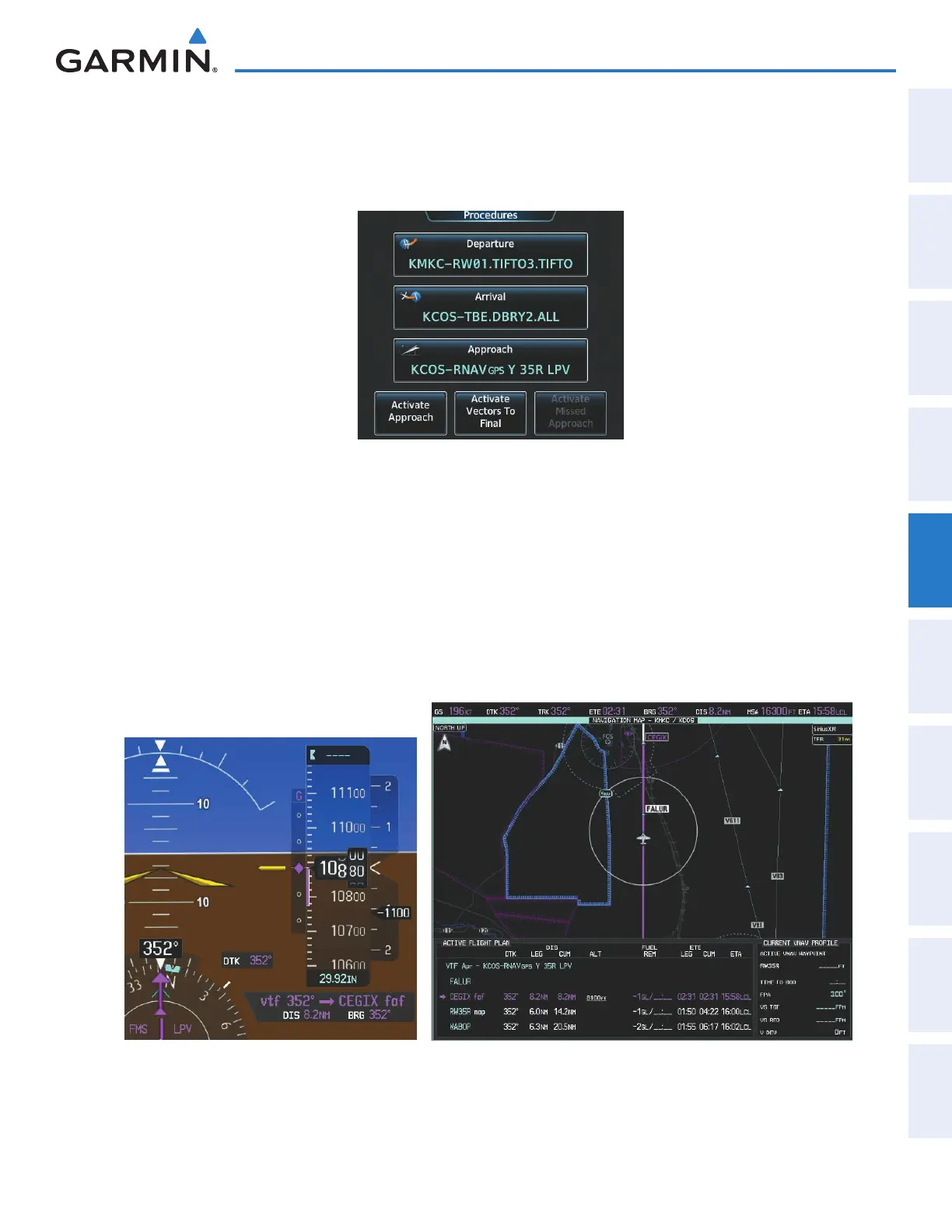
21) Establish the course provided. When the course is established, activate Vectors To FInal.
a) From Home, touch PROC.
b) Touch the Activate Vectors to Final Button.
Figure 5-200 Activating Vectors To Final
d) The active leg is now the established course direct to CEGIX faf (see Figure 5-201). The flight phase changes
to LPV on the HSI indicating the current phase of flight is in Approach Mode and the approach type is LPV. CDI
scaling changes accordingly and is used much like a localizer when flying an ILS approach. The RVSI is no longer
displayed and the VDI changes to the Glidepath Indicator (as shown in Figure 5-201) when the final approach
course becomes active.
The descent continues through the FAF (CEGIX) using the Glidepath Indicator, as one would use a glideslope
indicator, to obtain an altitude “AT or ABOVE” 8,100 feet at the FAF. Note the altitude restriction line under (At
or Above) the altitude in the ‘ALT’ field in Figure 5-201.
Figure 5-201 Vectors To Final Approach is Now Active
This manual downloaded from http://www.manualowl.com



 To Next Page