Garmin G2000 Pilot’s Guide for the Cessna T240
190-01263-01 Rev. A
346
HAZARD AVOIDANCE
SYSTEM
OVERVIEW
FLIGHT
INSTRUMENTS
EIS
AUDIO & CNS
FLIGHT
MANAGEMENT
HAZARD
AVOIDANCE
AFCS
ADDITIONAL
FEATURES
APPENDICESINDEX
ECHO TOPS
NOTE: When the Echo Tops product is enabled, NEXRAD and Cloud Tops weather products are disabled.
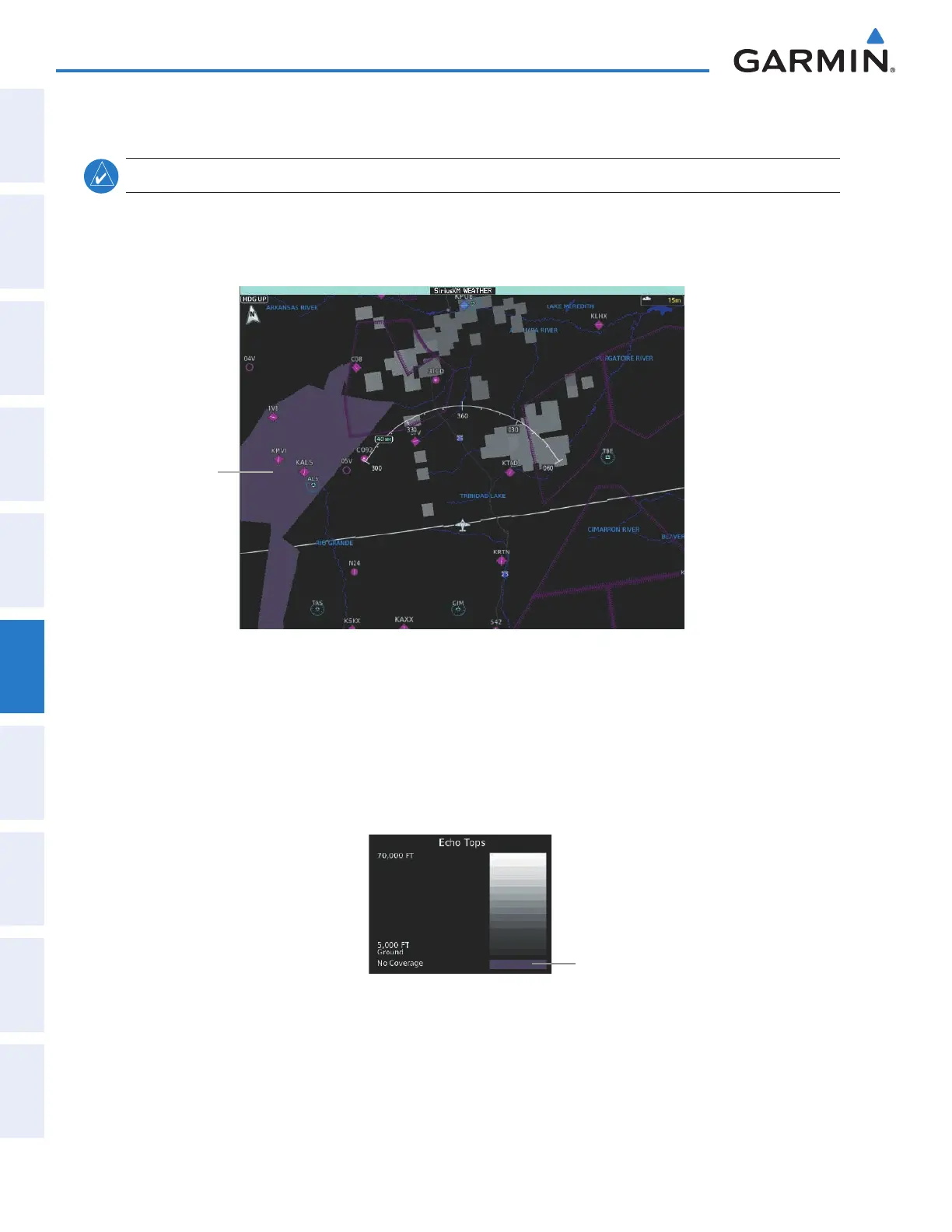
The Echo Tops weather product (Figure 6-7) shows the location, elevation, and direction of the highest
radar echo. The highest radar echo does not indicate the top of a storm or clouds; rather it indicates the
highest altitude at which precipitation is detected. Information is derived from NEXRAD data.
Figure 6-7 Echo Tops Weather Product
No Radar Coverage
Enabling/Disabling Echo Tops information:
1) From Home, touch Weather > Weather Selection > SiriusXM Weather > SiriusXM Settings.
2) Touch the Echo Tops Button in the Background Window.
Touch the Legend Button on the SiriusXM Weather Settings Screen to display the Echo Tops legend when
it Echo Tops is enabled.
Figure 6-8 Echo Tops Legend
No Radar Coverage
Since Echo Tops and Cloud Tops use the same color scaling to represent altitude, only one of these products
may be displayed at a time. When Echo Tops is enabled, the system disables NEXRAD and Cloud Tops
information.
The display of no radar coverage is always active when either NEXRAD or Echo Tops is selected. Areas
where NEXRAD radar coverage and Echo Tops information is not currently selected, not available, or is not
being collected are indicated in gray shade of purple (Figure 6-7).
This manual downloaded from http://www.manualowl.com



 To Next Page