190-01263-01 Rev. A
Garmin G2000 Pilot’s Guide for the Cessna T240
359
Hazard avoidance
SYSTeM
overvieW
FLiGHT
inSTrUMenTS
eiS aUdio & cnS
FLiGHT
ManaGeMenT
Hazard
avoidance
aFcS
addiTionaL
FeaTUreS
aPPendiceS indeX
CYCLONE WARNINGS
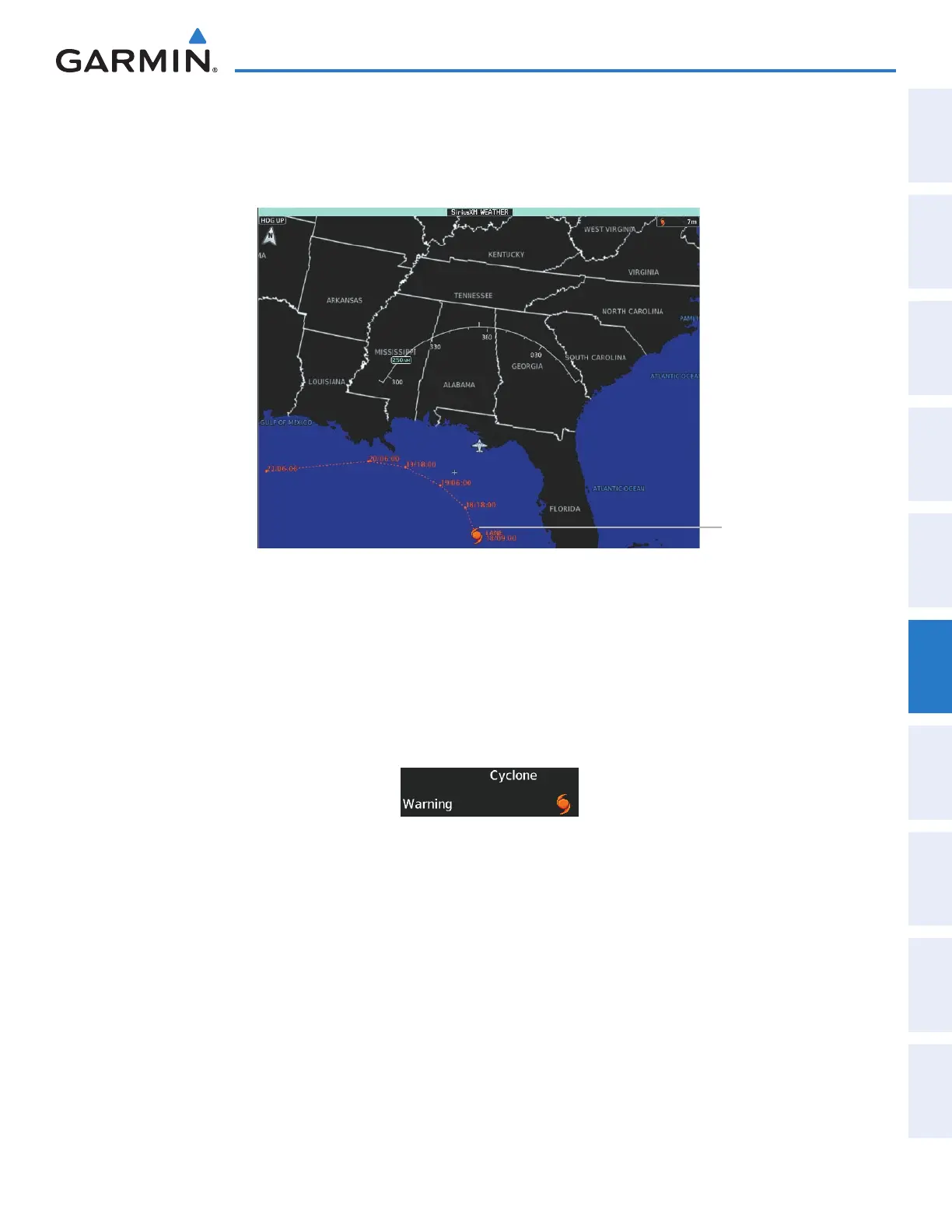
The Cyclone weather product shows the current location of cyclones (hurricanes), tropical storms, and
their projected tracks. The system displays the projected track information in the form of DD/HH:MM.
Figure 6-31 Cyclone (Hurricane) Weather Product
Cyclone
Enabling/Disabling cyclone (hurricane) weather product:
1) From Home, touch Weather > Weather Selection > SiriusXM Weather > SiriusXM Settings.
2) Scroll as needed in the Overlays window and touch the Cyclone Warnings Button.
Touch the Legend Button on the SiriusXM Weather Settings Screen to display weather legend(s) for enabled
weather product(s). Scroll as necessary to view the information, then touch Back or Home.
Figure 6-32 Cyclone Legend
This manual downloaded from http://www.manualowl.com



 To Next Page