190-01263-01 Rev. A
Garmin G2000 Pilot’s Guide for the Cessna T240
369
Hazard avoidance
SYSTeM
overvieW
FLiGHT
inSTrUMenTS
eiS aUdio & cnS
FLiGHT
ManaGeMenT
Hazard
avoidance
aFcS
addiTionaL
FeaTUreS
aPPendiceS indeX
3) Scroll if necessary to view the WX Source Button. Light blue text on the button indicates currently selected
data link weather source (‘SiriusXM’ or ‘Connext’)
4) Touch the WX Source Button.
5) Touch either the Connext or SiriusXM Buttons.
The weather product map overlays buttons and softkeys change to match the types of weather products
available for the selected data link weather source.
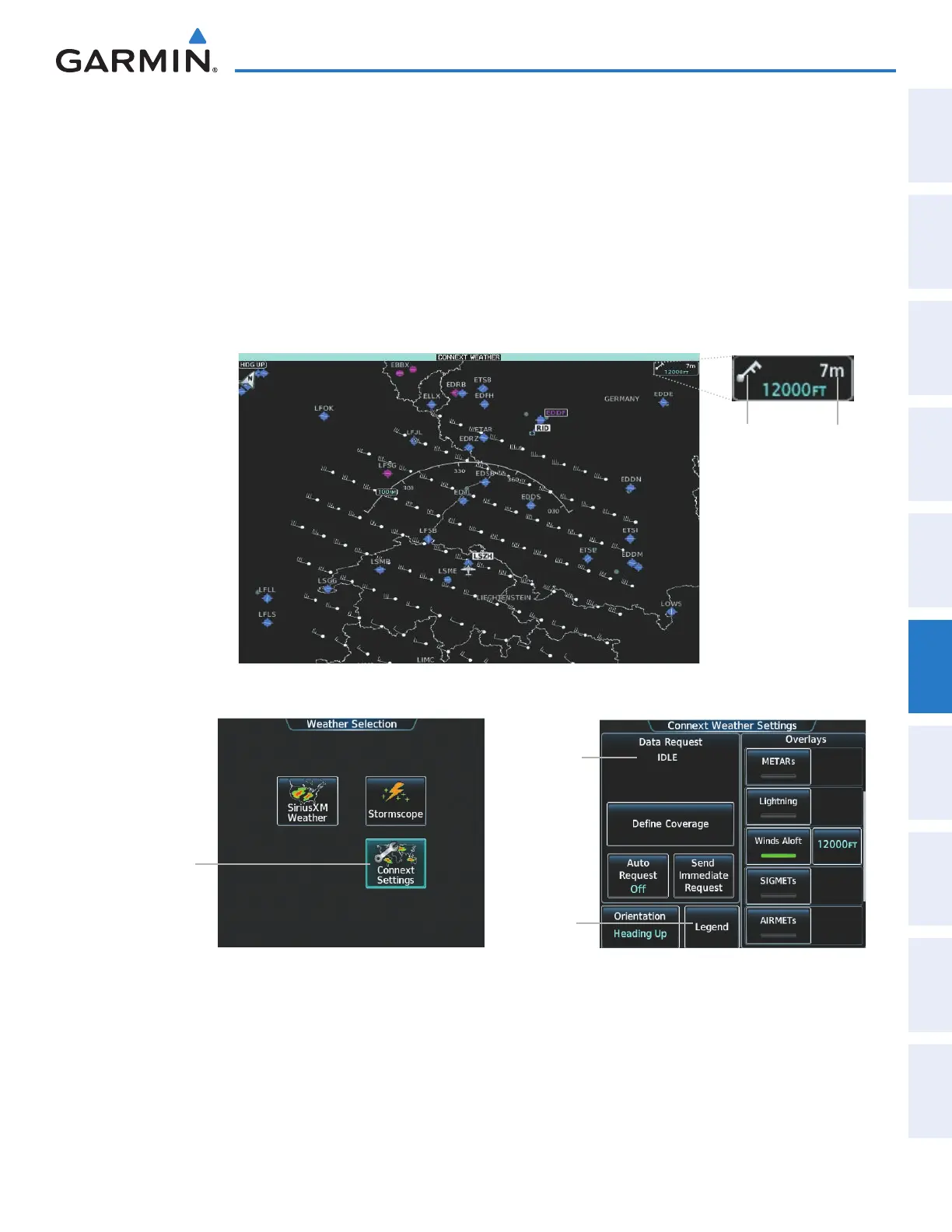
In order for the system to display Garmin Connext weather information, the pilot must first send Connext
Data Request using the Connext Weather Settings Screen on the Touchscreen Controller.
Figure 6-46 Connext Weather Pane with Winds Aloft Enabled
Weather
Product Icon
Weather
Product
Age
Touch to
mange
Connext Data
Requests
and to select
Connext
Weather
products for
display
Figure 6-47 Weather Selection Screen
Data Request
Window
Provides Status
and Controls
for Connext
Weather Data
Requests
View Legends
for Enabled
Connext
Weather
Products
Figure 6-48 Connext Weather Settings Screen
When a weather product is enabled on the Connext Weather Pane, a box containing the icon or name for
the product and its age (in minutes) are shown in the upper right (Figure 6-46). If weather data has not been
requested or is not currently available from Garmin Connext, ‘N/A’ is shown next to the product symbol instead
of an age. The age of the weather product is based on the time difference between when the data was assembled
This manual downloaded from http://www.manualowl.com



 To Next Page