Garmin G2000 Pilot’s Guide for the Cessna T240
190-01263-01 Rev. A
374
Hazard avoidance
SYSTeM
overvieW
FLiGHT
inSTrUMenTS
eiS
aUdio & cnS
FLiGHT
ManaGeMenT
Hazard
avoidance
aFcS
addiTionaL
FeaTUreS
aPPendiceSindeX
The Touchscreen Controller can display a legend for each weather product currently enabled on the Garmin
Connext Weather Pane.
Viewing legends for enabled weather products:
1) From Home, touch Weather > Weather Selection > Connext Weather > Connext Settings
2) Touch the Legend Button. The Weather Legends window appears on the Touchscreen Controller.
3) Scroll if needed to view the weather legends in the Weather Legends Window.
4) To remove the Weather Legends window, touch the Back or Home Buttons.
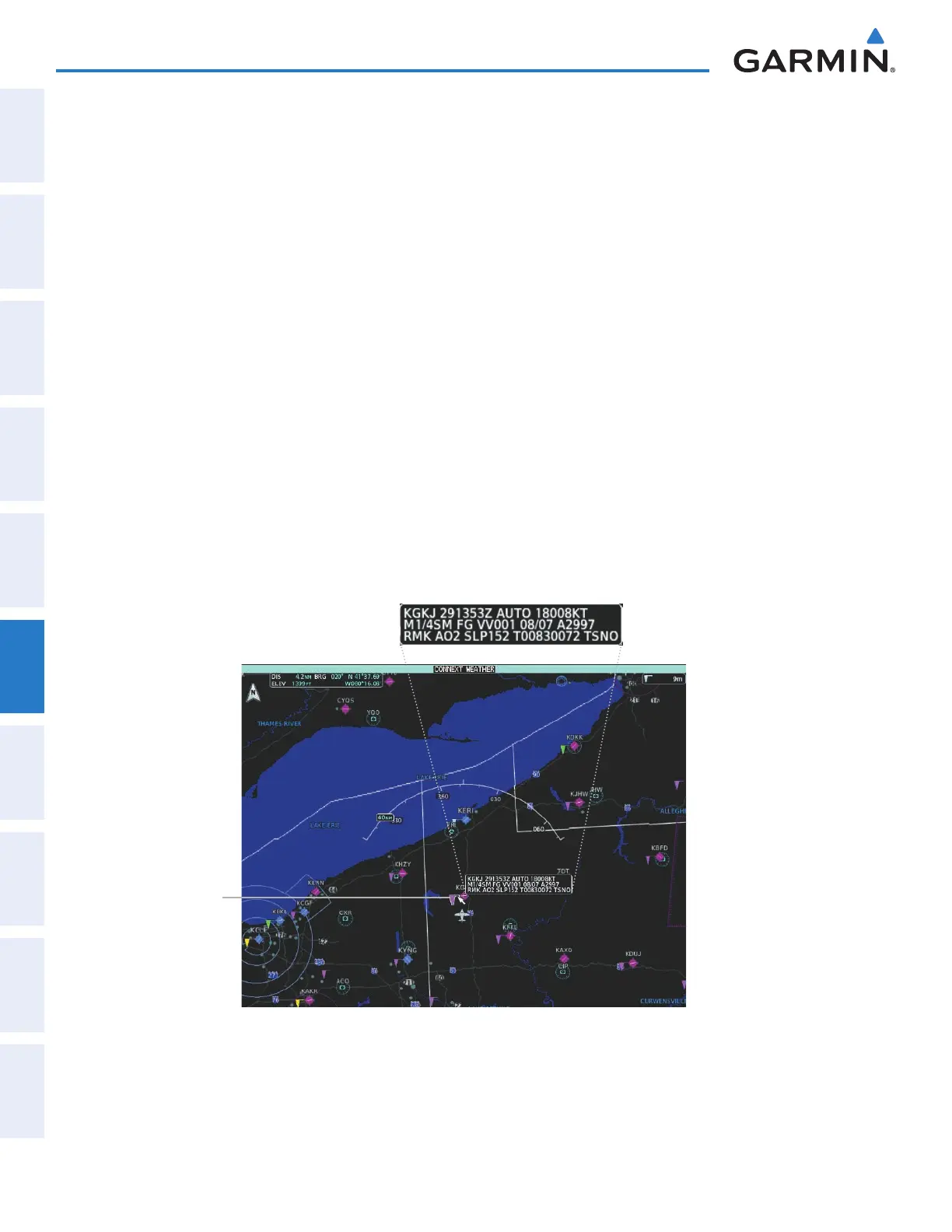
The system displays additional information about the following weather products by panning over the
product on the map:
• Cloud Tops
• SIGMETs
• AIRMETs
• METARs
• TFRs
• PIREPSs
To enable the Map Pointer for panning, press the Joystick, then move the Joystick over the desired product.
To stop panning, press the Joystick again, or touch the Back Button on the Touchscreen Controller. Turn
the Joystick clockwise to increase map range, counter-clockwise to decrease map range. If the map range is
adjusted while panning is enabled, the map is re-centered on the Map Pointer.
Figure 6-50 Panning on the Connext Weather Pane
Airport with
METAR Flag
Selected with
Map Pointer
Original METAR Text
This manual downloaded from http://www.manualowl.com



 To Next Page