Garmin G2000 Pilot’s Guide for the Cessna T240
190-01263-01 Rev. A26
SyStem Overview
SyStem
Overview
FLiGHt
iNStrUmeNtS
eiS
AUDiO PANeL
& CNS
FLiGHt
mANAGemeNt
HAZArD
AvOiDANCe
AFCS
ADDitiONAL
FeAtUreS
APPeNDiCeSiNDeX
SyStem
Overview
FLiGHt
iNStrUmeNtS
eiS AUDiO & CNS
FLiGHt
mANAGemeNt
HAZArD
AvOiDANCe
AFCS
ADDitiONAL
FeAtUreS
APPeNDiCeSiNDeX
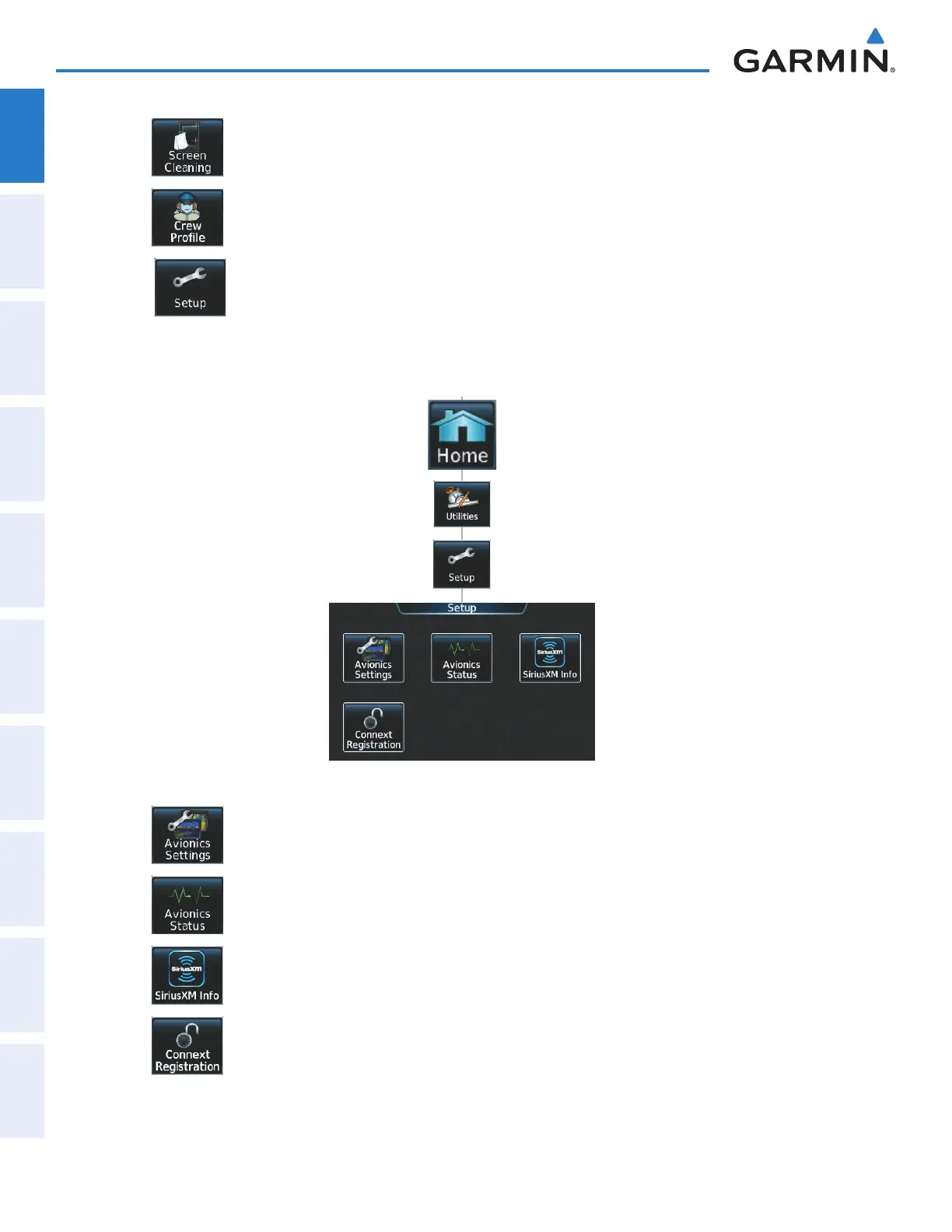
Feature temporarily disables touchscreen glass input to allow for manual screen cleaning.
Turn or press any knob on the Touchscreen Controller to exit Screen Cleaning Mode.
Provides controls for activating and managing crew profiles.
Avionics Settings, Avionics/Database Status, SiriusXM information, and Connext
registration information.
SetUP Screen
Provides controls for changing system avionics settings, such as, time format, units of
measure, airspace alert settings, MFD Data Bar Fields, and audio settings.
Provides LRU status, as well airframe and database information for the PFD, MFD, and
Touchscreen Controller.
Shows the SiriusXM Info Screen on the Touchscreen Controller. Used to activate audio and
data services from SiriusXM Satellite Radio and to verify subscriptions of SiriusXM Weather
products.
Provides capability to enter access code and display registration information for Connext
services. Button shown with GSR 56 option.
This manual downloaded from http://www.manualowl.com



 To Next Page