190-01263-01 Rev. A
Garmin G2000 Pilot’s Guide for the Cessna T240
405
Hazard avoidance
SYSTeM
overvieW
FLiGHT
inSTrUMenTS
eiS aUdio & cnS
FLiGHT
ManaGeMenT
Hazard
avoidance
aFcS
addiTionaL
FeaTUreS
aPPendiceS indeX
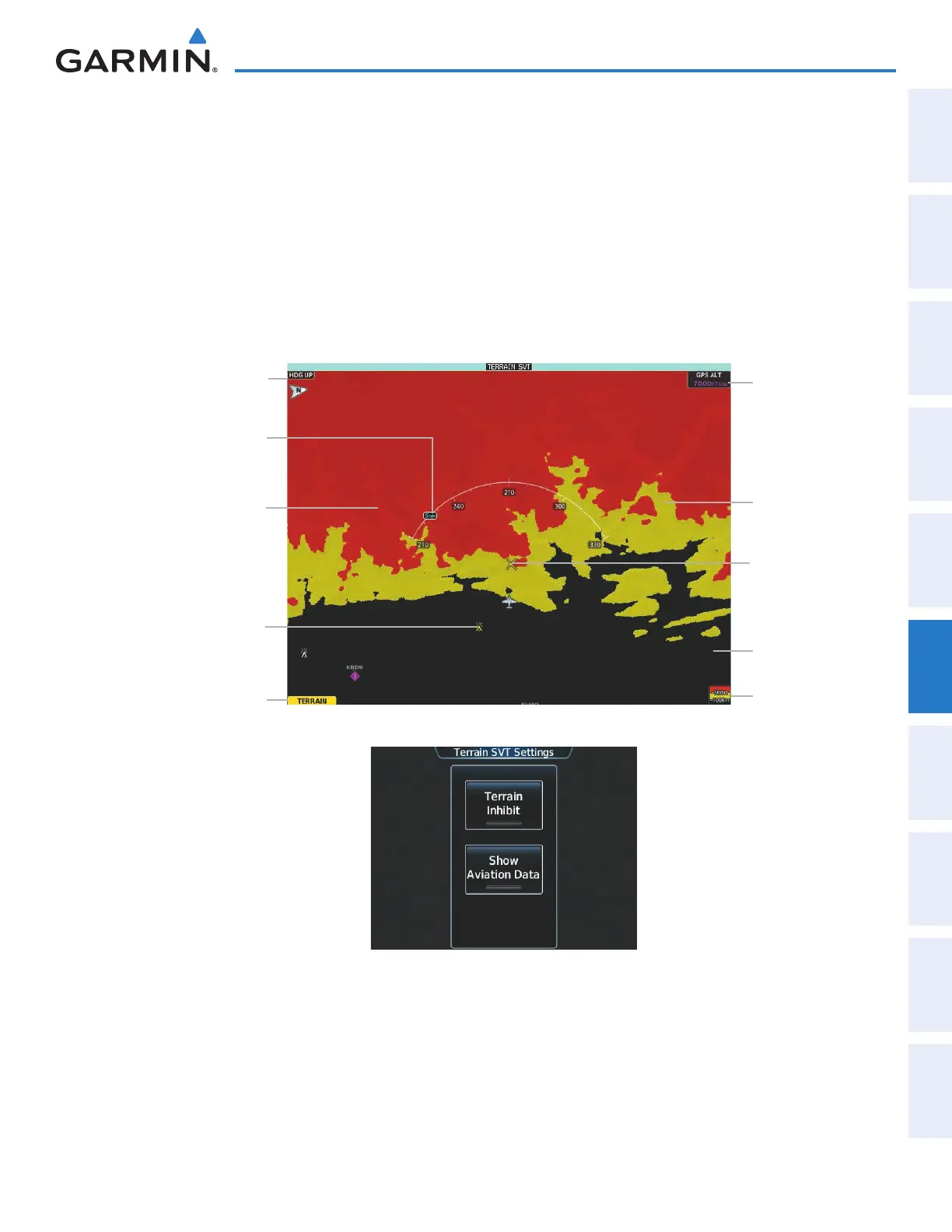
Showing the Terrain SVT Pane:
From Home, touch the Terrain SVT Button.
The Terrain SVT Pane can also display airports, VORs, NDBs, and intersections for additional reference,
matching the enable/disable and map ranges settings chosen on the Map Settings Screen for these items.
Enabling/disabling aviation data on the Terrain SVT Pane:
1) From Home, touch Terrain SVT > Terrain SVT Settings.
2) Touch the Show Aviation Data Button to display/remove aviation data (airports, VORs, NDBs, Intersections)
on the Terrain SVT Pane.
Figure 6-84 Terrain SVT Pane
Yellow Terrain
(Between 100’
and 1000’ Below
the Aircraft
Altitude)
Terrain Legend
Map Orientation
Current Aircraft
GPS-derived GSL
Altitude
Red Terrain
(Above or Within
100’ Below the
Aircraft Altitude)
Black Terrain
(More than 1000’
Below the Aircraft
Altitude)
Terrain SVT Pane
Alert Annunciation
Yellow Lighted
Obstacle (Between
100’ and 1000’
Below Aircraft
Altitude)
Terrain SVT Pane
Map Range
Potential Impact
Point Caution
Figure 6-85 Terrain SVT Settings Screen
The Terrain SVT Pane also displays Runway Extensions at the next airport in the Active Flight Plan, when
Runway Extensions are enabled on the Map Settings Screen, and the Terrain SVT Pane range is within the
selected declutter range setting limits. In addition, the Terrain SVT shows the wind vector when this feature is
enabled on the Map Settings Screen. Refer to the Flight Management section for more information about these
features.
This manual downloaded from http://www.manualowl.com



 To Next Page