190-01263-01 Rev. A
Garmin G2000 Pilot’s Guide for the Cessna T240
31
SyStem Overview
SyStem
Overview
FLiGHt
iNStrUmeNtS
eiS
AUDiO PANeL
& CNS
FLiGHt
mANAGemeNt
HAZArD
AvOiDANCe
AFCS
ADDitiONAL
FeAtUreS
APPeNDiCeS iNDeX
SYSTEM
OVERVIEW
FLIGHT
INSTRUMENTS
EIS AUDIO & CNS
FLIGHT
MANAGEMENT
HAZARD
AVOIDANCE
AFCS
ADDITIONAL
FEATURES
APPENDICES INDEX
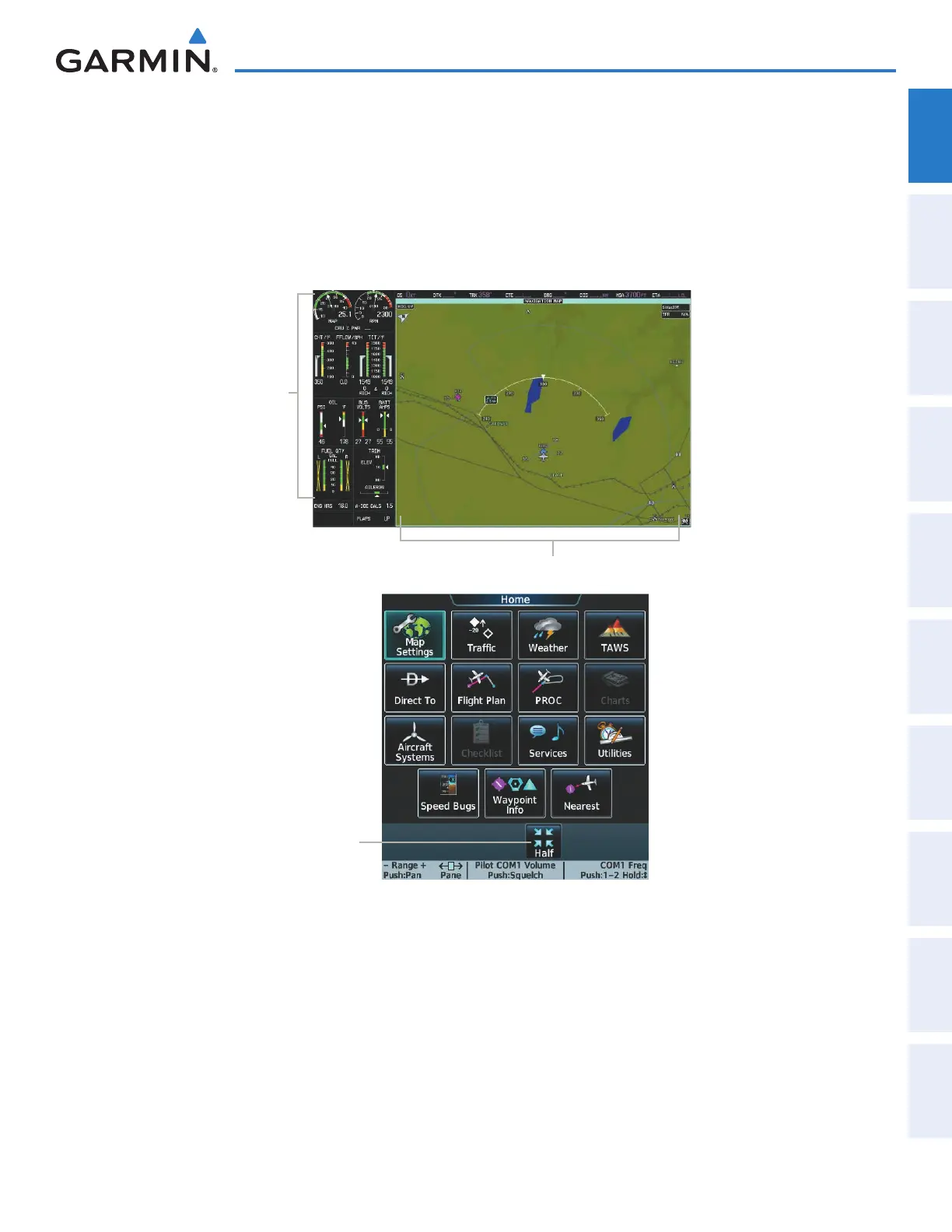
Full Mode is available when the Touchscreen Controller shows a Full Button in the Button Bar for the
selected Display Pane. When the Full Button is touched, the selected MFD Display Pane half expands to a
full-width Display Pane..
Some Display Panes are only available in Half Mode (such as the ENGINE / SYSTEMS or GPS STATUS
display). When these displays are selected, they are automatically shown in Half Mode, and the Full or Half
Buttons are not available while that Display Pane is selected for control.
EIS Display
Navigation Map Pane
(Full Mode)
Touchscreen Controller
Multi-Function Display (MFD)
Figure 1-24 MFD and Touchscreen Controllers (Half Mode Operation)
Shows Selected
MFD Display Pane
in Half Mode
Certain Display Panes, such as GPS STATUS and ENGINE / SYSTEMS Panes, are only formatted for
Half Mode. Selecting a function which shows these Display Panes on the MFD will cause the system to
automatically enter Half Mode operation on the MFD.
This manual downloaded from http://www.manualowl.com



 To Next Page