190-01263-01 Rev. A
Garmin G2000 Pilot’s Guide for the Cessna T240
487
AdditionAl FeAtures
sYsteM
oVerVieW
FliGHt
instruMents
eis
Audio PAnel
& Cns
FliGHt
MAnAGeMent
HAZArd
AVoidAnCe
AFCs
AdditionAl
FeAtures
APPendiCes indeX
Enabling/Disabling SafeTaxi:
1) From the Home Screen, touch Map > Map Settings.
2) If not already selected, touch the Aviation Tab.
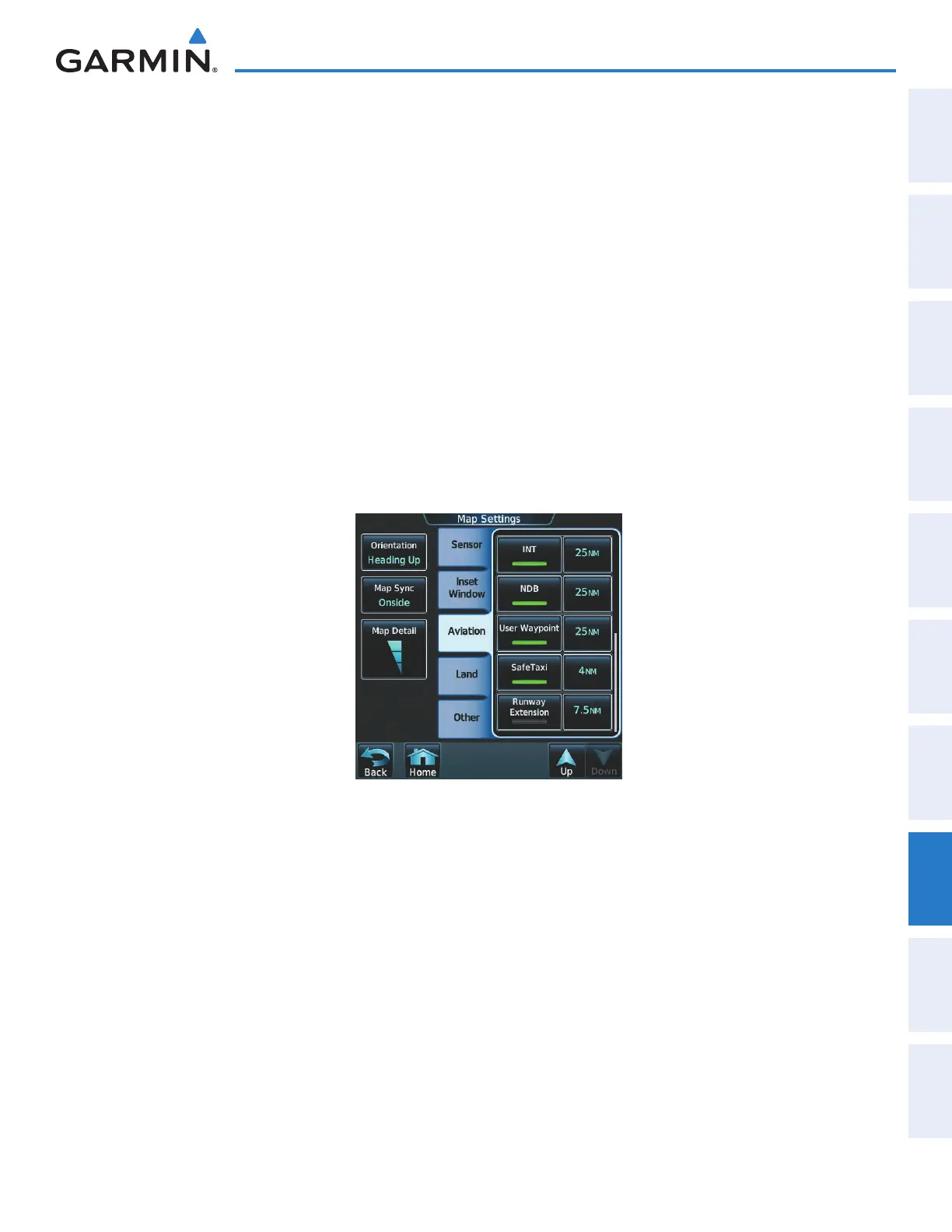
3) If necessary, scroll to display the SafeTaxi Annunciator Button.
4) Touch the SafeTaxi Button to enable or disable the display of SafeTaxi on the Navigation and Inset maps. A
green annunciator on the button indicates SafeTaxi is enabled.
Configuring SafeTaxi range:
1) From the Home Screen, touch Map > Map Settings.
2) If not already selected, touch the Aviation Tab.
3) If necessary, scroll to display the SafeTaxi Range Button.
4) Touch the SafeTaxi Range Button. A selection of ranges is displayed.
5) Touch the desired range. In Figure 8-2, 4 NM has been selected. With this setting, SafeTaxi will be displayed
on the Navigation Map for range settings up to, and including 4 NM.
Figure 8-2 SafeTaxi Map Settings
This manual downloaded from http://www.manualowl.com



 To Next Page