190-01263-01 Rev. A
Garmin G2000 Pilot’s Guide for the Cessna T240
517
AdditionAl FeAtures
sYsteM
oVerVieW
FliGHt
instruMents
eis
Audio PAnel
& Cns
FliGHt
MAnAGeMent
HAZArd
AVoidAnCe
AFCs
AdditionAl
FeAtures
APPendiCes indeX
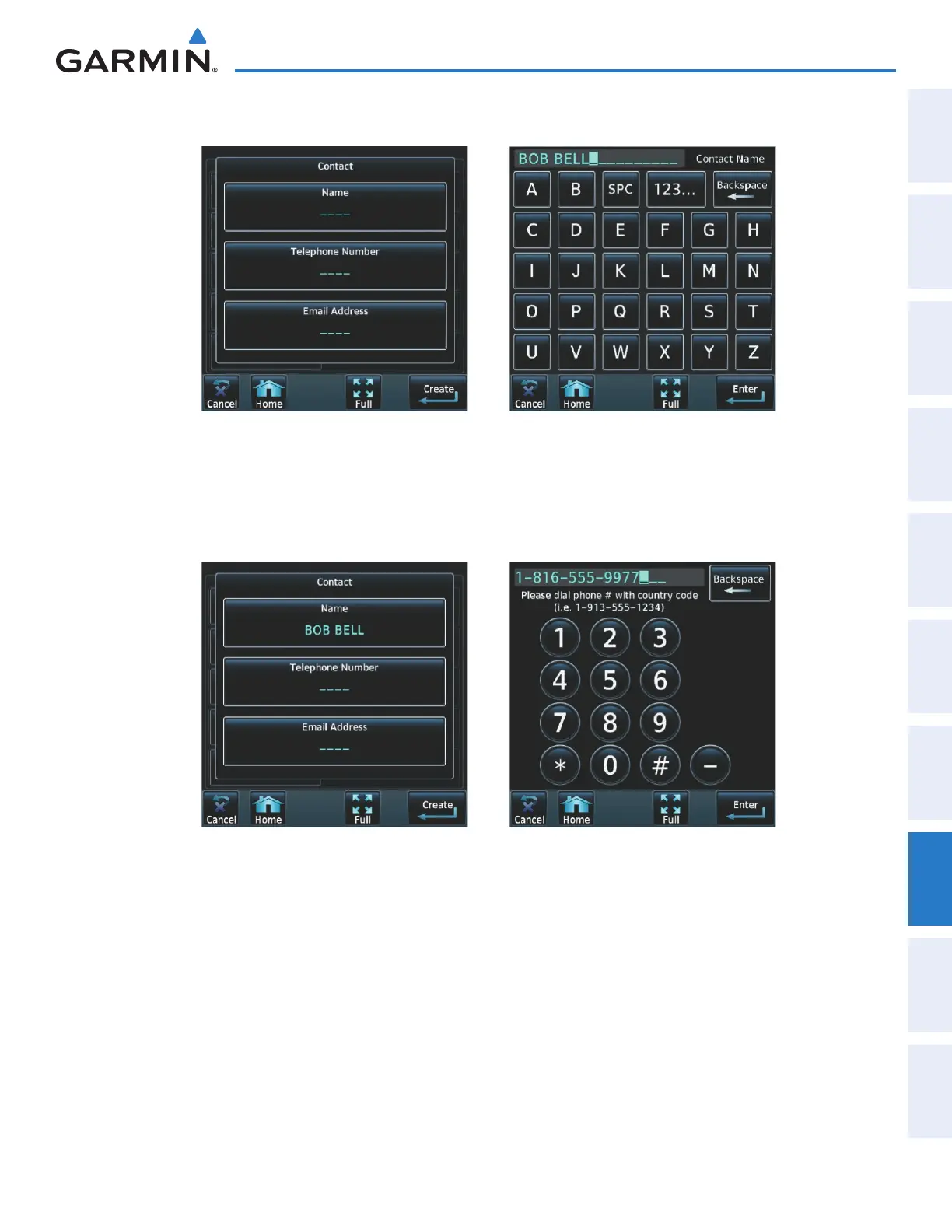
4) Touch Name, shown in Figure 8-52. The Contact Name entry screen is displayed.
Figure 8-53 Enter NameFigure 8-52 Enter New Contact Information
5) Enter the name of the new contact as the example shows in Figure 8-53.
6) Touch Enter.
7) Touch Telephone Number. The Telephone Number entry screen is displayed.
Figure 8-55 Enter Telephone NumberFigure 8-54 Select Telephone Number
8) Enter the telephone number of the new contact as the example shows in Figure 8-55.
9) Touch Enter.
This manual downloaded from http://www.manualowl.com



 To Next Page