Garmin G2000 Pilot’s Guide for the Cessna T240
190-01263-01 Rev. A46
SyStem Overview
SyStem
Overview
FLiGHt
iNStrUmeNtS
eiS
AUDiO PANeL
& CNS
FLiGHt
mANAGemeNt
HAZArD
AvOiDANCe
AFCS
ADDitiONAL
FeAtUreS
APPeNDiCeSiNDeX
SyStem
Overview
FLiGHt
iNStrUmeNtS
eiS AUDiO & CNS
FLiGHt
mANAGemeNt
HAZArD
AvOiDANCe
AFCS
ADDitiONAL
FeAtUreS
APPeNDiCeSiNDeX
• Weight (pounds, kilograms)
Affects aircraft weight displays.
• Position format (HDDD°MM.MM’, HDDD°MM’SS.S, MGRS, UTM/UPS”)
Affects all position displays.
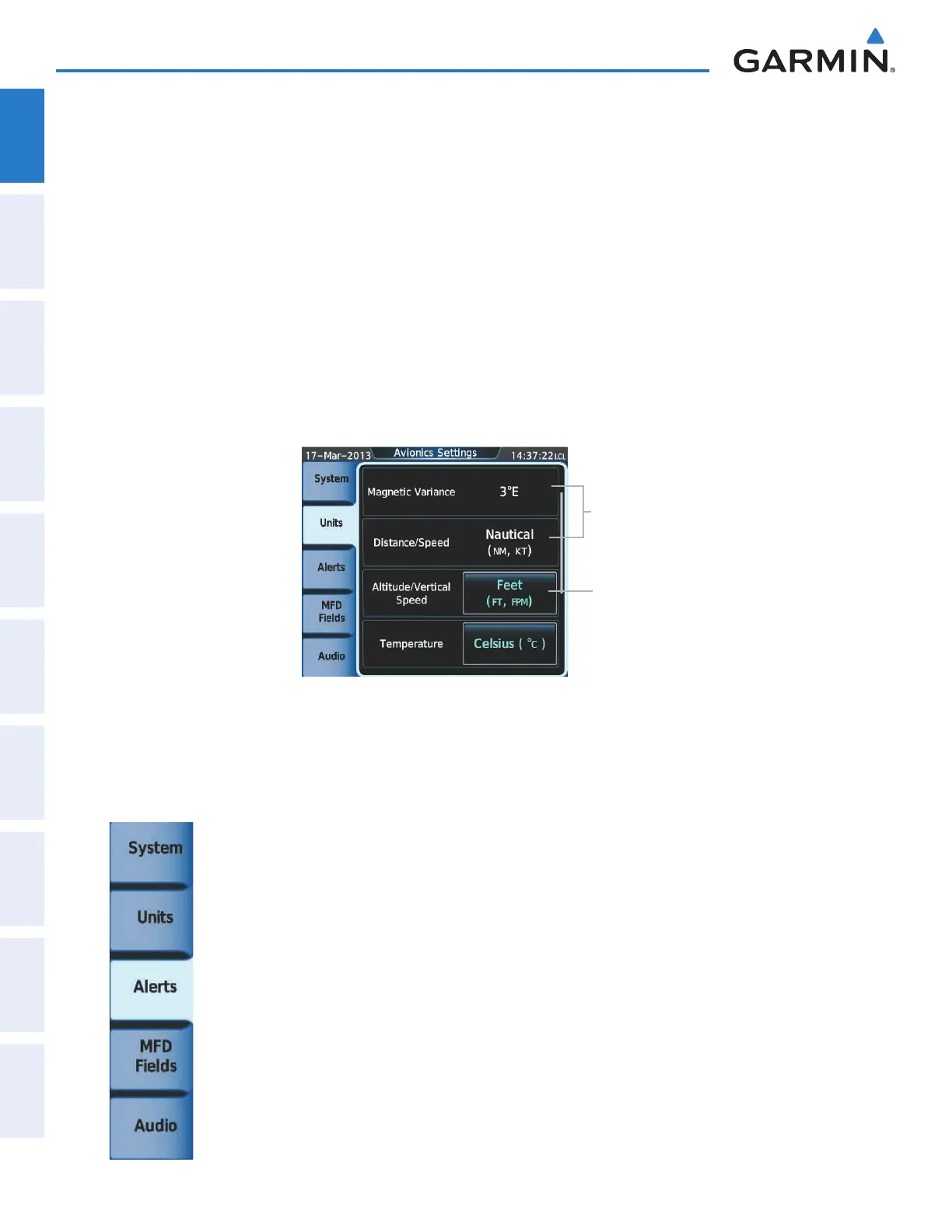
Changing unit settings:
1) From the Home, touch Utilities > Setup > Avionics Settings.
2) If necessary, touch the Units tab.
3) Scroll if necessary and touch button corresponding to the units to be changed (current units selection displayed
in light blue).
4) Touch a units button from the list.
Figure 1-33 Viewing Unit Data on the Avionics Settings Screen
Button
Indicates
Setting
is Pilot
Selectable
Settings
Displayed for
Reference,
Not Pilot
Selectable
ALERTS SETTINGS
• Baro transition alert
• Airspace alert altitude buffer
• Arrival Alert
• Class B/TMA airspace alert
• Class C/TCA airspace alert
• Class D airspace alert
• Restricted airspace alert
• MOA (Military) airspace alert
• Other (ADIZ) airspace alert
This manual downloaded from http://www.manualowl.com



 To Next Page