190-01263-01 Rev. A
Garmin G2000 Pilot’s Guide for the Cessna T240
67
Flight instruments
sYstem
OVerVieW
Flight
instruments
eis
AuDiO PAnel
& Cns
Flight
mAnAgement
hAZArD
AVOiDAnCe
AFCs
ADDitiOnAl
FeAtures
APPenDiCes inDeX
Vspeeds (Glide, V
X
, and V
Y
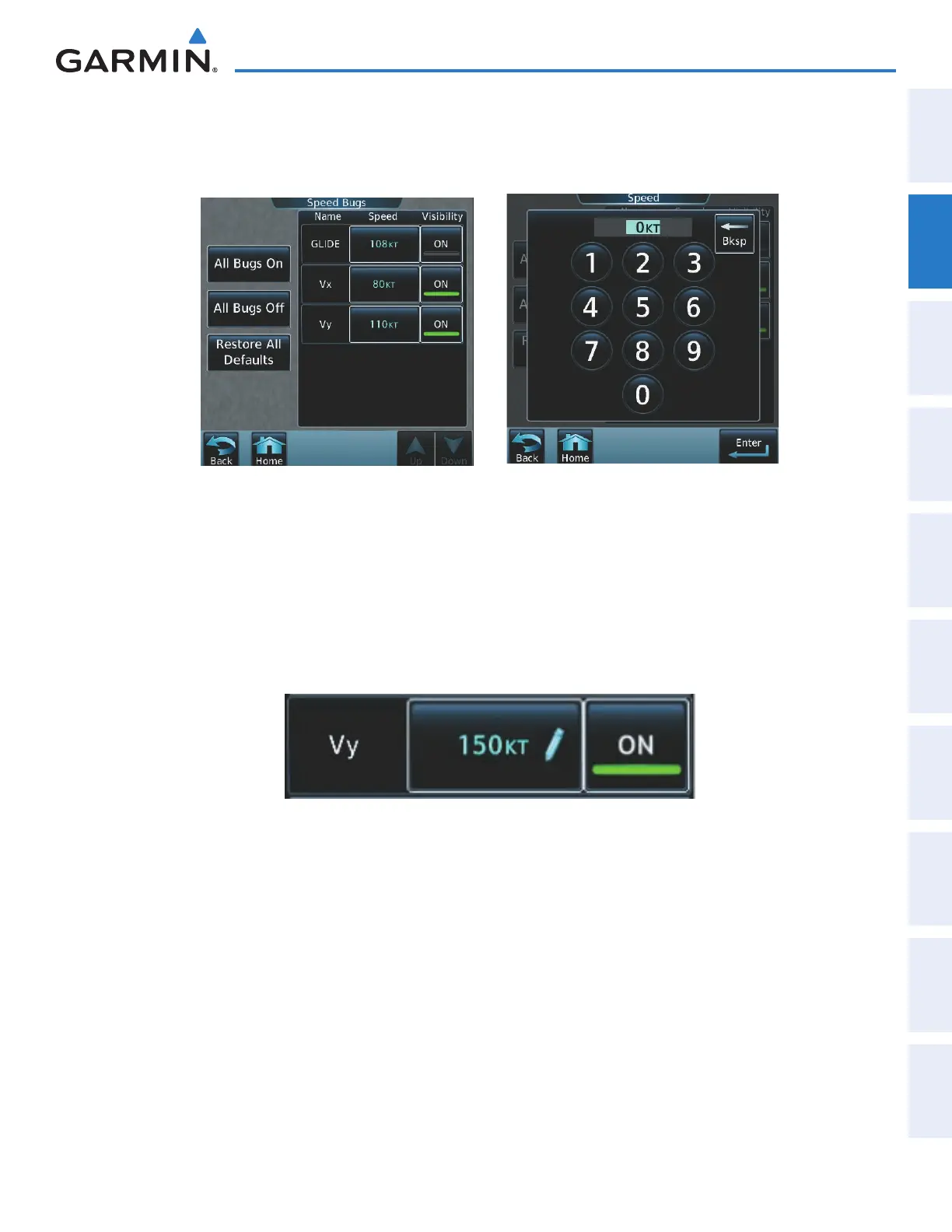
) can be changed and their flags turned on or off. When active (on), the Vspeeds
are displayed at their respective locations to the right of the airspeed scale. All Vspeed values are reset and all
flags turned off when power is cycled.
Figure 2-5 Vspeed Settings
Changing Vspeeds and turning Vspeed flags on/off:
1) From the Home Screen, touch Speed Bugs
2) To turn the Vspeed on or off, touch the On Button.
3) To set or change a Vspeed value, touch the Data Field for the Vspeed, enter a value in the keypad, and touch
Enter.
The pilot icon next to the Vspeed value (Figure 2-6) indicates that the Vspeed is a pilot-entered value.
Figure 2-6 Pilot-Entered Vspeed
Turning all Vspeed flags on/off:
1) From the Home Screen, touch Utilities > Speed Bugs.
2) To activate all Vspeed flags, touch the All Bugs On Button.
3) To remove all Vspeed flags, touch the the All Bugs Off Button.
Restoring all Vspeed defaults:
1) From the Home Screen, touch Utilities > Speed Bugs.
2) Touch the Restore All Defaults Button.
This manual downloaded from http://www.manualowl.com



 To Next Page