Garmin G2000 Pilot’s Guide for the Cessna T240
190-01263-01 Rev. A74
Flight instruments
sYstem
OVerVieW
Flight
instruments
eis
AuDiO PAnel
& Cns
Flight
mAnAgement
hAZArD
AVOiDAnCe
AFCs
ADDitiOnAl
FeAtures
APPenDiCesinDeX
Adjusting the selected heading:
Turn the
HDG
Knob to set the selected heading.
Press the HDG Knob to synchronize the bug to the current heading.
Adjusting the Selected Course:
Turn the
CRS
Knob to set the Selected Course.
Press the CRS Knob to re-center the CDI and return the course pointer to the bearing of the active waypoint or
navigation station (see OBS Mode for adjusting a GPS course).
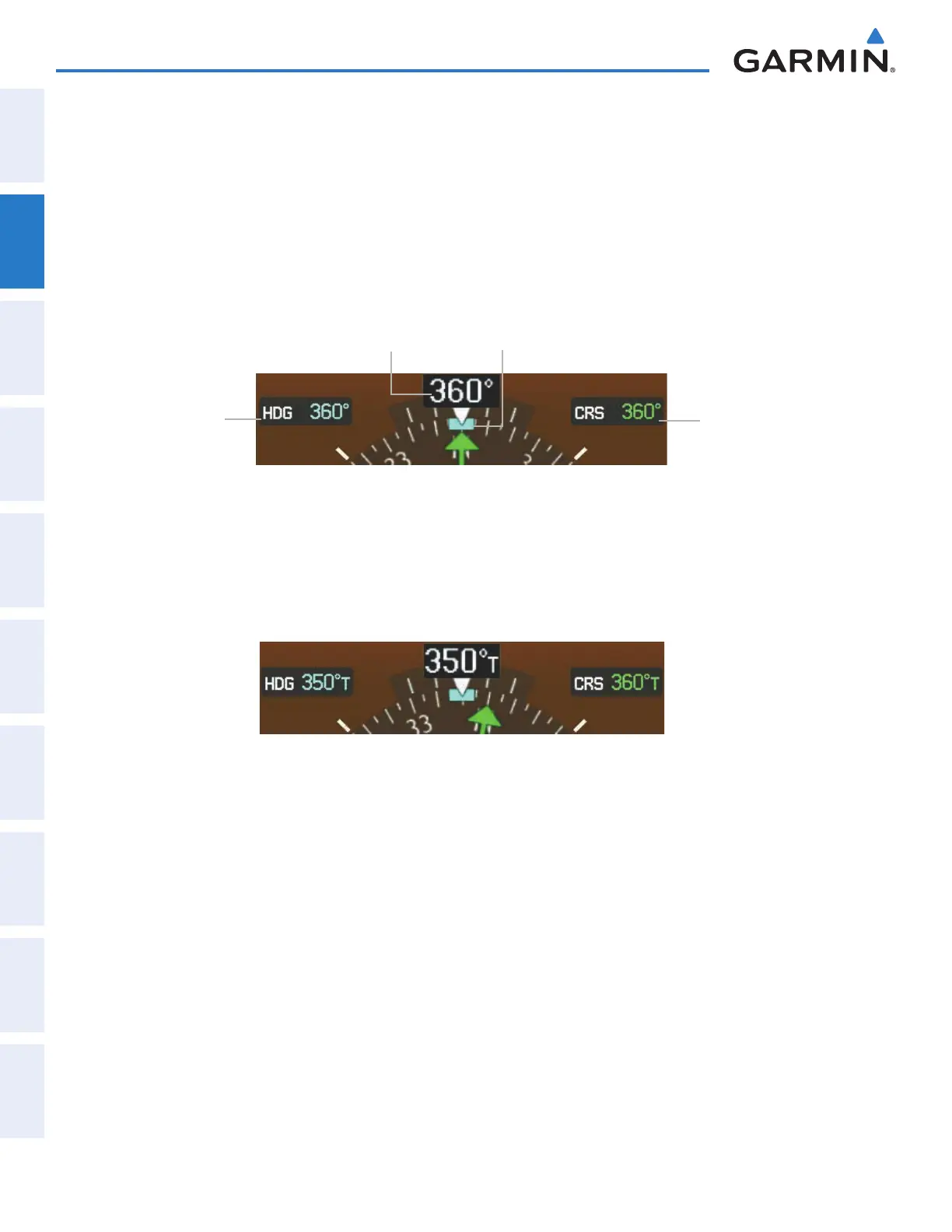
Selected
Heading
Selected
Course
Figure 2-17 Heading and Course Indications (Magnetic)
Current Heading Heading Bug
Navigation angles (track, heading, course, bearing) are corrected to the computed magnetic variation or
referenced to true north (denoted ‘T’), and are set on the GTC Avionics Setup Screen. When an approach
referenced to true north has been loaded into the flight plan, the system generates a message to change the
navigation angle setting to ‘True’ at the appropriate time.
Figure 2-18 Heading and Course Indications (True)
Changing the navigation angle setting:
1) From the Home Page touch Utilities >Setup > Avionics Settings.
2) Touch the Units Tab.
3) Touch the the Nav Angle Data Field.
4) Touch the desired setting (Magnetic or True).
This manual downloaded from http://www.manualowl.com



 To Next Page