190-01263-01 Rev. A
Garmin G2000 Pilot’s Guide for the Cessna T240
79
Flight instruments
sYstem
OVerVieW
Flight
instruments
eis
AuDiO PAnel
& Cns
Flight
mAnAgement
hAZArD
AVOiDAnCe
AFCs
ADDitiOnAl
FeAtures
APPenDiCes inDeX
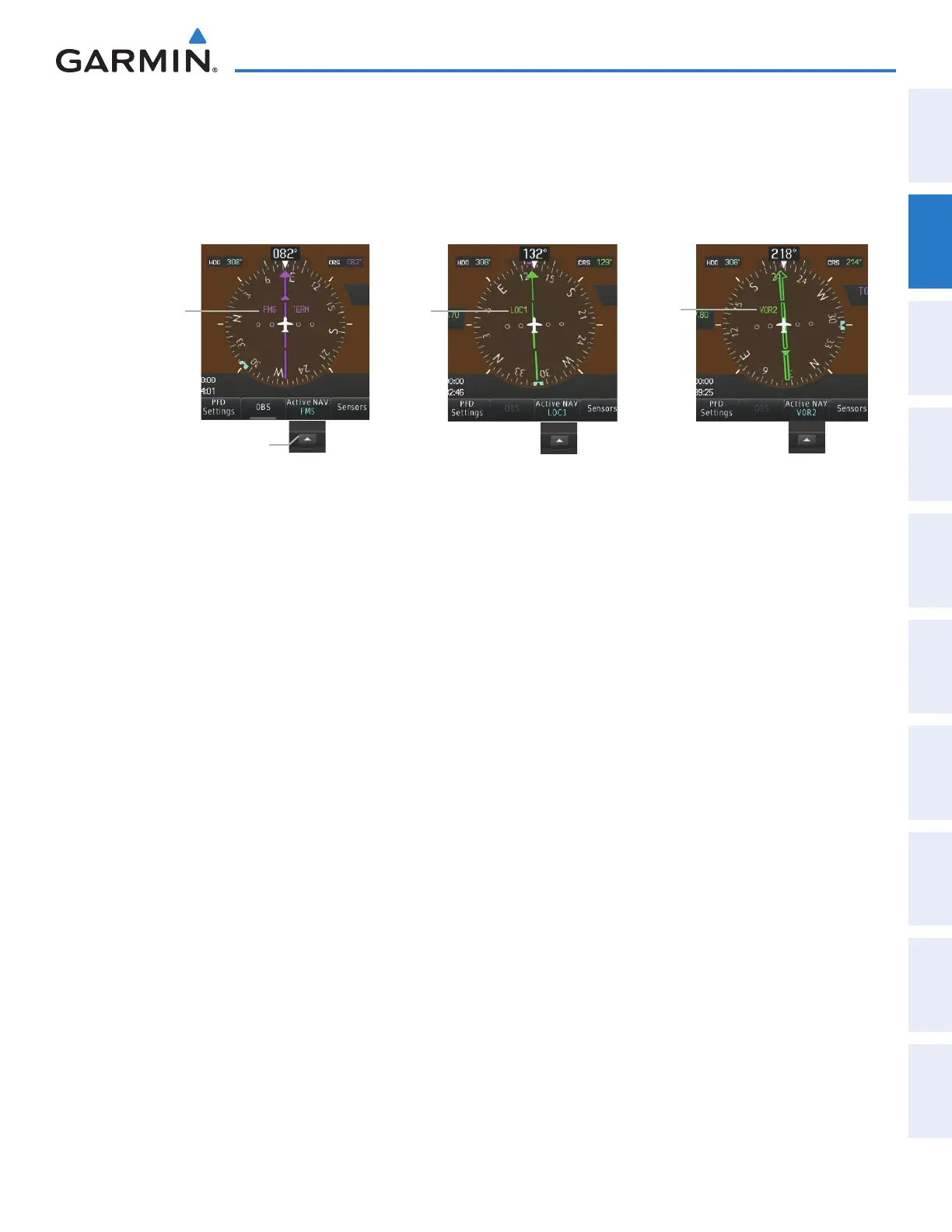
Changing navigation sources:
1) Select the Active Nav Softkey to change from FMS to VOR1/DME1 or LOC1/DME1.
2) Select the Active Nav Softkey again to change from VOR1 or LOC1 to VOR2 or LOC2.
3) Select the Active Nav Softkey a third time to return to FMS.
Figure 2-24 Selecting a Navigation Source
LOC1
Selected
VOR2
Selected
FMS
Selected
Selecting the
Active Nav
Softkey Cycles through
Navigation Sources
The system automatically switches from FMS to LOC navigation source and changes the CDI scaling
accordingly when all of the following occur:
• A localizer or ILS approach has been loaded into the active flight plan
• The final approach fix (FAF) is the active waypoint, the FAF is less than 15 nm away, and the aircraft is moving
toward the FAF
• A valid localizer frequency has been tuned
• The FMS CDI deviation is less than 1.2 times full-scale deflection
FMS steering guidance is still provided after the CDI automatically switches to LOC until LOC capture, up
to the Final Approach Fix (FAF) for an ILS approach, or until GPS information becomes invalid. Activating a
Vector-to-Final (VTF) also causes the CDI to switch to LOC navigation source. FMS steering guidance is not
provided after this switch.
This manual downloaded from http://www.manualowl.com



 To Next Page