System
Save/load
MGCplus A0534-30.0 HBM: public 245
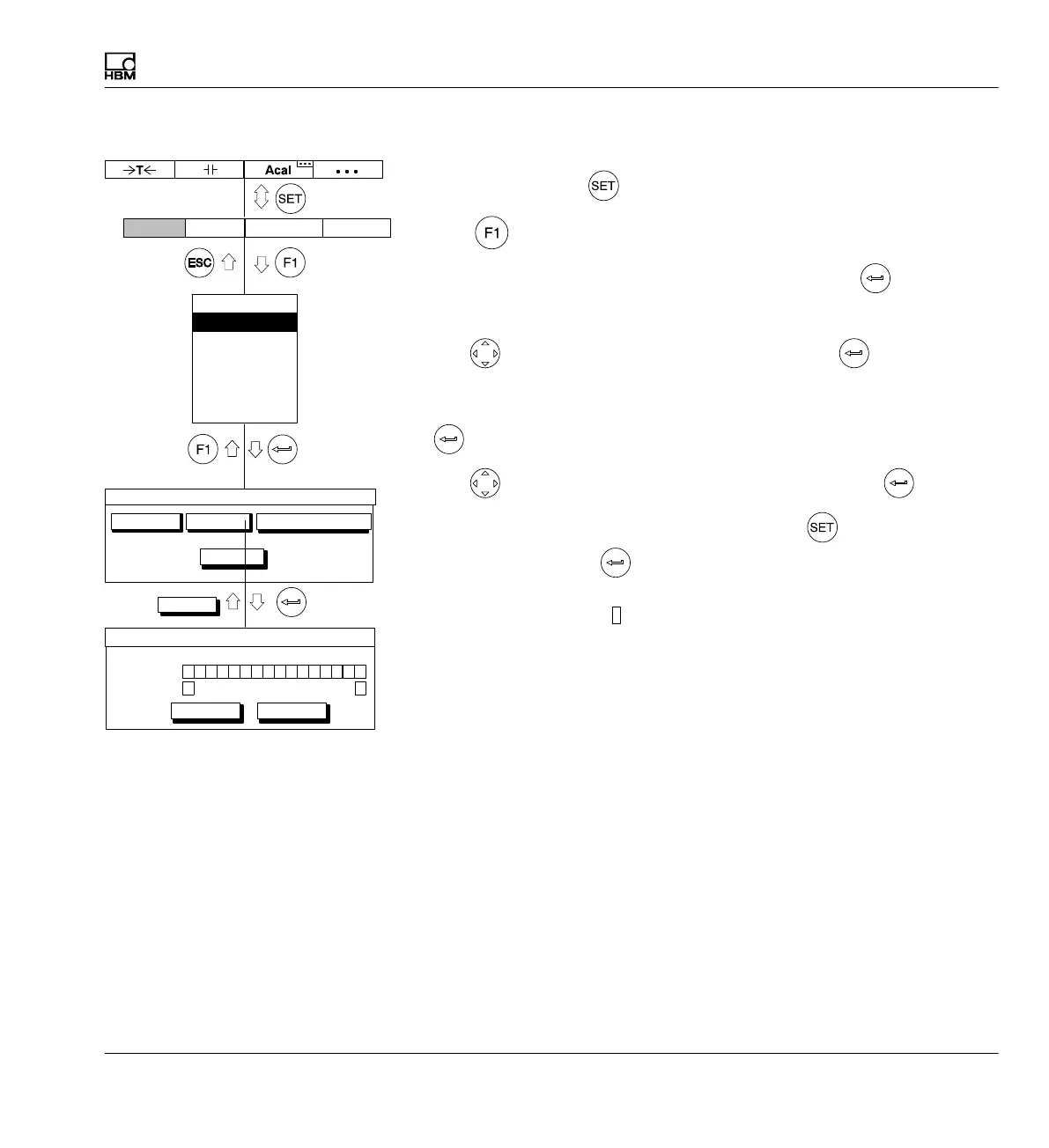
Load parameters
1. Use the Switch key
to switch to Setup mode.
2. Print
3. In the pull‐up menu select Save/load and confirm with .
You will then be in the Save/load settings setup window.
4. Use
to select the Load button and confirm with .
5. In the Param.set activation field, under the channel number, enter the
parameter set for which you want to load the settings and confirm with
.
6. Use
to select the OK button symbol and confirm with .
To return to measuring mode, press the Switch key
and confirm the
confirmation prompt with
.
Automatically from disk
3
Settings of amplifiers that are saved on the storage medium are
automatically loaded when the MGCplus is turned on or when the storage
medium is connected to the device after the device is turned on.
CP
10111213141516123456789
Param. set
Channel
OK Cancel
1 1 1
1
Copy settings
Automatically from disk
Save/Load setup
Factory settings…
Load…Save…
Copy…
Display Amplifier OptionsSystem
OK
Password
Save/load
Recording
Interface
Print
Language
Time



 To Next Page