System
Recording series of tests
260 A0534-30.0 HBM: public MGCplus
Information
Measured value files larger than 2 Gbyte cannot be processed on
computers with Windows
R
operating systems. The communication
processor will therefore close the file if it has a size of 2 Gbyte and will
continue recording in a new file.
Recd. comments
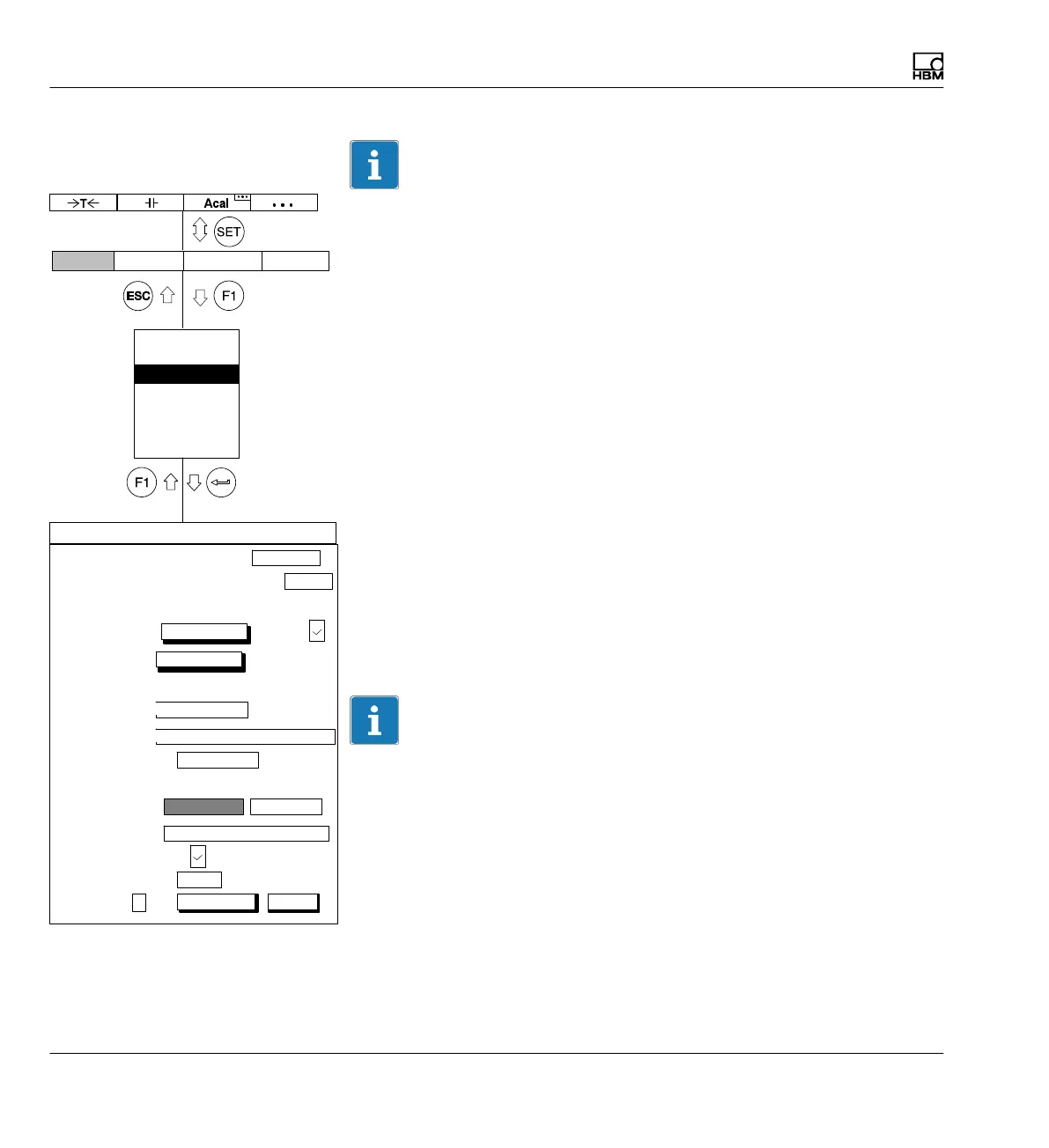
You can assign any comment you choose to the recording. The comments
can be seen at the top left of the display with image type Recording.
Change recording comments
You can change an existing comment, i.e. re-enter it or add to it.
Select recording comments
You can select from the comments saved on the storage medium (
è see
also page 232ff, "Load recording comments").
Recording format
The recording format depends further processing of how measured values.
You can select from three different formats: 4-byte INT, 2-byte INT and
4-byte FLOAT.
Information
HBM software packages such as MGCplus Assistant or catman are able to
detect all three formats automatically and scale the values accordingly.
save load
Number:
Password
Save/load
Recording
Interface
Print
Language
Time
RECORDING PARAMETERS
Measuring interval/sampling rate: 300Hz
Duration: 4.0
Measurement periods:
Channels/signals:
define...
Time
channel:
define...
Trigger:
PreTrigger:
Immediately
Start condition:
20.00 % ...
Number of measured values
Stop condition:
Recording to:
a file
Recording information file:
MGCP0000.MEA ...
Recording format:
4−byte integer LSB.. MSB
Autostart:
No
Param.set:
1
1200 ...
1 ...
s...
Rec. Comments:
change
Compression factor:
480
Display Amplifier OptionsSystem



 To Next Page