D1 Servo Drive User Manual Servo Drive Configuration
HIWIN MIKROSYSTEM CORP. 5-65
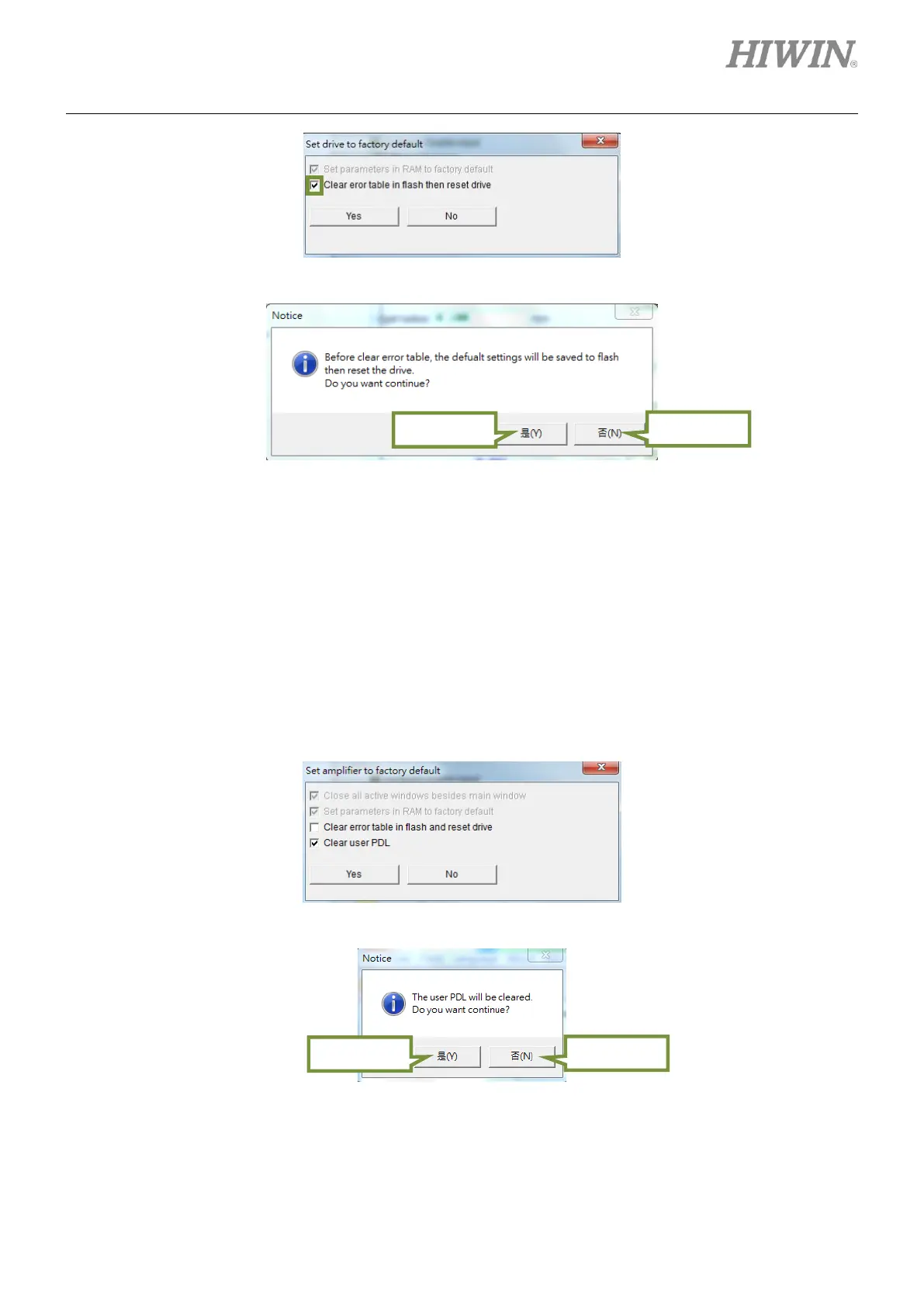
Figure5.7.2.2
Figure5.7.2.3
If user is using Lightening version 0.186 or later version, click on Tools and select Set amplifier to
factory default from the submenu. Set amplifier to factory default window appears as figure 5.7.2.4.
Lightening will set parameters to factory default and windows other than the main window will be closed.
Select Clear error table in flash and reset drive to clear error map table at the same time. Select Clear
user PDL to clear user.pdl at the same time. A notice window will appear informing user that user.pdl will
be cleared, as figure 5.7.2.5. Click on Yes button and the system will proceed accordingly. Click on No
button to return to Set amplifier to factory default window. After the parameters are set to factory
default, the servo drive will be automatically reset.
Figure5.7.2.4
Figure5.7.2.5



 To Next Page