Servo Drive Configuration D1 Servo Drive User Manual
5-28 HIWIN MIKROSYSTEM CORP.
5.3.1 Inspection before auto phase initialization
Check the following items before auto phase initialization.
(1) Check if motor power cable is correctly connected.
(2) Check if encoder signal is normal.
(3) Check if the servo drive receives hardware enable signal, please refer to chapter 12.
(4) Check if over temperature cable is connected.
(5) Check if AC main power is turned on.
(6) Set and confirm the current setting for enabling. Set the required current (Unit: ampere (A)) for test
run in SM mode in Current (SM mode) field. The setting value should be just enough for motor to
move. The default setting value is 95% of the continuous current of motor.
5.3.2 Operating procedures for auto phase initialization
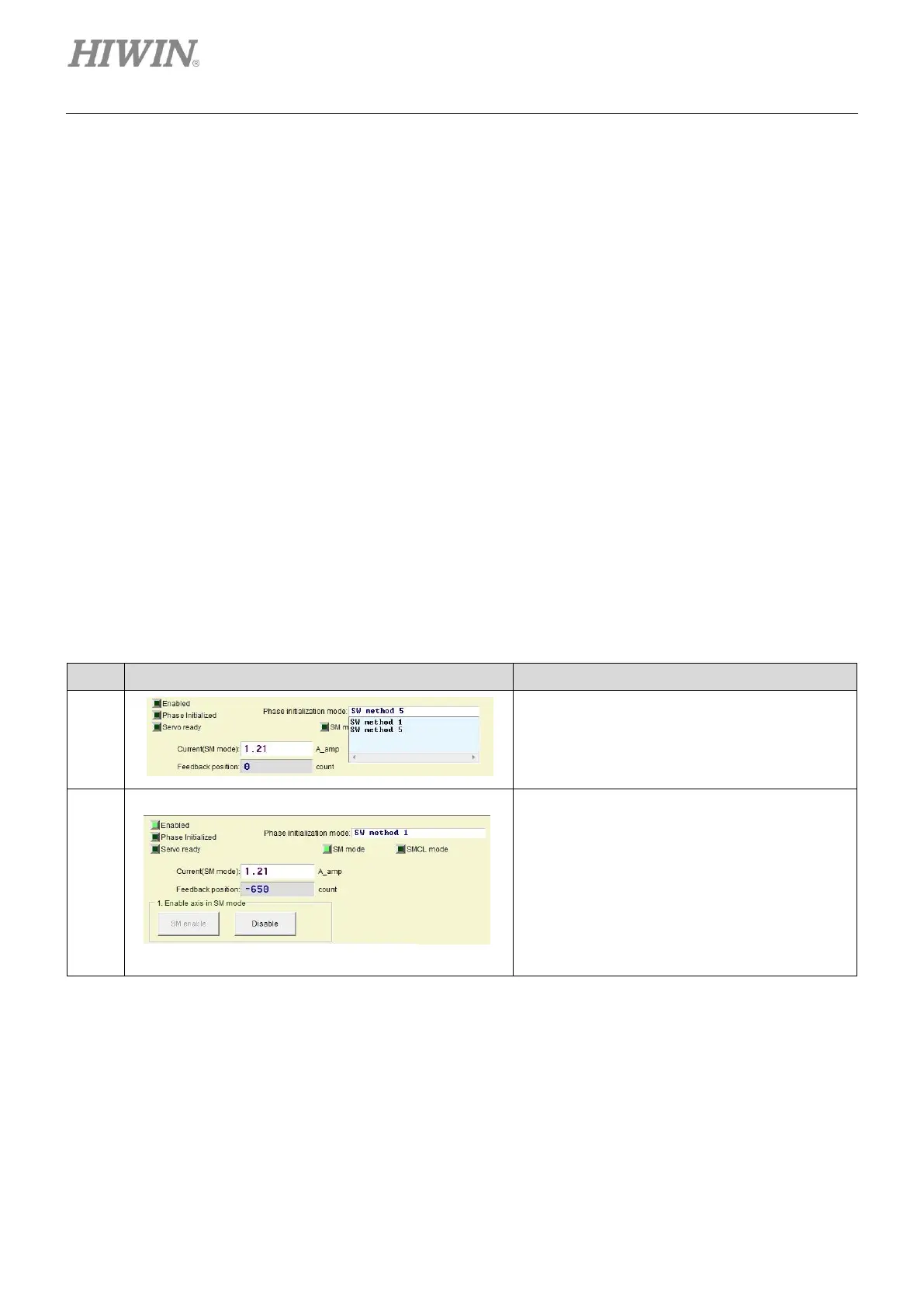
The operating procedures of SW method 1 and SW method 5 are the same, refer to the table below. SW
method 1 is used as an example in the table below.
Table5.3.2.1
Setting phase initialization mode:
Select the desired phase initialization mode.
The default phase initialization mode is SW
method 5.
Enabling the motor in SM mode:
Click on SM enable button and Enabled
indicator becomes green.
Note:
(1) When the motor is enabled in SM mode, the
servo drive outputs current according to the
value set in Current (SM mode) field. To avoid
overheating, the motor cannot be enabled for a
long time in SM mode.
(2) Enabling signal must be input from controller.



 To Next Page