Servo Drive Configuration D1 Servo Drive User Manual
5-12 HIWIN MIKROSYSTEM CORP.
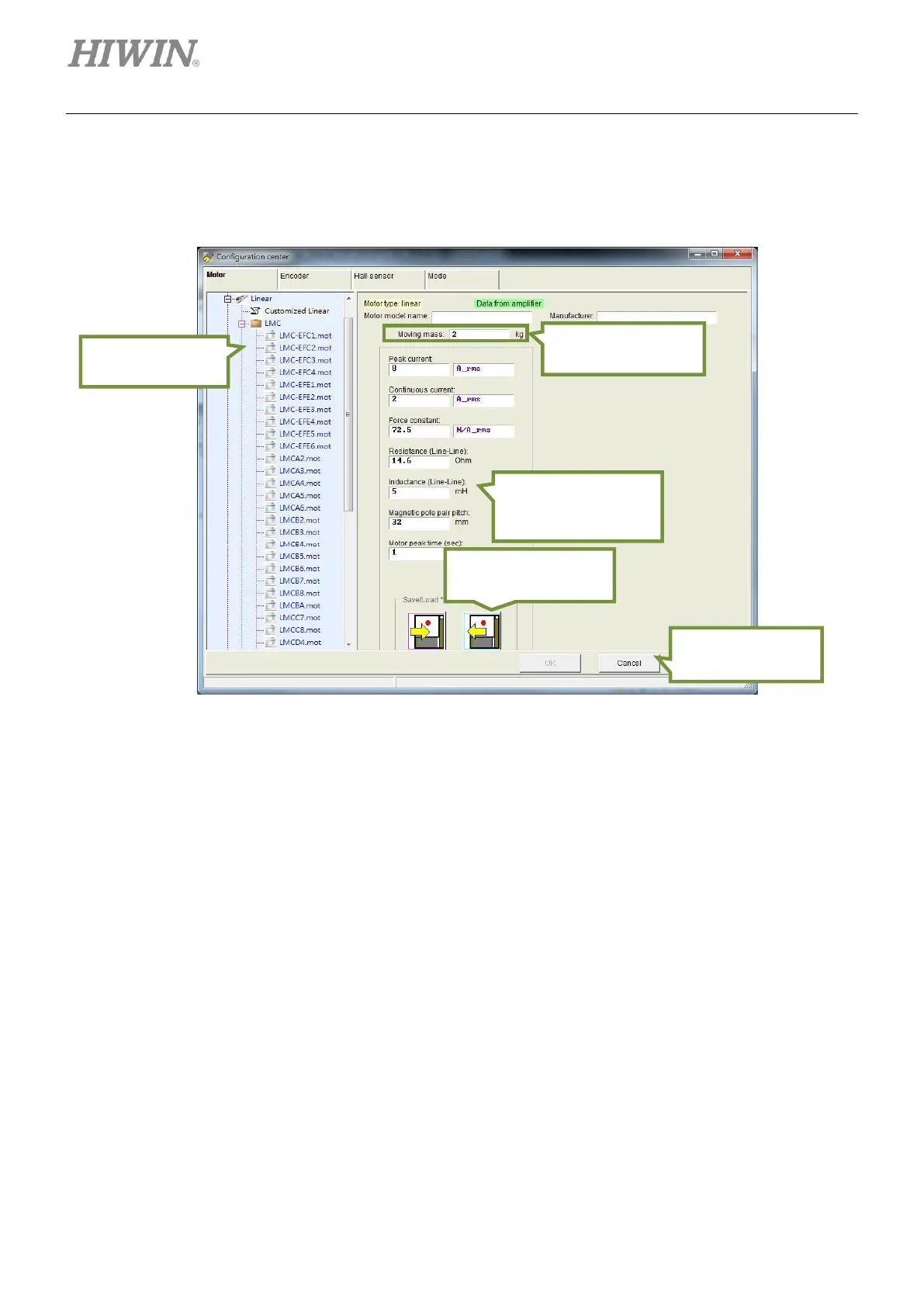
B. Operation parameter
Moving mass:
Set the load mass of motor. (Unit: kg)
Figure5.2.1.4
5.2.2 Setting parameters of encoder
Servo drive receives feedback signal from encoder to perform servo control. The setting page for encoder
is shown as figure 5.2.2.1. In this page, user is able to set encoder type and parameters. The
commonly-used encoder parameters of HIWIN motors are already listed. User can also input parameters
of other encoders. For instance, while using linear analog optical scale, click on Linear and select
Customized Linear Analog. Input parameters according to the encoder specification. After parameters
are set, the parameter settings can be saved as file (*.enc) and be loaded anytime.
D1 servo drive is able to detect encoder signal error. The default delay time is set to 200 ms. If some
encoders require longer power on time, set suitable delay time in Power-on time field to avoid “Encoder
error”.
Operation
parameter setting
area
Area for setting
basic parameters of
motor specification
Save or load motor
parameters
Confirm or cancel
settings
Area for selecting
motor model



 To Next Page