D1 Servo Drive User Manual Tuning
HIWIN MIKROSYSTEM CORP. 6-3
6.1.2 Quick view
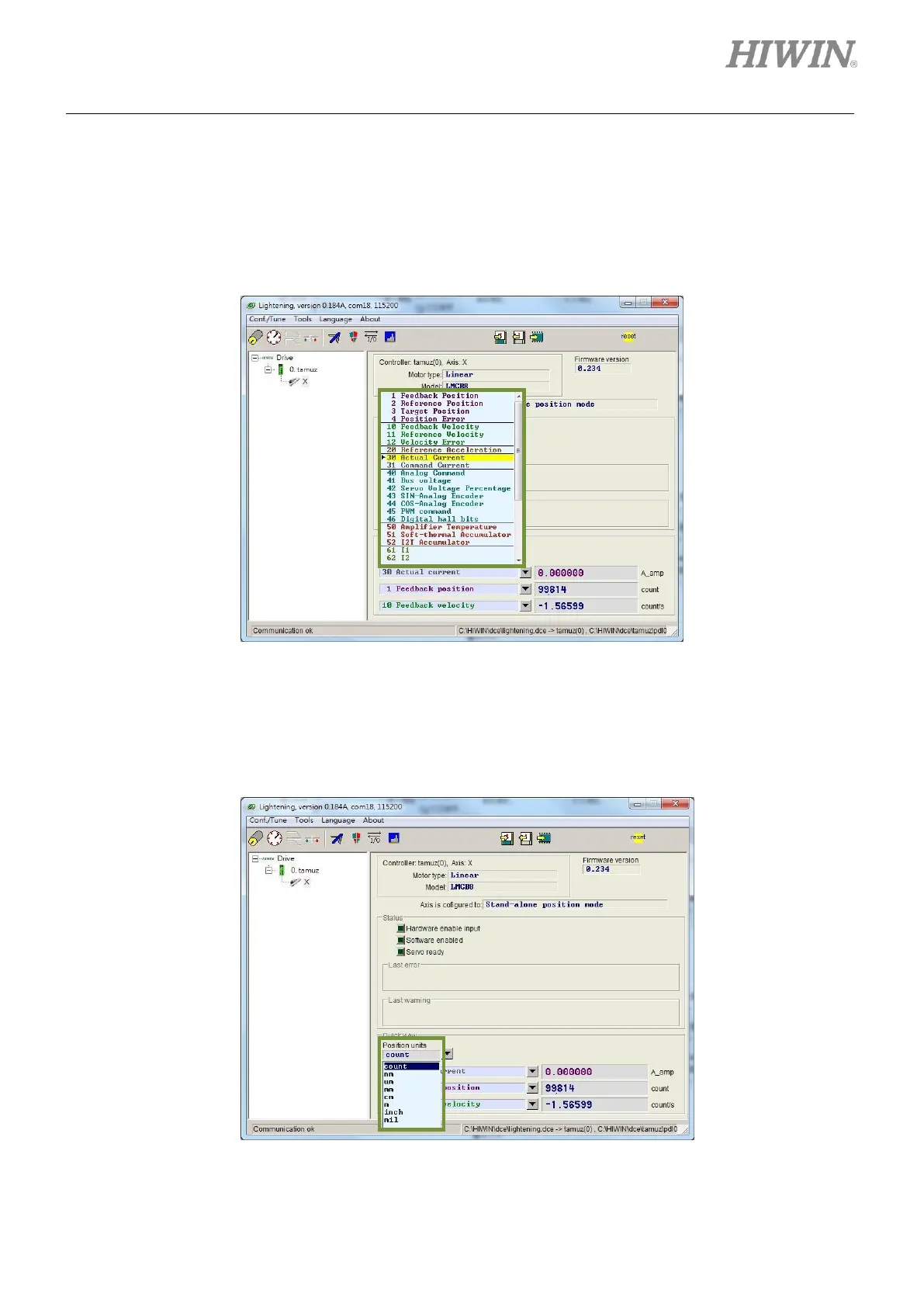
In the main window, there is an area called Quick view as figure 6.1.2.1. Quick view can display three
user-defined physical quantities. The values of these physical quantities will be updated for user to
observe and analyze the system. For supported physical quantities, please refer to section 3.11.
Figure 6.1.2.1 Selection of physical quantities
◼ Unit setting
For physical quantities related to distance, user is allowed to select desired unit for displaying or
setting physical quantities (such as position or velocity).
Figure 6.1.2.2 Unit setting



 To Next Page