D1 Servo Drive User Manual Enabling Motor
HIWIN MIKROSYSTEM CORP. 12-3
12.2 Checking enabling state from Lightening
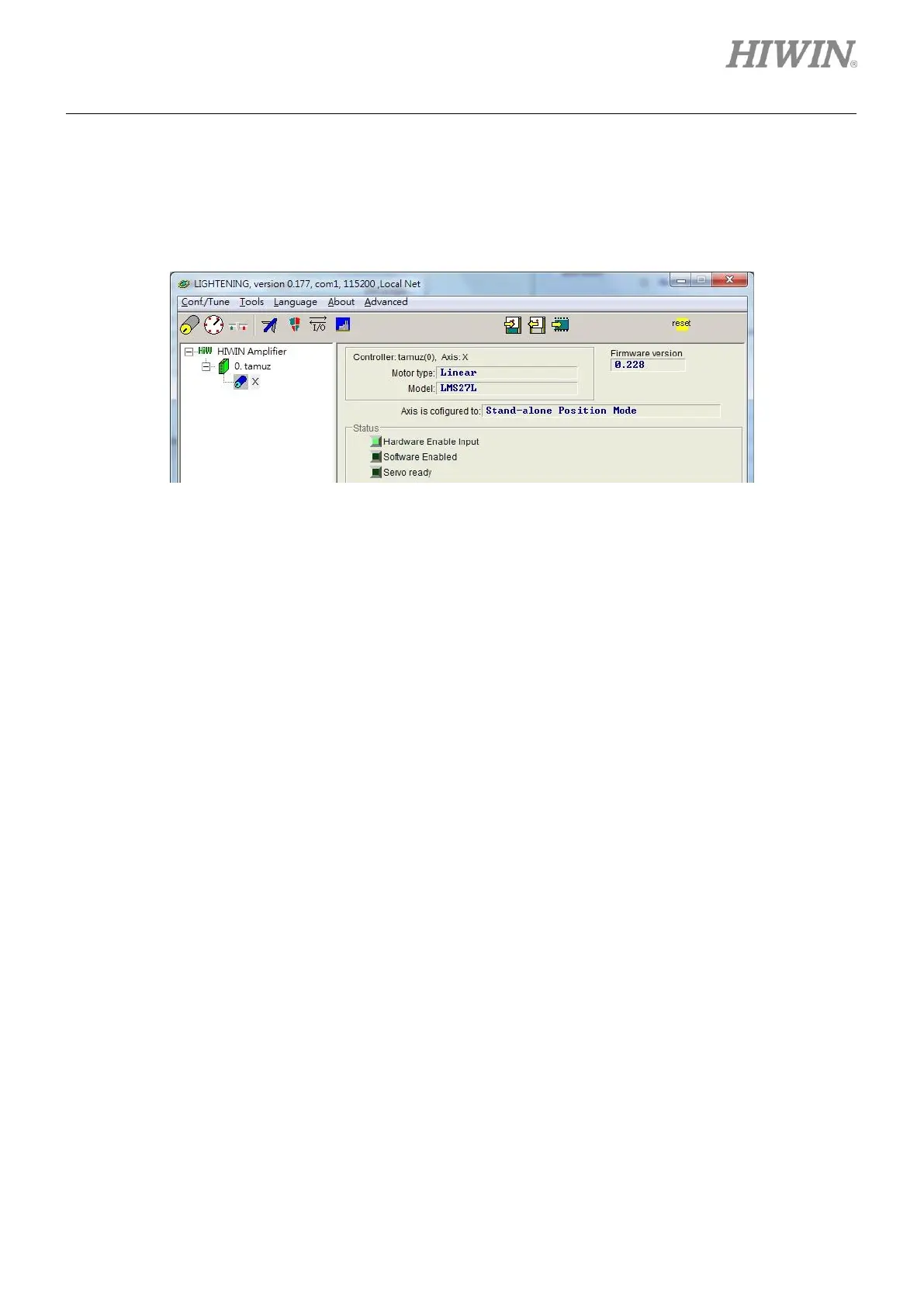
When Hardware Enable Input indicator in Lightening becomes green, it means enabling signal is
received from controller, as figure 12.2.1.
Figure12.2.1
Normally motor is enabled by axis enable signal from controller. Pay attention to the following:
(1) When Lightening is an active window, clicking on Disable (F12) button can disable the motor. This is
usually used for emergency.
(2) Click on Disable (F12) button in Performance center of Lightening to disable the motor. To enable
the motor again, click on Enable button (Note: Hardware Enable Input indicator must still be
green.).



 To Next Page