Errors And Warnings D1 Servo Drive User Manual
9-8 HIWIN MIKROSYSTEM CORP.
9.3 Automatic error handling
D1 servo drive is able to report error and warning in Lightening. Normally when an error occurs, user
needs to perform troubleshooting and then clear the error in Lightening. For convenience and efficiency,
Lightening provides an automatic error handling function. User can choose whether to enable this
function on the following error messages.
(1) Amplifier over temperature
(2) Under voltage detected
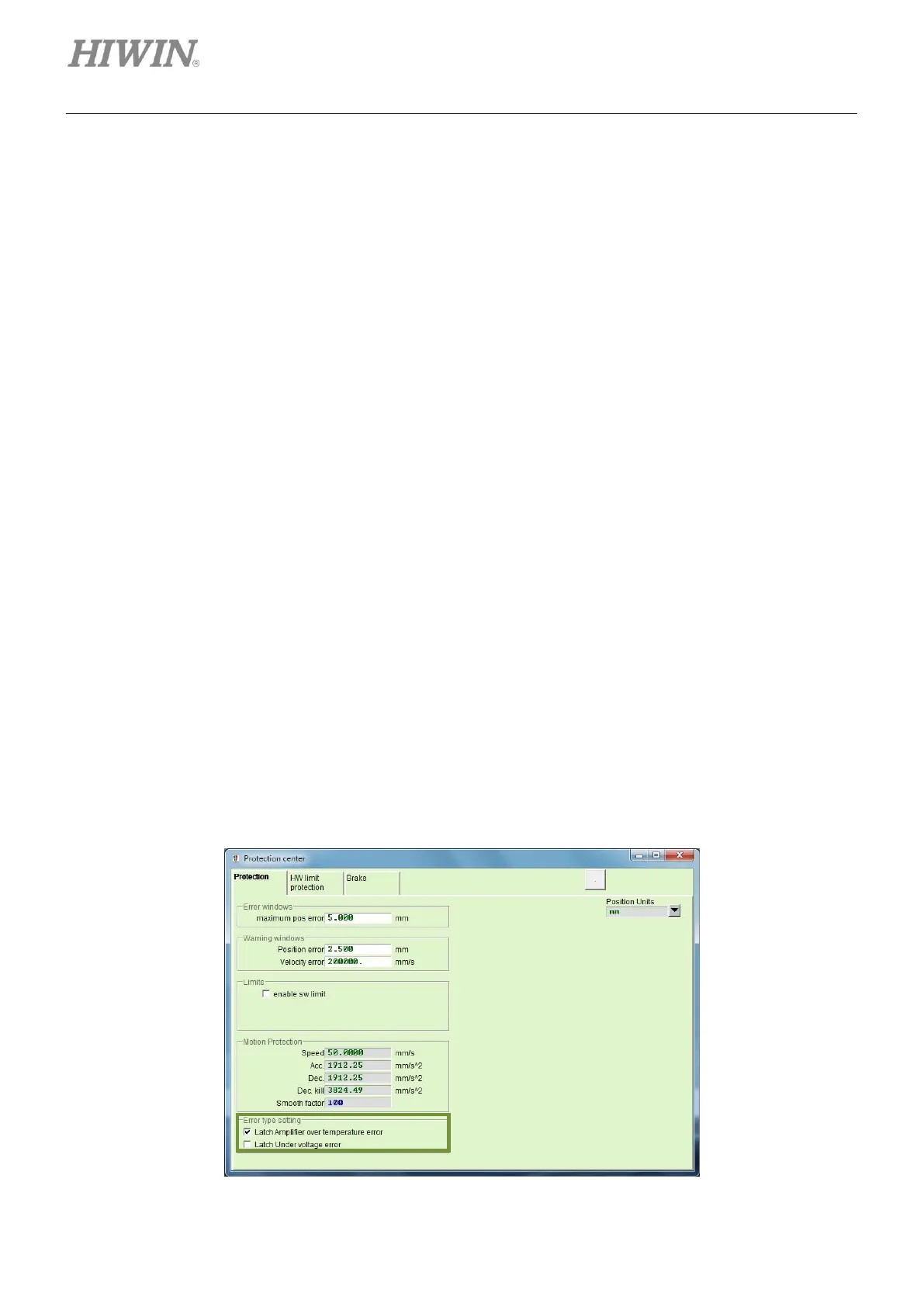
Click on Protection tab in Protection center. Enable or disable this function in the setting area of Error
type setting, as figure 9.3.1. Check the checkbox of Latch Amplifier over temperature error or Latch
Under voltage error to disable automatic error handling function. If the checkbox is not checked,
automatic error handling function will be enabled.
➢ Example 1
When error “Amplifier over temperature” occurs, it means the servo drive is overheating. If user
would like the motor to be enabled automatically after the cause of the error is cleared, uncheck the
checkbox of Latch Amplifier over temperature error. If the servo drive cools down naturally, the
motor will be enabled automatically.
➢ Example 2
When error “Under voltage detected” occurs, it means AC main power is not correctly supplied to the
servo drive. If user would like the motor to be enabled automatically after the cause of the error is
cleared, uncheck the checkbox of Latch Under voltage error. If the AC main power for the servo
drive is supplied normally, the motor will be enabled automatically.
Figure9.3.1



 To Next Page