Enabling Motor D1 Servo Drive User Manual
12-2 HIWIN MIKROSYSTEM CORP.
12.1 Enabling method
◼ Enable motor by controller
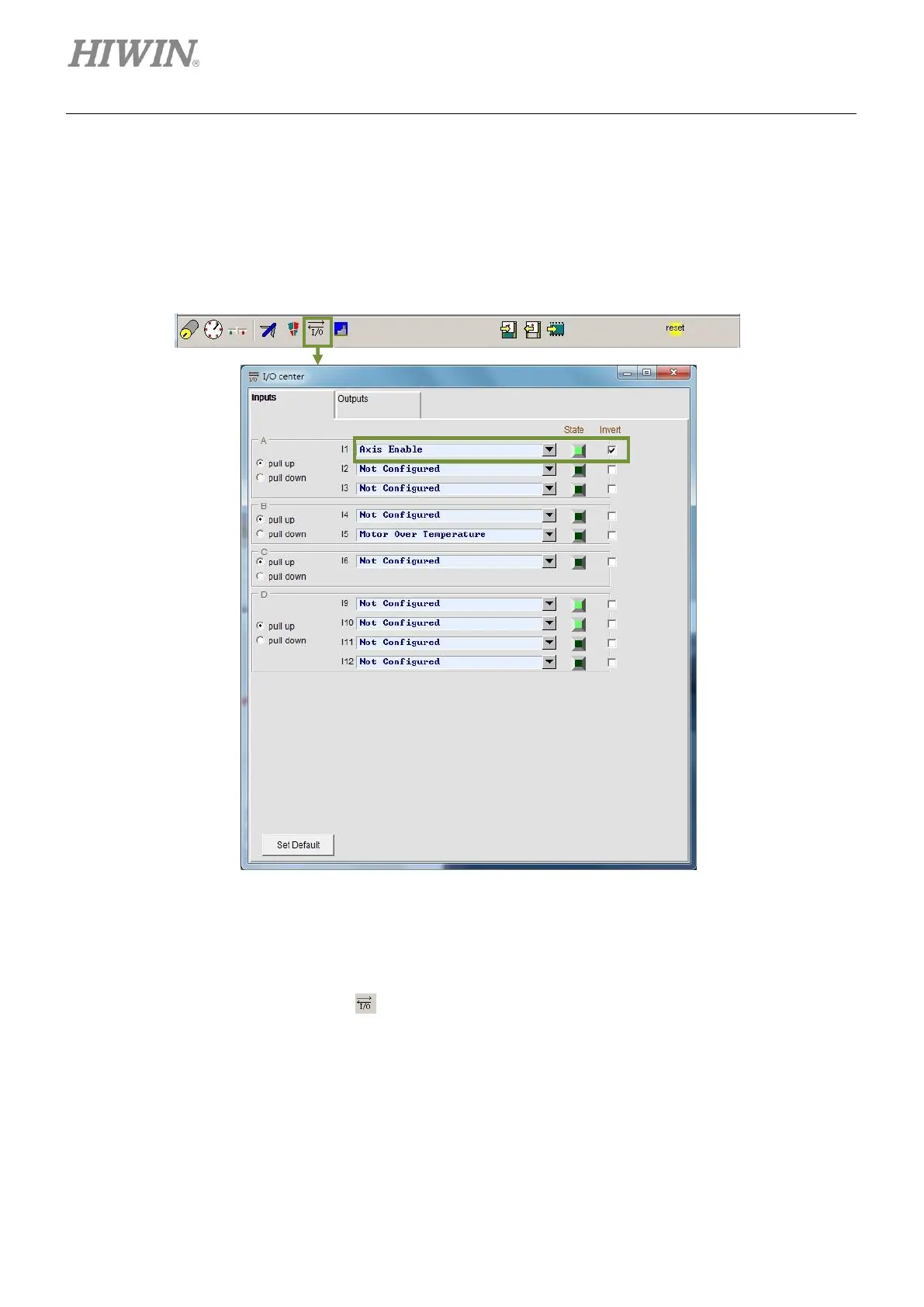
Normally motor is enabled by the command sent from controller via input port. Input function Axis
enable is set in digital input I1 (section 5.4.1), as figure 12.1.1.
Figure12.1.1
◼ Enable motor without controller
Without controller, hardware enable signal cannot be input into the servo drive. To simulate a
hardware enable signal, click on to open I/O center, as figure 12.1.1. Set I1 to I3 as pull up. Set
I2 and I3 as Not Configured. Ensure the state indicator of Axis Enable becomes green. Normally I1
is for hardware enable signal. Check the checkbox of Invert to invert the logic. At this time, since the
logic is inverted, I1 becomes ON when no signal is input. The state indicator becomes green which
means hardware enable signal is received.



 To Next Page