Tuning D1 Servo Drive User Manual
6-34 HIWIN MIKROSYSTEM CORP.
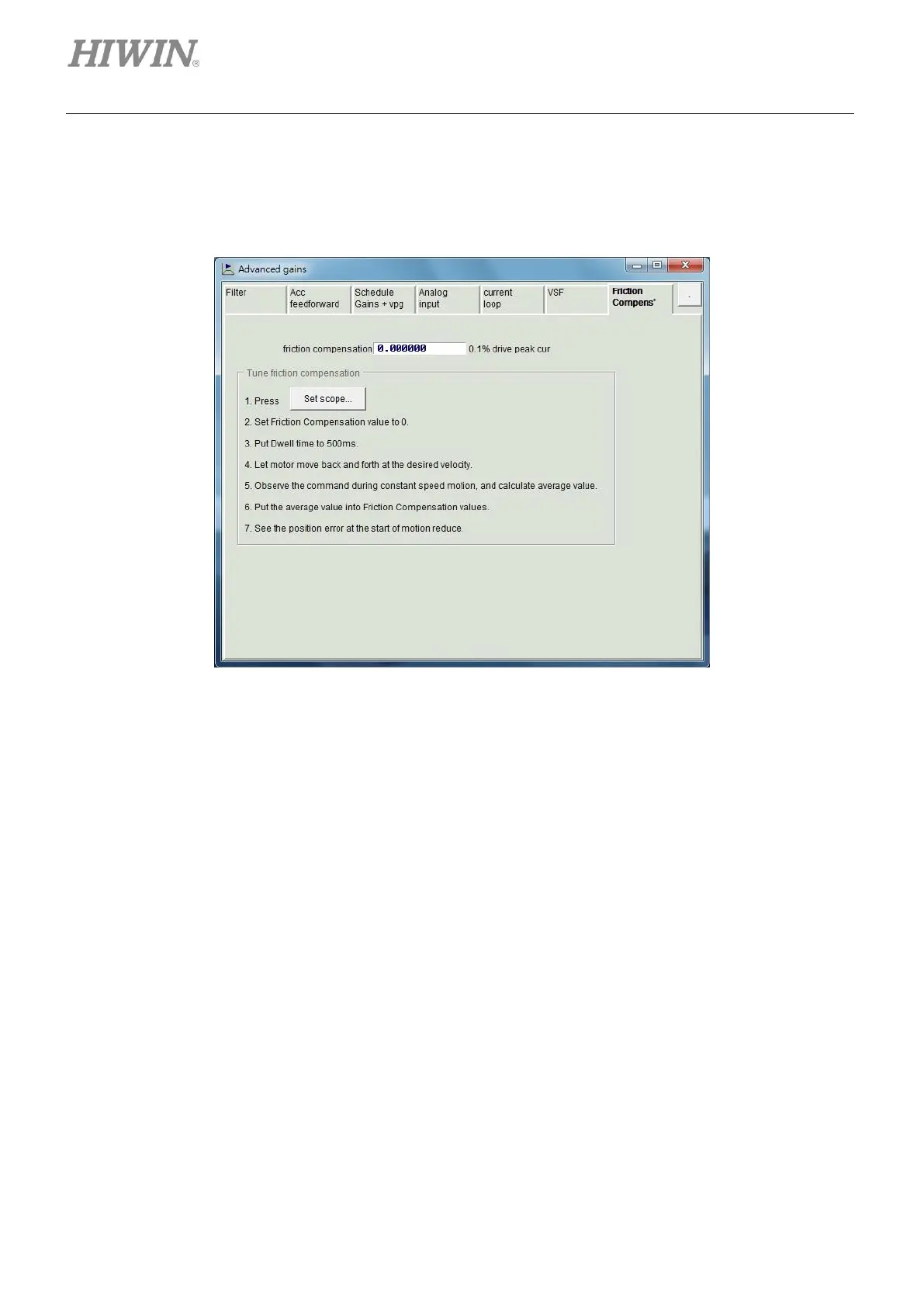
6.6.7 Friction compensation
The efficiency and function of motion could be affected by the mechanical friction from transmission
component. D1 servo drive provides friction compensation to reduce the effect of friction.
Figure6.6.7.1
For how to apply friction compensation, please refer to the instructions below.
Step 1: Click on Set scope… button to show Scope window.
Step 2: Set friction compensation in figure 6.6.7.1 to 0.
Step 3: Set Dwell time to 500 ms.
Step 4: Set the desired speed and perform point-to-point (P2P) motion. Observe position error in
Scope window. It is suggested to apply friction compensation if positon error is greater when
motor starts to move, as the left part of figure 6.6.7.2.
Step 5: Observe command current when the motor is moving at constant speed and calculate its
average value. As figure 6.6.7.2, the average value of command current is 20.
Step 6: Input the average value from step 5 into the field of friction compensation.
Step 7: Observe if the position error when the motor starts to move has decreased, as the right part of
figure 6.6.7.2. The position error has decreased after friction compensation is applied.



 To Next Page