D1 Servo Drive User Manual Advanced Frequency Analysis
HIWIN MIKROSYSTEM CORP. 11-5
11.3 SMCL tools
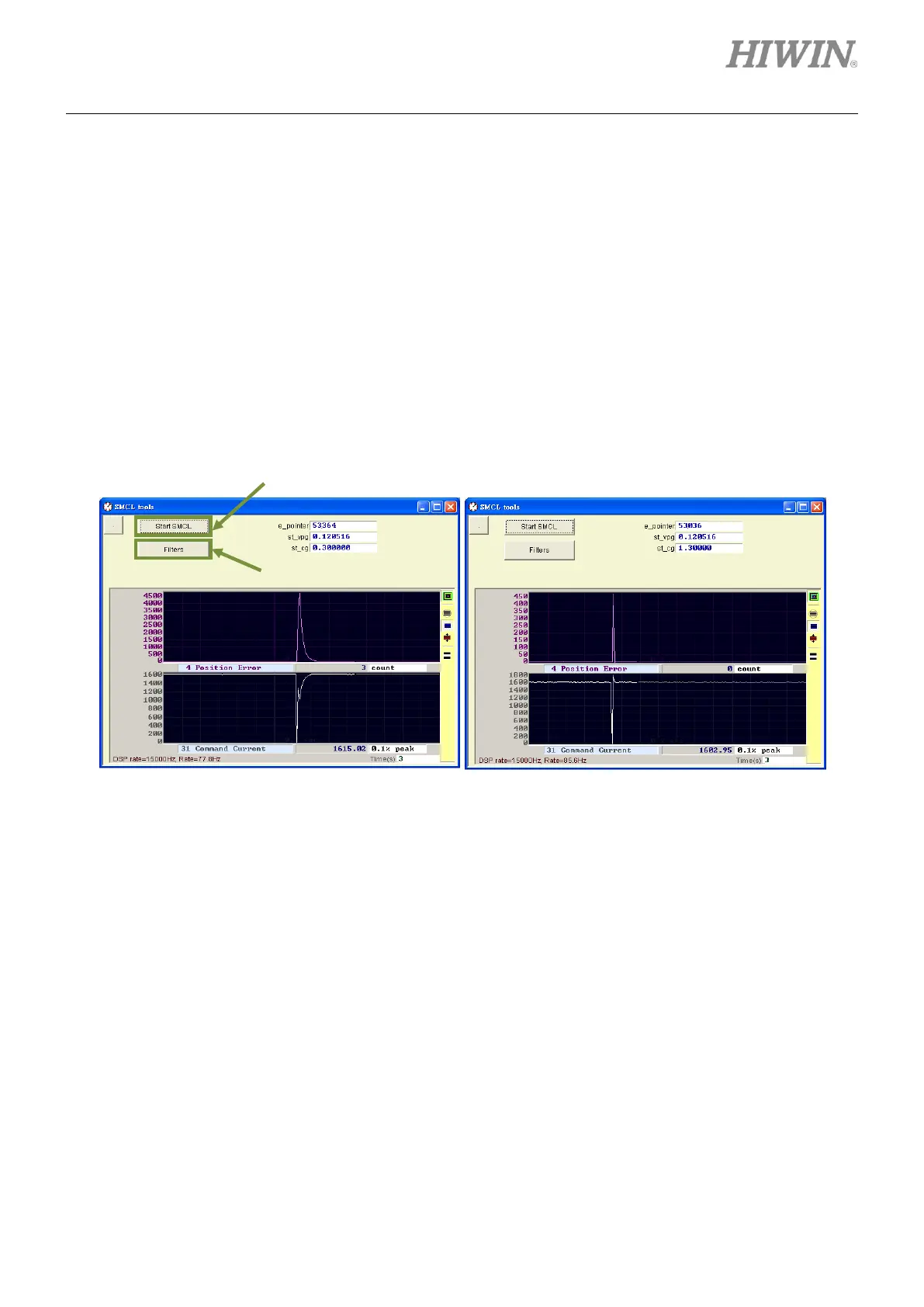
When SW method 1 is selected for phase initialization mode, use SMCL tools to adjust st_cg to minimize
the movement while performing phase initialization. Click on SMCL tool… button in figure 11.1.1 to open
SMCL tools, as figure 11.3.1. Increase st_cg to decrease the movement during phase initialization. If
st_cg is set to be too large, it may cause vibration and unstable system. Click on Start SMCL button to
check the movement during phase initialization and if there is vibration. Adjust st_cg and execute SMCL
test repeatedly and check position error until the movement during phase initialization is acceptable.
Note:
Do not modify the value in e_pointer field.
Figure11.3.1
◼ SMCL parameters
(1) st_cg
st_cg is the proportional gain of control loop in SMCL mode. Normally st_cg must be as large as
possible, but it is on the premise of not affecting the stability of the system. If st_cg is set to be
too large, it may cause vibration and unstable system. At this time, st_cg must be decreased.
st_cg is usually set to 0.2 to 1.5. But if the system is stable enough, st_cg could be more than
1.5.
Open filter setting window.
St_cg=0.3, movement 4500 counts
St_cg=1.3, movement 450 counts



 To Next Page