Tuning D1 Servo Drive User Manual
6-50 HIWIN MIKROSYSTEM CORP.
Step 5: Click on Cancel button to return to the main window. Save parameters to the servo drive Flash.
Then go to step 4 again.
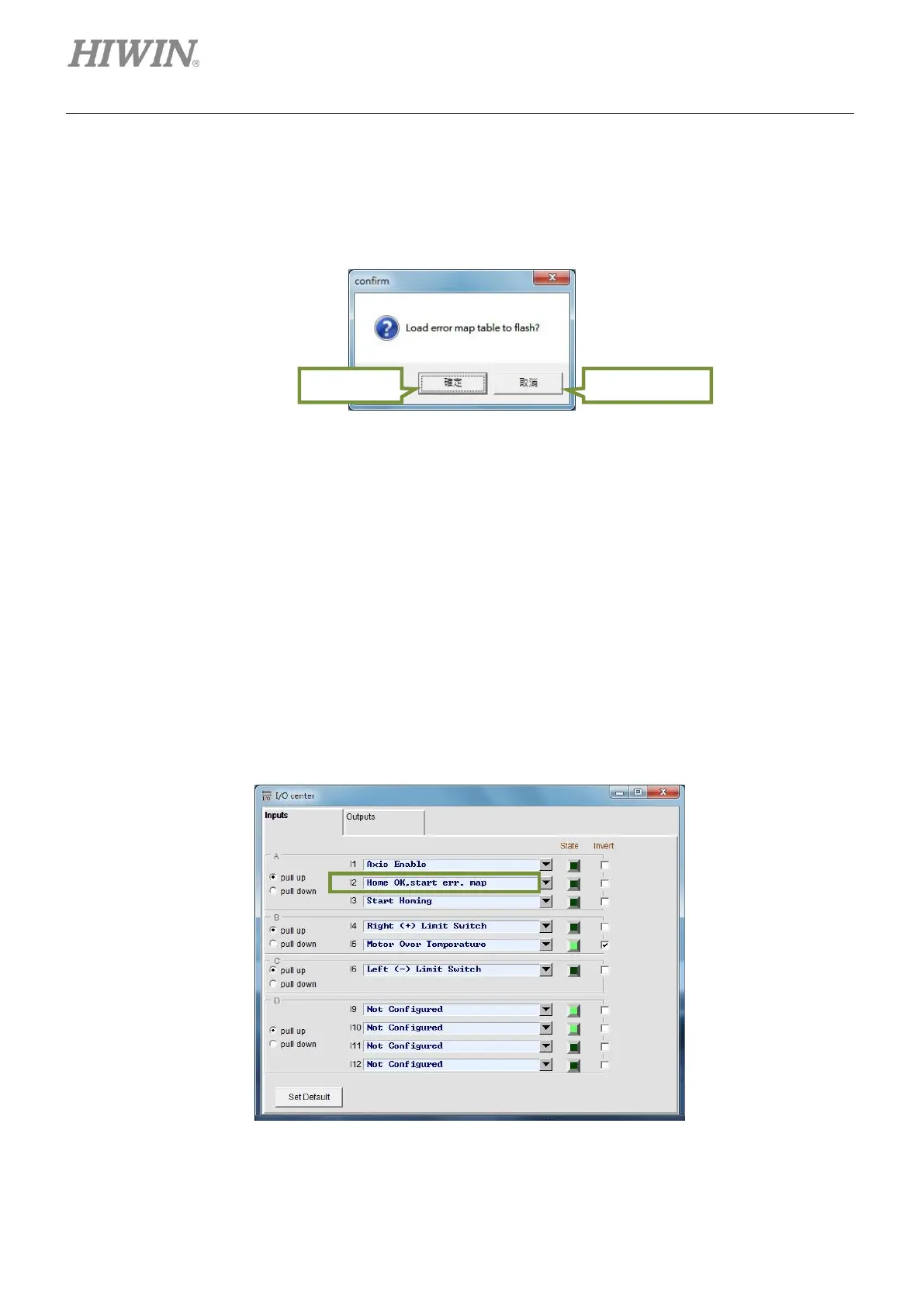
Step 6: Click on Yes button to save Error map table to the servo drive Flash. After that, the servo drive
will be automatically reset.
Figure6.9.1.4
6.9.2 Enabling error map function
After Error map table is set in the servo drive, the servo drive is able to compensate the errors after
homing. D1 servo drive provides two ways of homing, please refer to below.
(1) Homing with controller
Set input function Home OK, start err. map. (Refer to section 5.4.) We assume the digital input of
this input function is I2, as figure 6.9.2.1. The controller sends pulse command or voltage command
to the servo drive to let the motor move to the home position. After that, the controller inputs signal
via I2 to the servo drive to enable Error map function.
Figure6.9.2.1



 To Next Page