LCD Display D1 Servo Drive User Manual
7-2 HIWIN MIKROSYSTEM CORP.
7.1 LCD panel
7.1.1 Description
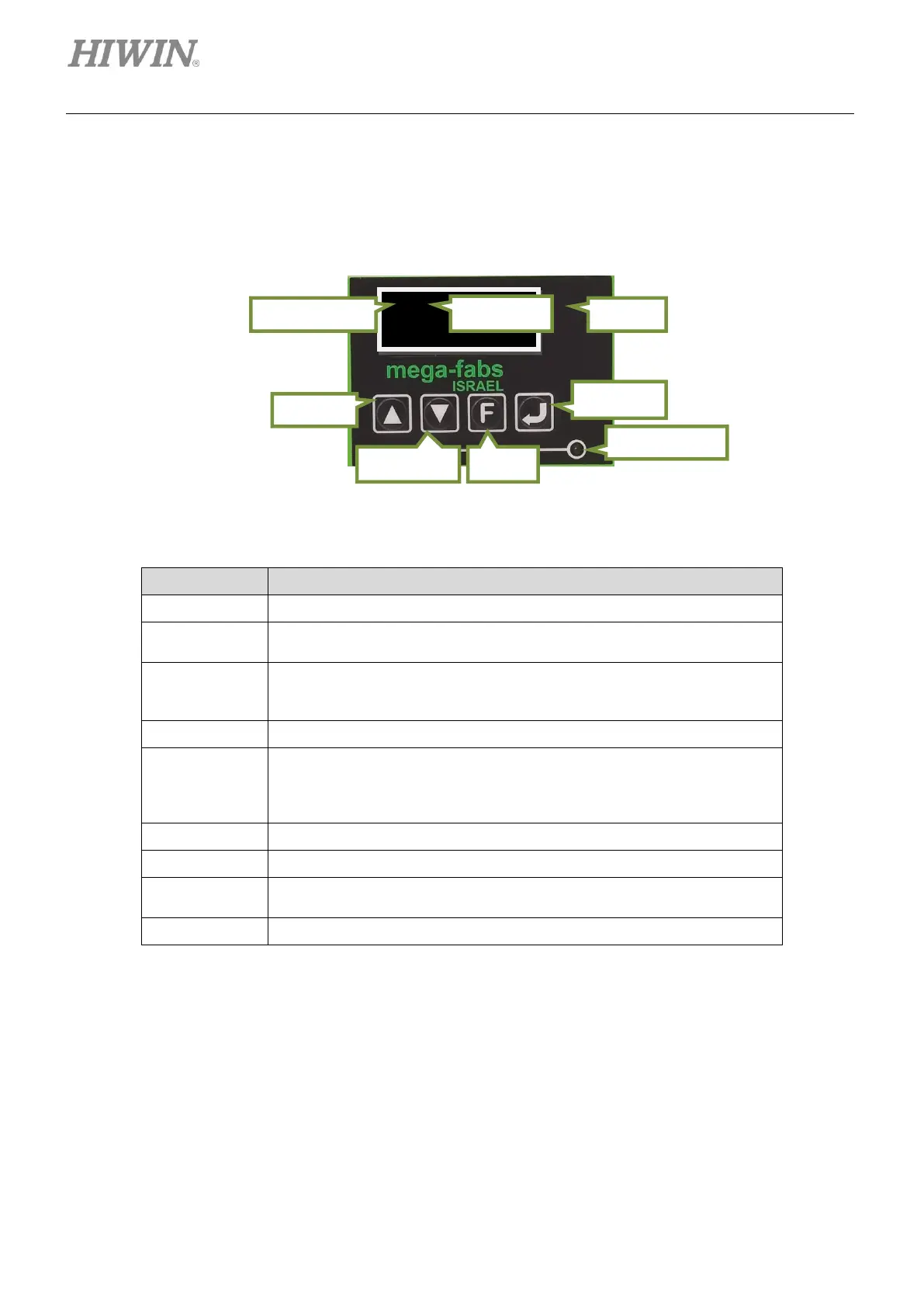
Figure7.1.1.1 LCD panel
Table7.1.1.1 Function description
Displays parameter name, value, status and motion.
There are four pages in the LCD display. The current page number is
displayed in the upper left corner.
Axis name is displayed in the home page. Axis name can be modified in
the main window of Lightening, please refer to section 5.1.3. If an error or
a warning occurs, its message will be shown here as well.
Displays servo drive status, please refer to section 9.4.1.
Static cursor: A blinking underline means the parameter can be edited.
Dynamic cursor: A solid blinking square cursor means the parameter is
being edited or the motor is jogging.
No cursor: Displays parameter only.
Select selection, set parameter value and jog the motor.
Select selection, set parameter value and jog the motor.
Switch among four operation modes and switch among editing modes
while setting parameter value.
Enter status display selection, save parameter value and confirm motion.
Note:
The LCD panel of CoE model can only be used to monitor servo drive status.



 To Next Page