D1 Servo Drive User Manual LCD Display
HIWIN MIKROSYSTEM CORP. 7-15
7.4.3 Advanced parameter area
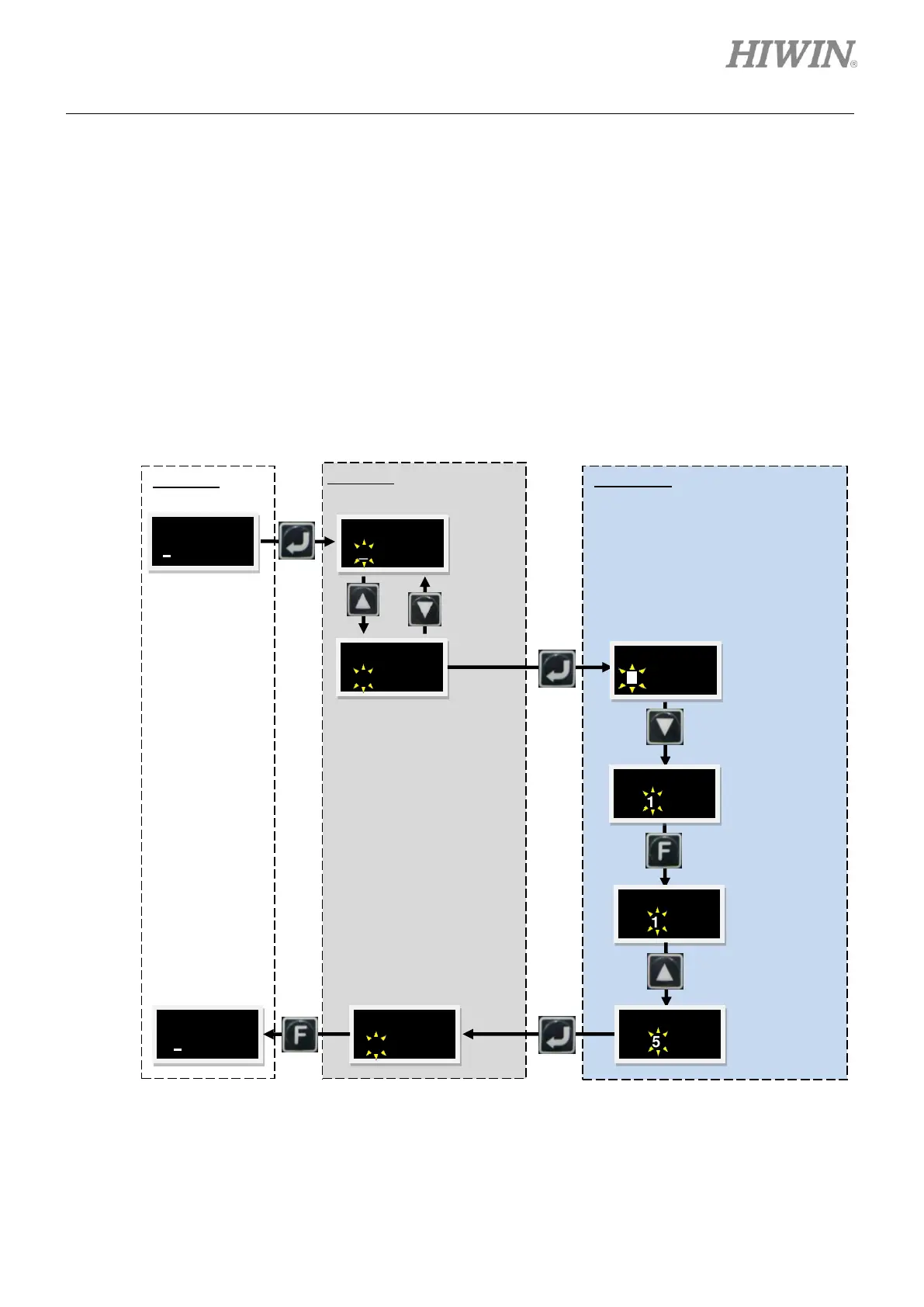
To go to advanced parameter area, please follow the steps below.
Step 1: Press Down key until the LCD display shows “+++”. Press Enter key (There is a blinking cursor
on the left of the second line.) to go to advanced parameter area. The advanced parameters are
listed in table 7.4.3.1.
Step 2: The operation in advanced parameter area is the same as what is described in section 7.4.2.
Step 3: Press Enter key after editing parameter. The LCD display will show the modified parameter and
its value. Press F key for two seconds to exit advanced parameter area. Please refer to the figure
below.
Figure7.4.3.1 Advanced parameter area
Press F key
to go to
parameter
editing
mode.
Press Up
key or
Down key
to select
LCD NO.
081.
Press Down key
once to move
one space
rightward.
Press F key for
more than two
seconds.
Press Up key
for five times
until “5”
appears. (In
the sequence
of 1→1
→2→3→4→5)



 To Next Page