D1 Servo Drive User Manual Tuning
HIWIN MIKROSYSTEM CORP. 6-51
(2) Homing in stand-alone mode
Open Performance center, click on . (Refer to section 6.2.)
◼ How to check if Error map function is enabled
If user would like to check if Error map function is enabled or not, go to Error map tab and check
Error map active indicator. If Error map active indicator becomes green, it means Error map
function is enabled.
6.9.3 Saving and opening error map table
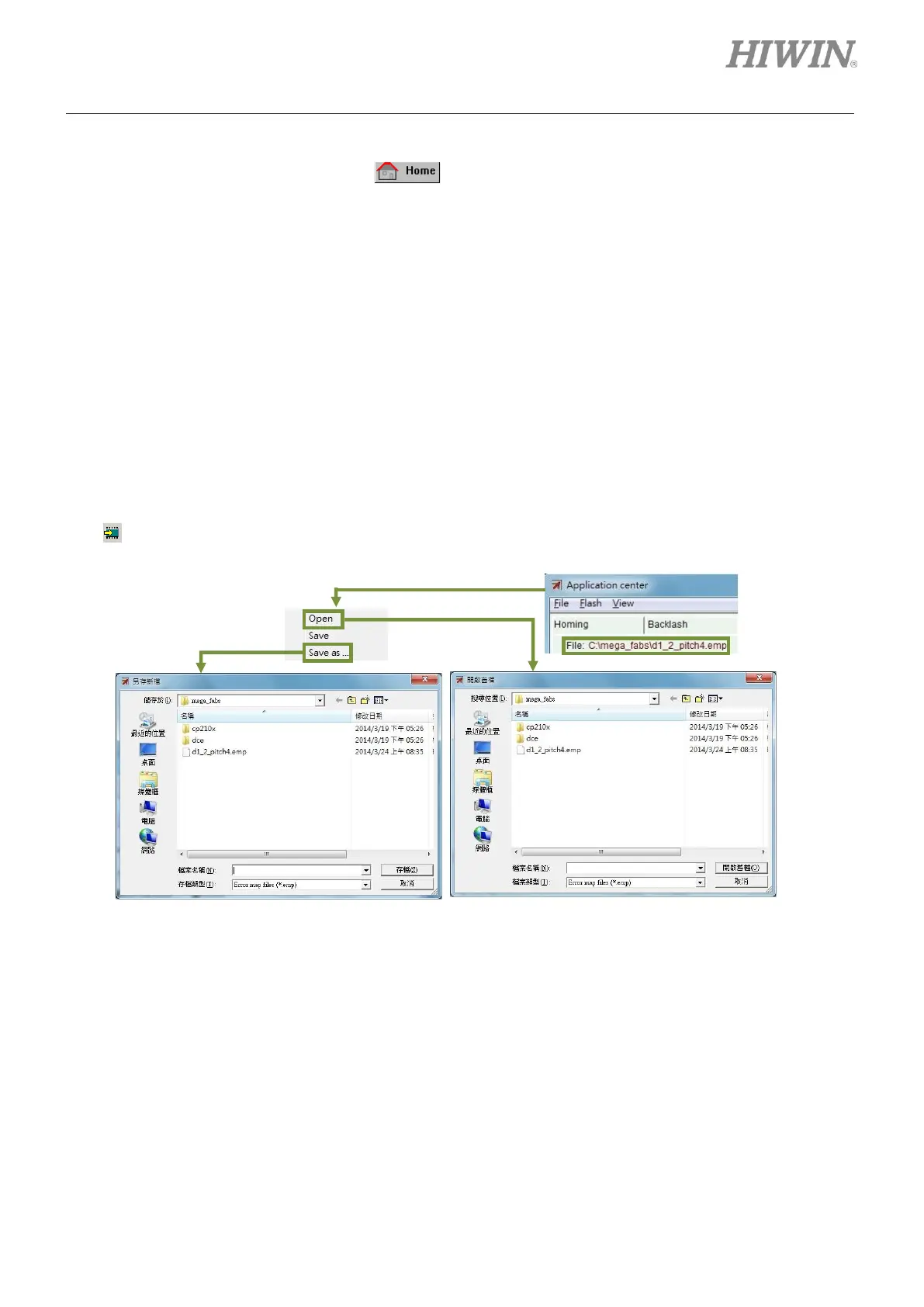
The error compensation values set in Error map window can be saved to Flash or as file and that file can
be opened in Error map window again, as figure 6.9.3.1. As described in section 6.9.1, select Send table
to flash from the submenu of Flash to save Error map table to the servo drive Flash. Please be noted
that (Refer to section 5.7.1.) in the main window cannot save Error map table to the servo drive Flash.
Figure6.9.3.1



 To Next Page