D1 Servo Drive User Manual LCD Display
HIWIN MIKROSYSTEM CORP. 7-25
7.5.2 Jog
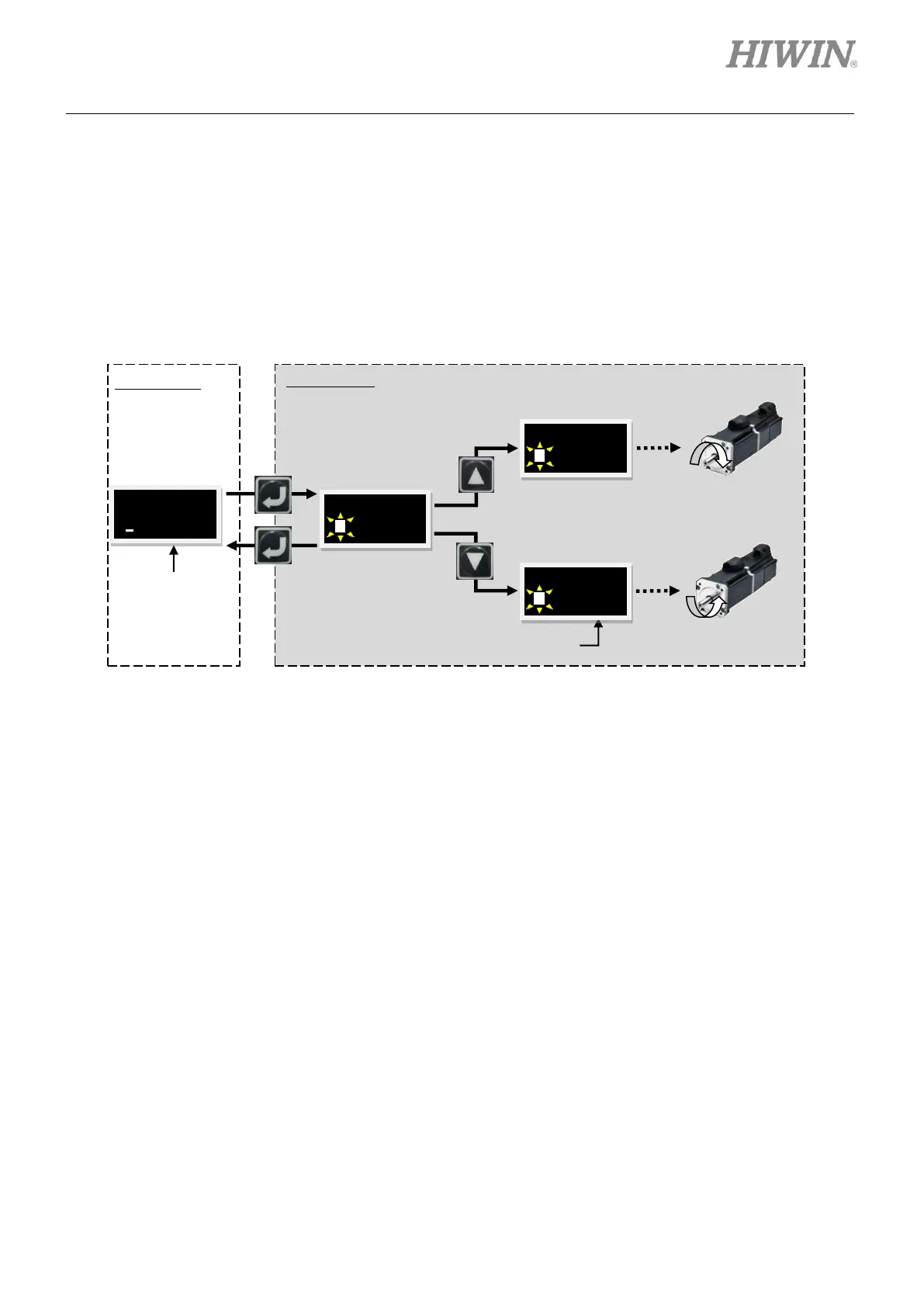
Follow the steps below to perform jog. The operation flow chart is provided in figure 7.5.2.1.
Step 1: Press Enter key to show JOG (A solid blinking cursor is on the left of the second line.).
Step 2: Press Up key or Down key to move the motor towards positive direction or negative direction.
While the motor is moving, the feedback position is shown in the LCD display. The motor stops
as the key is not pressed.
Figure7.5.2.1 The operation flow chart of jog
Note:
In force/torque mode, the jog speed is not based on the setting of VEL_LC, but it is based on the speed set for
motion protection



 To Next Page