LCD Display D1 Servo Drive User Manual
7-24 HIWIN MIKROSYSTEM CORP.
7.5.1 Enabling and disabling
Before using this function to enable or disable motor, ensure external enable signal is input to the servo
drive or whether LCD No. 221 (Invert input I1.) is 1. The default setting of I1 is for the input of axis enable
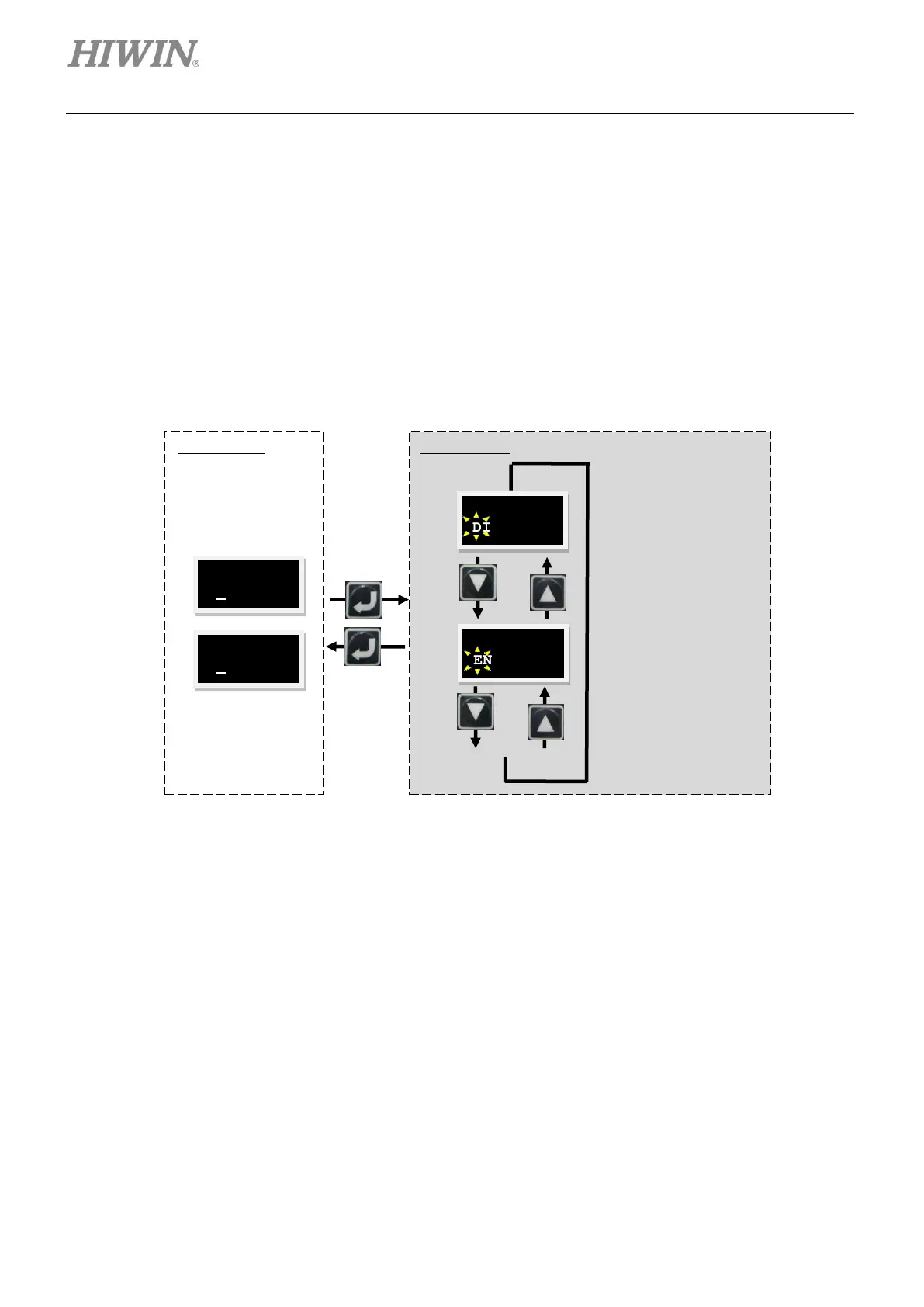
signal. Follow the steps below to enable or disable motor. The operation flow chart is provided in figure
7.5.1.1.
Step 1: Press Enter key to show ENA/DI (The static cursor is on the left of the second line.).
Step 2: Press UP key or Down key to select ENABLE or DISABLE.
Step 3: Press Enter key to complete setting.
Figure7.5.1.1 The operation flow chart of enabling or disabling motor



 To Next Page